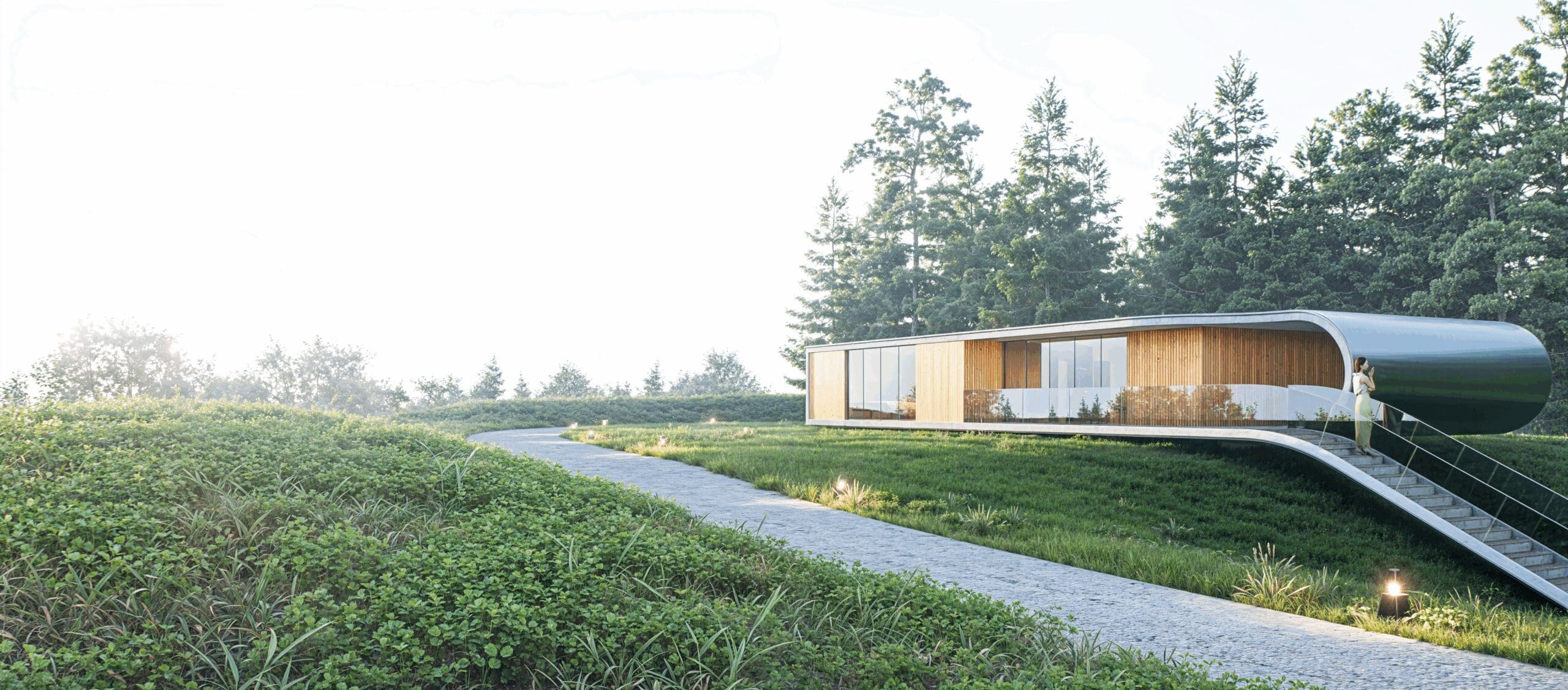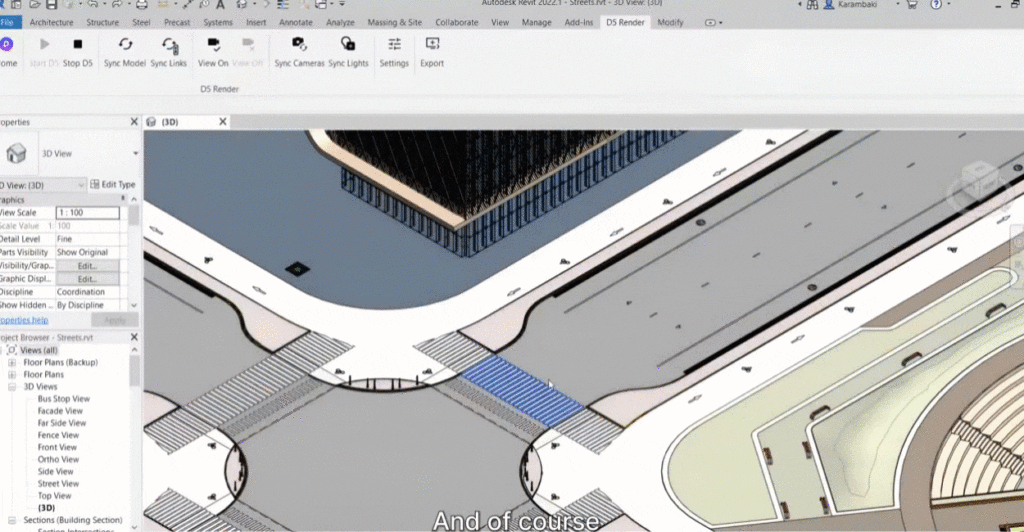
REVIT 2027 IS HERE

Revit 2027 is designed to empower your team with cutting-edge tools and enhancements that drive innovation
and efficiency in your BIM projects. New features will improve your design and construction processes to meet
the demands of today’s dynamic industry.

REVIT 2027 Has Arrived!!

Connected, Data‑Led BIM


Rather than introducing disruptive interface change, this release focuses on maturity—improving performance, strengthening data workflows, and laying groundwork for more adaptive model interaction. For technical teams, the value of 2027 lies in productivity gains at scale and improved continuity across project phases.

AI‑Assisted Model Interaction (Tech Preview)

Revit 2027 introduces Autodesk Assistant for Revit, available as a tech preview. The Assistant operates directly within a project, allowing users to query elements, generate schedules, manage views, and retrieve task guidance using natural language.

While capability is currently limited, it provides insight into future possibilities in documentation assistance and model management.

Accelerated Graphics

Promoted to a reliable production feature by making more effective use of GPU resources, Revit delivers smoother model navigation, more responsive view regeneration, and improved handling of large or heavily linked models.

This translates to project teams working on complex infrastructure, healthcare, and high‑density developments, seeing reduced friction in coordination and review workflows without altering established modelling standards.

Closer Integration with Autodesk Forma

Revit 2027 extends its integration with Autodesk Forma, supporting more continuous workflows between early‑stage analysis and detailed design. As a Forma‑connected client (tech preview), Revit can reference geolocated site data and environmental insights generated during concept studies.

Relevant for sustainability‑driven projects, enabling earlier alignment between environmental analysis and BIM development.

Targeted Workflow Enhancements

Alongside platform‑level changes, Revit 2027 delivers practical improvements to address production challenges:

  • Wall‑on‑wall hosting – improves clunkiness by hosting a secondary wall such as a finish layer on an another wall so they move as one.
Targeted Workflow Enhancements

Alongside platform‑level changes, Revit 2027 delivers practical improvements to address production challenges:

  • Wall‑on‑wall hosting – improves clunkiness by hosting a secondary wall such as a finish layer on an another wall so they move as one.
  • Rule‑based numbering, allowing automated and consistent element identification driven by defined parameters
  • Multi-Category Tagging – is now available using the Tag All workflow.
  • Tag Leaders – Leaders can now be positioned manually with quick snapping.
  • IFC Parameter mapping – supporting greater interoperability
  • UI Dark Mode – Sub-menu’s now better support dark mode.
  • Integrated Issues Management – Issues created in Forma Design Collaboration are displayed directly within Revit in both 2D and 3D views

Individually, the updates are modest; collectively, they reduce manual rework and improve model reliability under change.

Targeted Workflow Enhancements

Alongside platform‑level changes, Revit 2027 delivers practical improvements to address production challenges:

  • Wall‑on‑wall hosting – improves clunkiness by hosting a secondary wall such as a finish layer on an another wall so they move as one.
  • Rule‑based numbering, allowing automated and consistent element identification driven by defined parameters
  • Multi-Category Tagging – is now available using the Tag All workflow.
  • Tag Leaders – Leaders can now be positioned manually with quick snapping.
  • IFC Parameter mapping – supporting greater interoperability
  • UI Dark Mode – Sub-menu’s now better support dark mode.
  • Integrated Issues Management – Issues created in Forma Design Collaboration are displayed directly within Revit in both 2D and 3D views

Individually, the updates are modest; collectively, they reduce manual rework and improve model reliability under change.

Structured Data and Carbon Awareness

Revit 2027 expands, enabling centrally managed data schemas to be embedded directly into model elements. This supports better data consistency across teams and improves downstream interoperability.

In parallel, the introduction of Forma Carbon Insights signals Autodesk’s ongoing investment in earlier‑stage carbon awareness, supporting more informed design decisions responding to growing sustainability requirements across the region.

Other Features:
  • Carbon Analysis
  • Energy Analysis
  • Stair Numbering Visibility
  • Linked Model Line weights
  • Property line properties accessible through API
  • Structural steel, Concrete detailing and Analytical Panel enhancements
  • Dynamo Updates
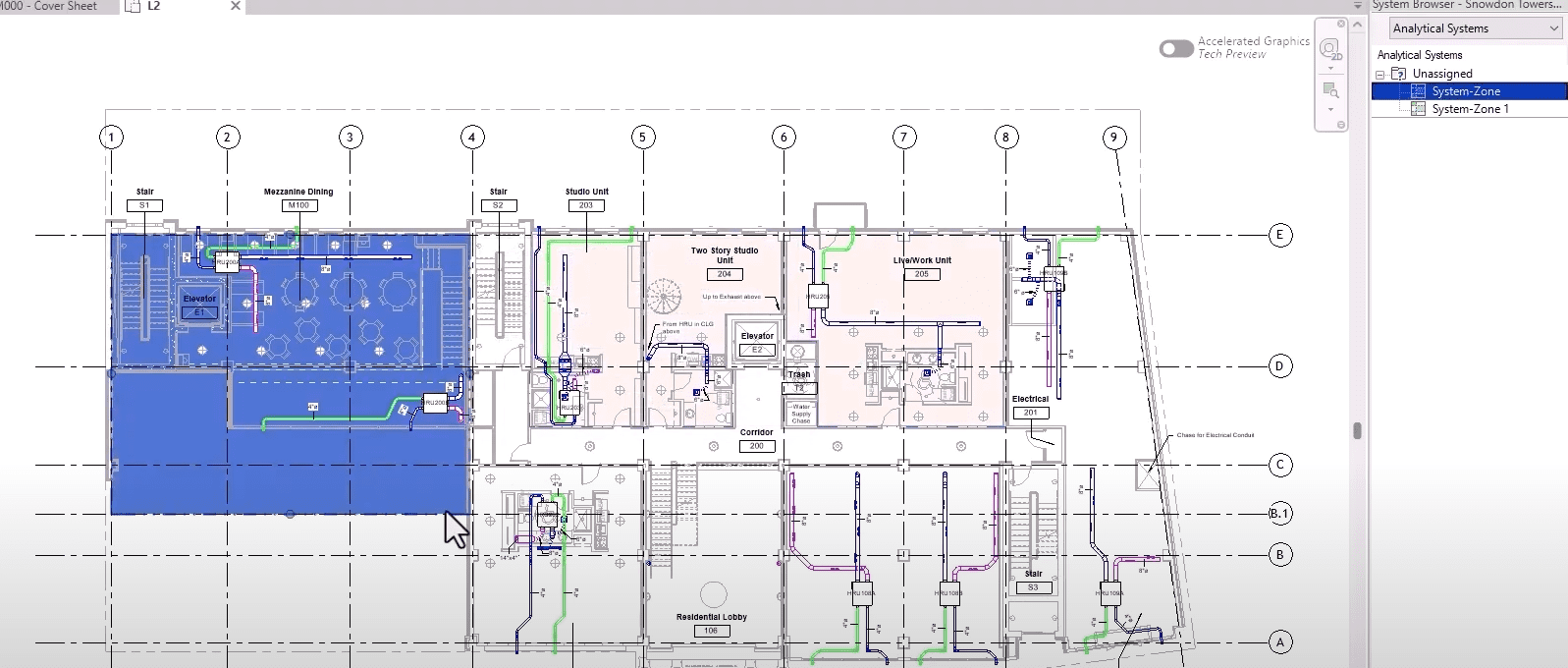
  • HVAC Zones renamed to System-Zones
  • Design option Enhancements

OUR TAKE

Revit 2027 is best viewed as a consolidation release, strengthening foundations rather than redefining workflows. A stepping stone along a much longer road to efficient collaboration and project delivery across all sectors, in a cohesive environment.

To see the full improvement list click here.
Autodesk Construction Cloud joins Forma

New Updates to Autodesk Products

ACC GETS A REBRAND

On March 24, Autodesk Construction Cloud (ACC) will be renamed Autodesk Forma as an extension into the Forma Industry Cloud; An AI-native platform that organizes currently fragmented workflows and data into a single, insight-driven environment.

Autodesk’s vision is to support more informed decision-making across planning, design, construction and operations. 

Autodesk Forma

WHATS CHANGING?

FORMA BRANDING

  • Docs will appear as Data Management in the product UI
  • Navigation to additional Forma solutions will surface in the UI
  • The logo in the top of the UI will change to Autodesk Forma
  • ACC Mobile App will be re-named to Forma, see FAQ
  • Account Admin in the product UI will change to Hub Admin


SAME PRODUCTS, NEW NAMES:

  • Autodesk Docs    Forma Data Management
  • Autodesk BIM Collaborate Pro    Forma Design Collaboration
  • Autodesk Build    Forma Build
  • Autodesk Takeoff    Forma Takeoff
  • Autodesk Estimate    Forma Estimate
  • Preconstruction Bundle    Forma for Preconstruction
  • Model Management Bundle    Forma for Model Management
  • Construction Operations Bundle    Forma for Construction Operations

WHATS NOT CHANGING?

Fret not, the change will not disrupt current projects and tasks:

  • No data migration. All projects, members, settings and data remains as is.
  • No changes to URLs, logins, APIs or integrations.
  • No changes to licensing or user provisioning.
  • No changes to workflows or automations setup in ACC.

WHAT DO I NEED TO DO?

To continue receiving product notifications, whitelist the new Forma email domains.

Otherwise, business as normal.

WANT TO KNOW MORE?

FORMA, A PROMISING STEP IN BUILDING DESIGN.

Exploring Autodesk Forma: A Promising Step in Building Design

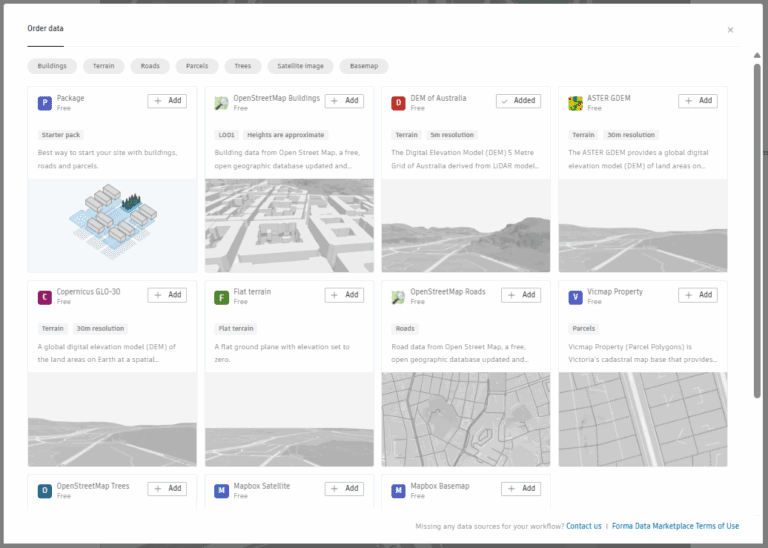
Autodesk Forma is quickly emerging as one of the most discussed tools in the design technology space, and for good reason. With an interface that’s easy to learn and a workflow designed for speed, Forma allows architects and designers to generate meaningful insights right at the start of a project. By delivering analysis results in minutes, it makes it easier to test ideas, present clear outcomes to clients, and transition into Revit modelling with confidence thanks to its seamless interoperability. On top of that, users can load in contextual or other data directly from the marketplace.

🔧 AREA ANALYSIS

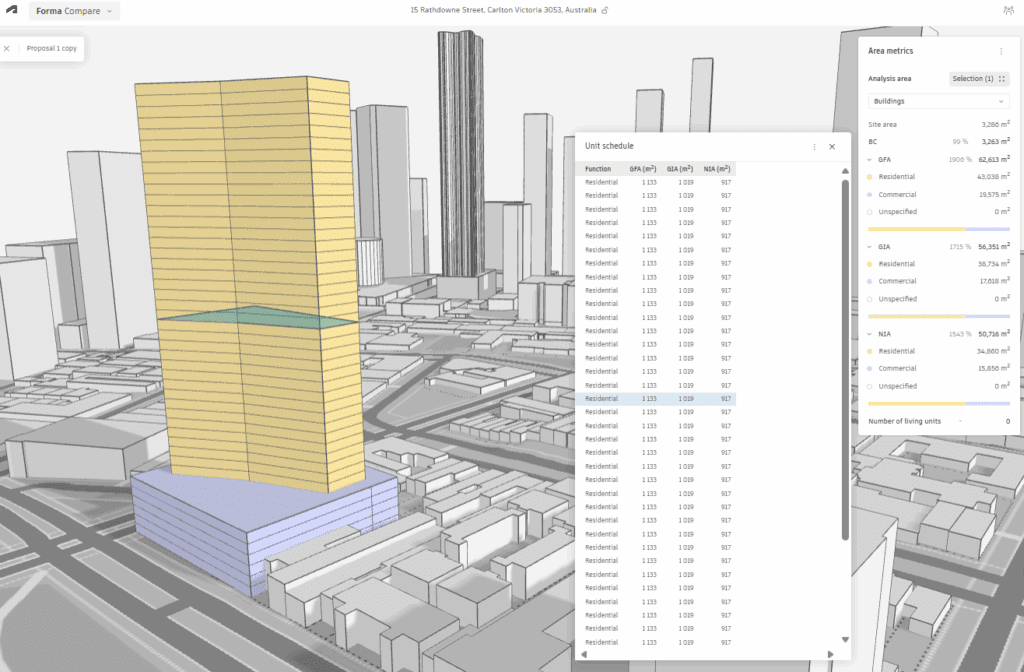
Drawing on site and contextual data from Australia’s Digital Elevation Model (DEM), Forma enables quick calculations of site and building areas. This brings early clarity to project potential, often without needing a section 32 or feature survey, giving feasibility and concept design an immediate head start.

WIND ANALYSIS

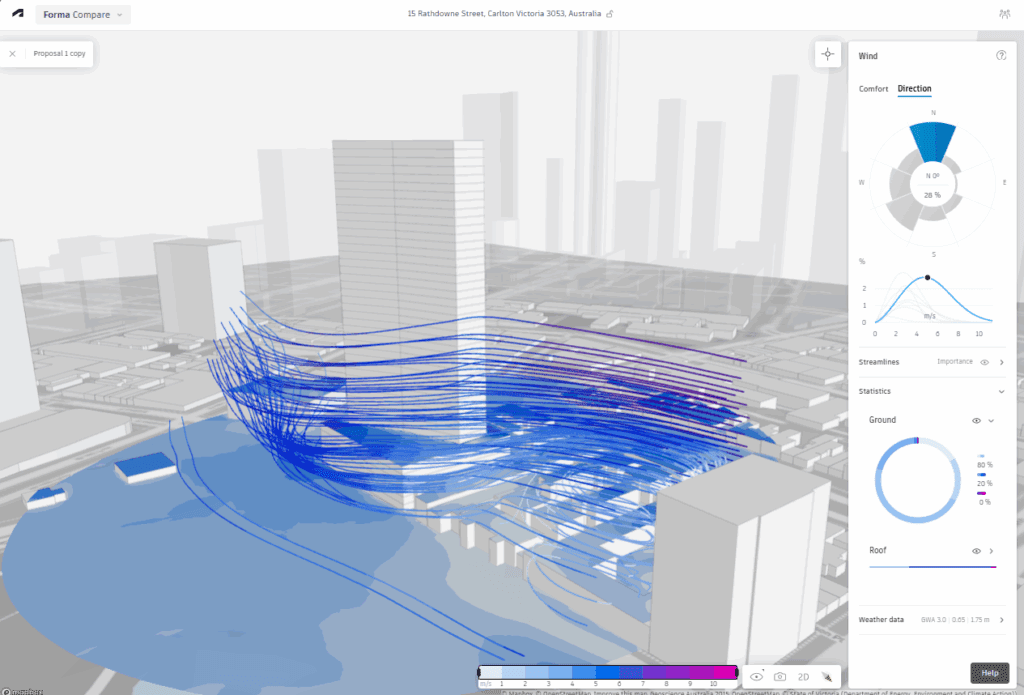
Forma integrates local climate datasets to simulate how wind moves through and around a site. Designers can test how early massing responds to airflow, informing decisions around comfort, orientation, and site layout long before detailed modelling begins.

SUN HOURS ANALYSIS

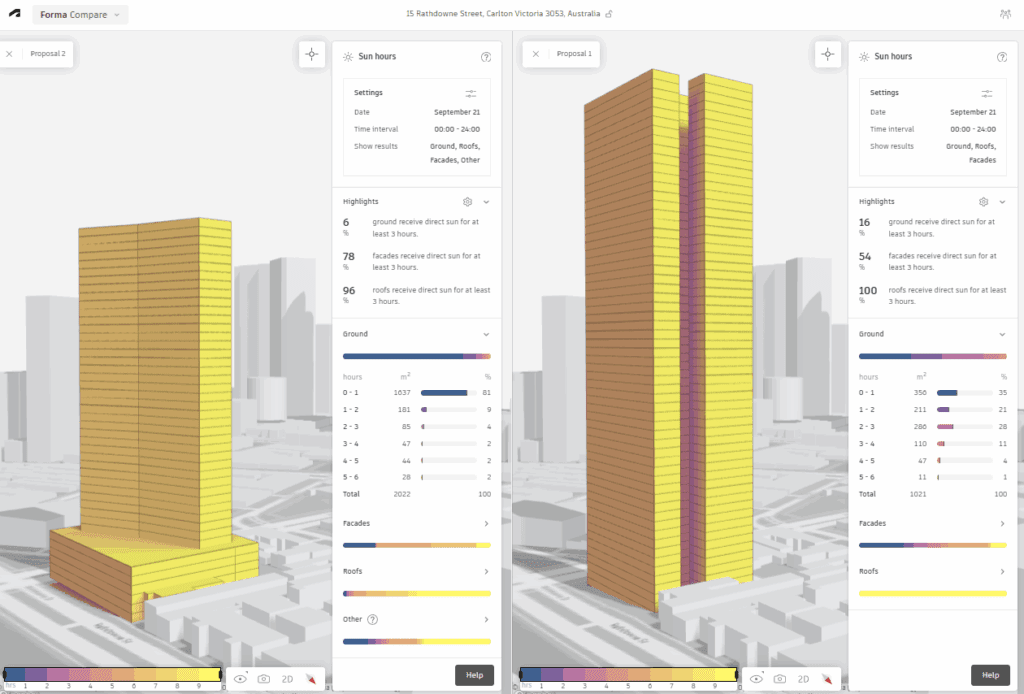
Using geolocation and solar path data, Forma calculates the amount of sunlight different areas of a building or site receive across the day and year. These insights help guide discussions on energy performance, shading requirements, and overall comfort, providing clients with a clearer understanding of design impact at an early stage.

MORE THAN JUST ANALYSIS

Beyond its environmental studies, Forma offers a growing suite of tools designed to streamline early design decision-making. A built-in compare tool allows different options to be tested side by side, while a shared collaboration space gives stakeholders visibility and a platform for feedback from the earliest stages. And as projects progress, Forma’s interoperability shines: studies can connect not only to Revit but also to Autodesk Docs and ACC, keeping information flowing across the broader project ecosystem.


At its core, Forma is about making analysis more accessible and connected, giving teams the ability to bring data into design conversations right from day one. We’ve also seen some exciting updates announced at the recent Autodesk University, so sit tight for more details. If you’d like to explore how Forma could fit into your projects, get in touch for a demo or training session.

D5 Render NEW 2.11

Why D5 Just became a no-brainer!

TELL ME WHY?

If you’ve been using D5 Render for a while, you already know how much muscle it brings to real-time visualization. With version 2.11, the team hasn’t just added features-they’ve turbocharged the way we work. We’ve taken it for a spin, and here’s what’s worth knowing.

🔧 SMOOTHER WORKFLOWS, SMARTER TOOLS

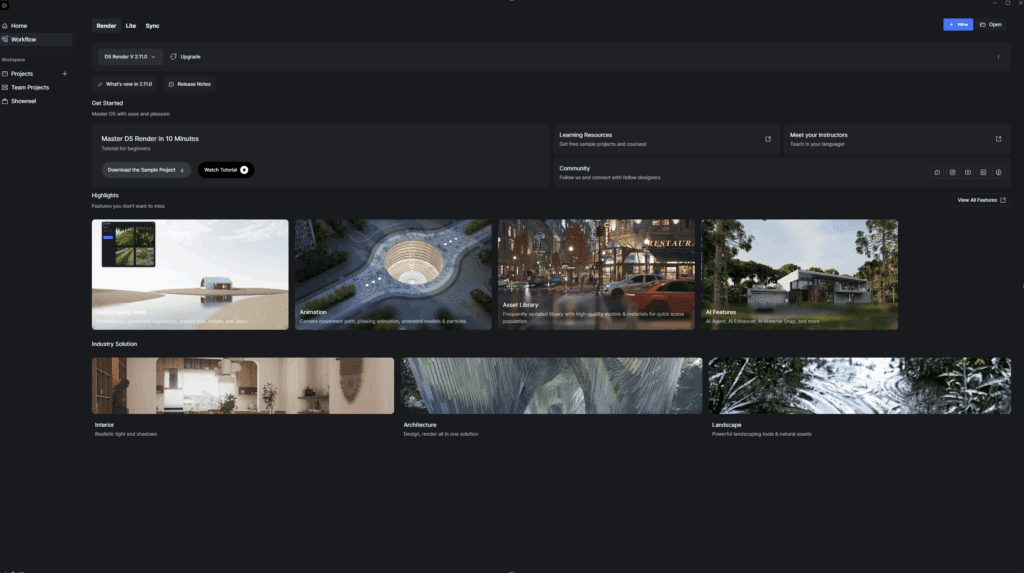
New D5 Launcher Replaces the pre-existing app. Everything feels less fragmented. No bouncing between websites, plugins or installs-just load up and get going.

D5 Bot is your built-in assistant, for any questions, workflow assistance or troubleshooting. 

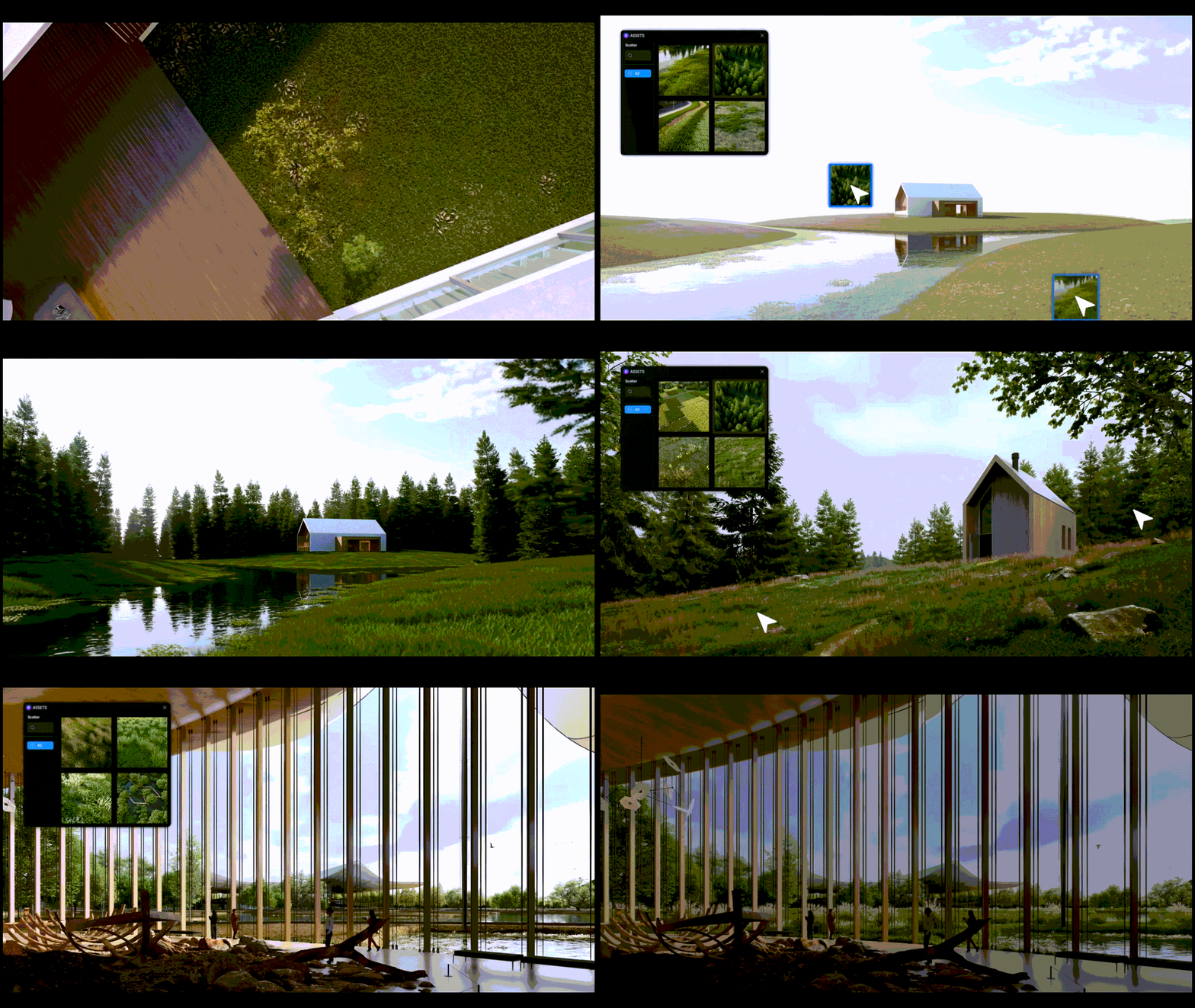
🥬 VEGE-DELIGHT

Whether you’re looking for quick population of vegetation or improving your D5 aptitude, your time matters:

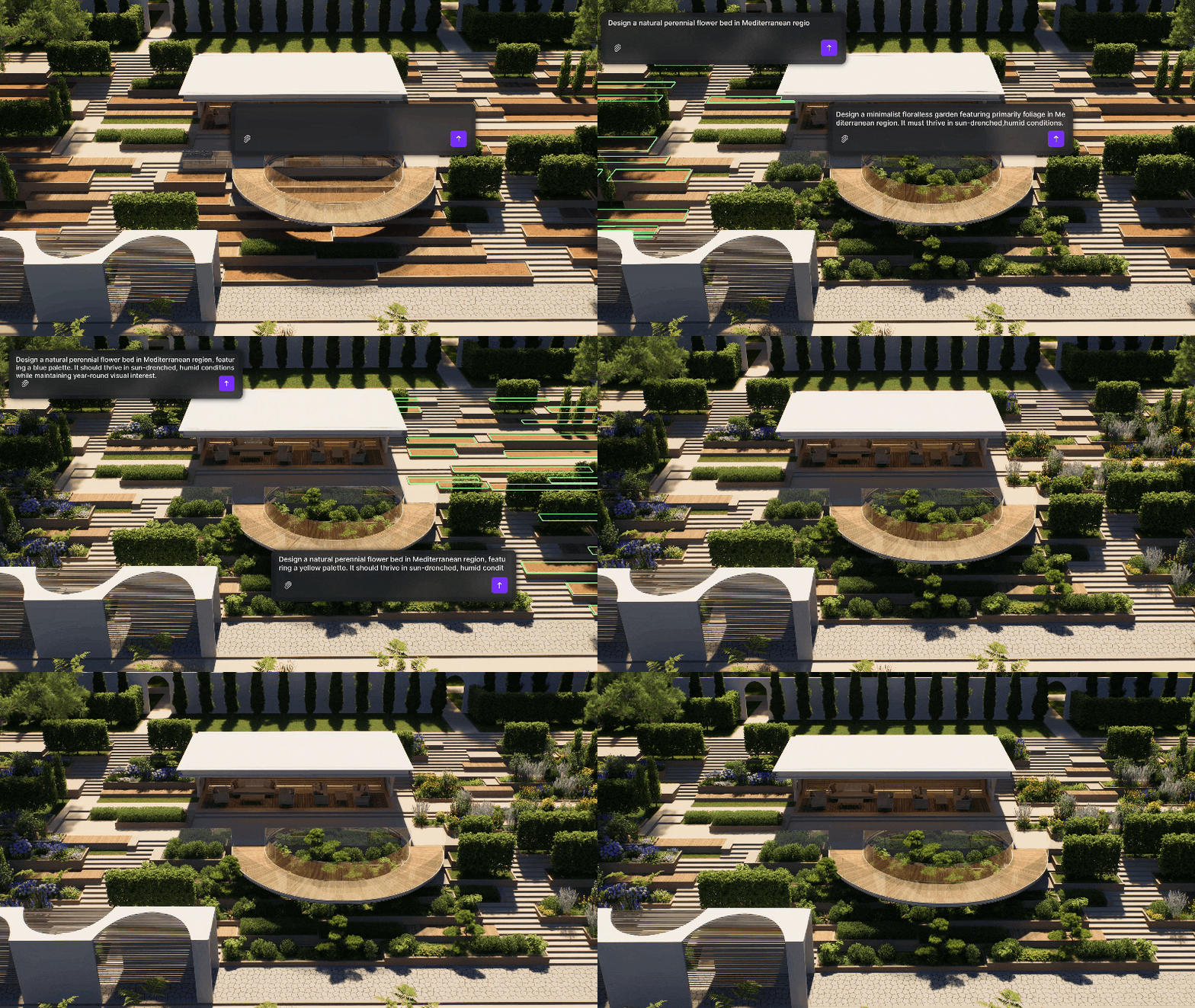
SmartPlanting allows automated design of climate-adaptive gardens, creating early stage designs quick and easy.

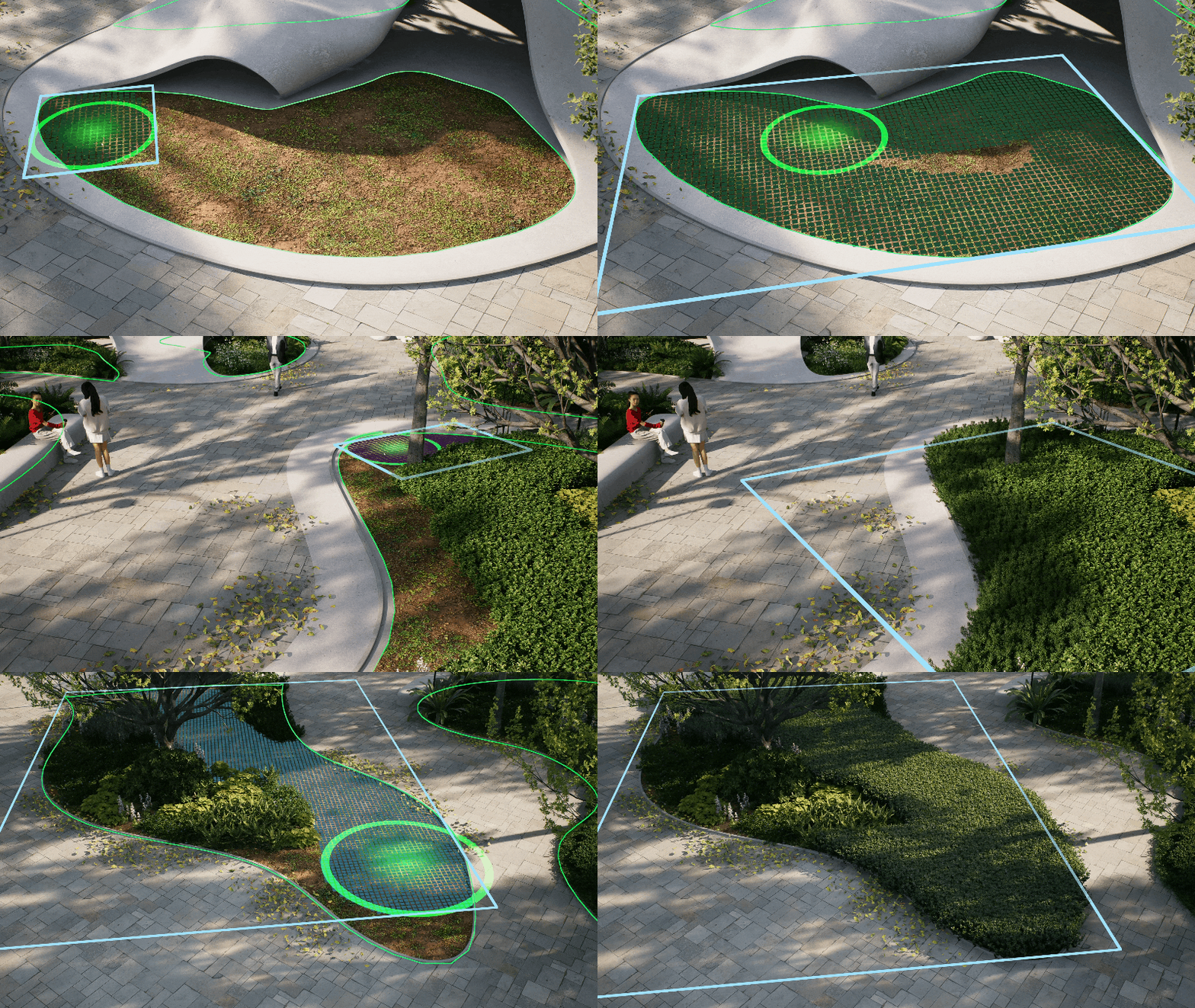
Advanced Scatter, Brush and Path Tools are an intelligent leap forward, taking painful arduous tasks and making them simple, quick and effective.

New Edge Divide allows precise division of scatter areas.

Custom Path Tool has improved with more flexibility and options to save presets for future use.

🖼️ DEVIL IN THE DETAIL

Materials make or break your 3D visuals. Sourcing the perfect ones is often an arduous and painstaking pursuit.

D5 Render offers some of the most advanced and reliable material solutions in the industry.

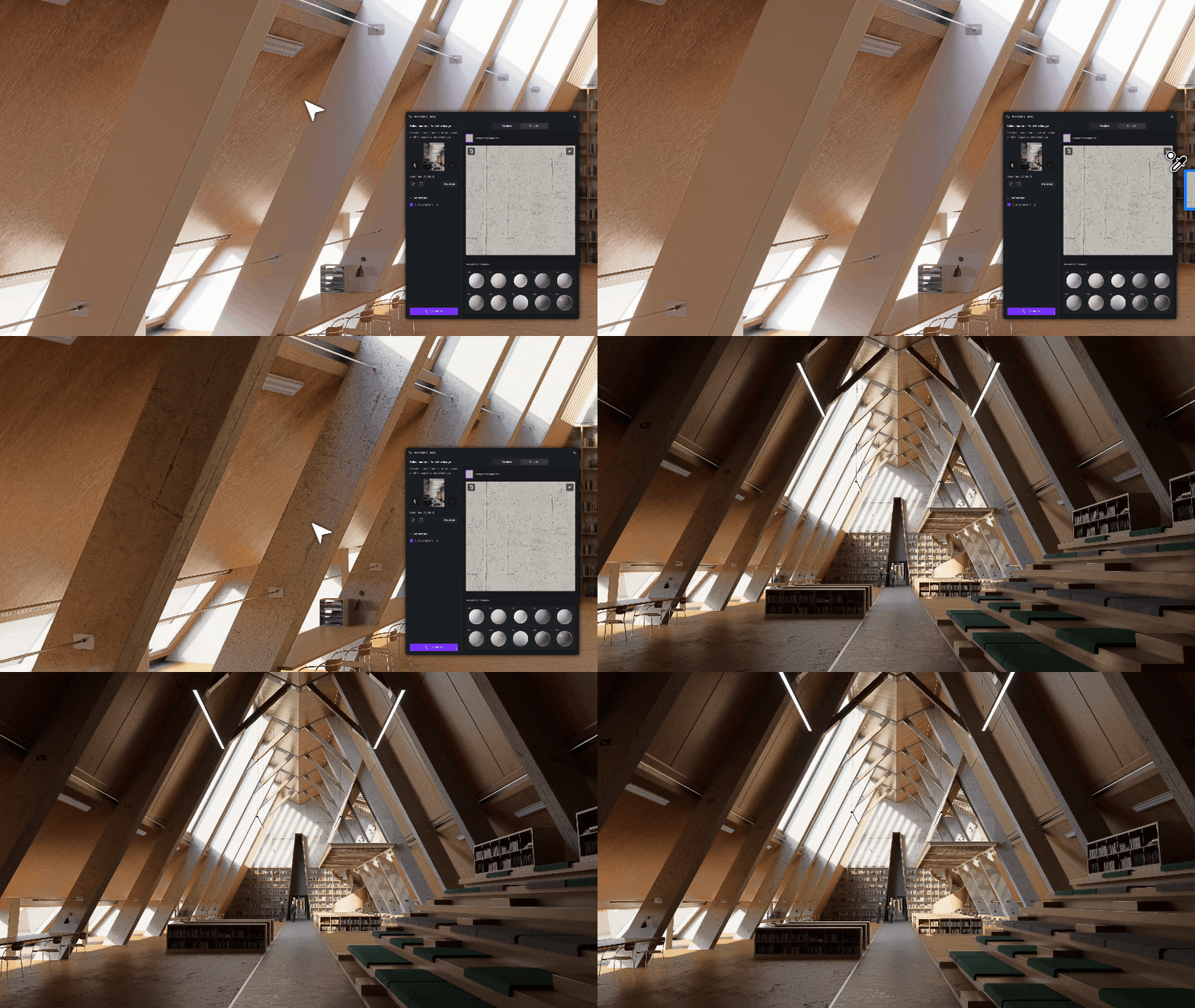
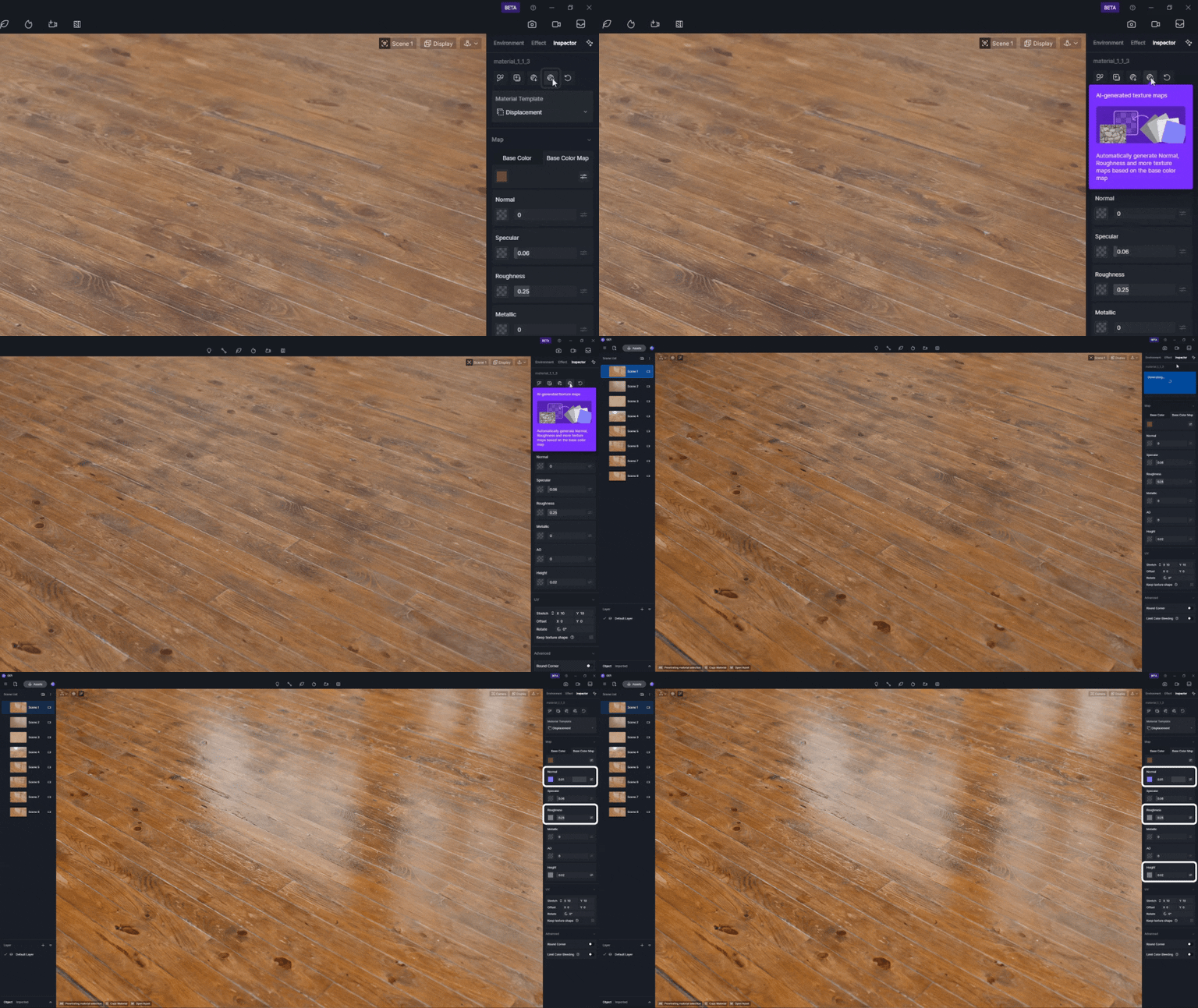
AI PBR Material Snap: Subjectively D5’s greatest tools, Make Seamless and Generate Texture have improved again. Drop in a reference image for immediate high-quality textures.

Material Match: Import your image into D5, select the resource list, right-click, and choose “AI material match.” D5 selects the closest match from the library. 

Texture Maps: Don’t like the D5 stock materials? Use any image, D5 generates texture maps (normal, roughness, height) to add depth and realism to the scene.

Make Seamless: No more spent hours hunting for or creating textures that don’t repeat horribly. Do it with D5 in a single click. 

💡 TURN ON THE LIGHTS

Disc Lights better simulate lights from circular panes.

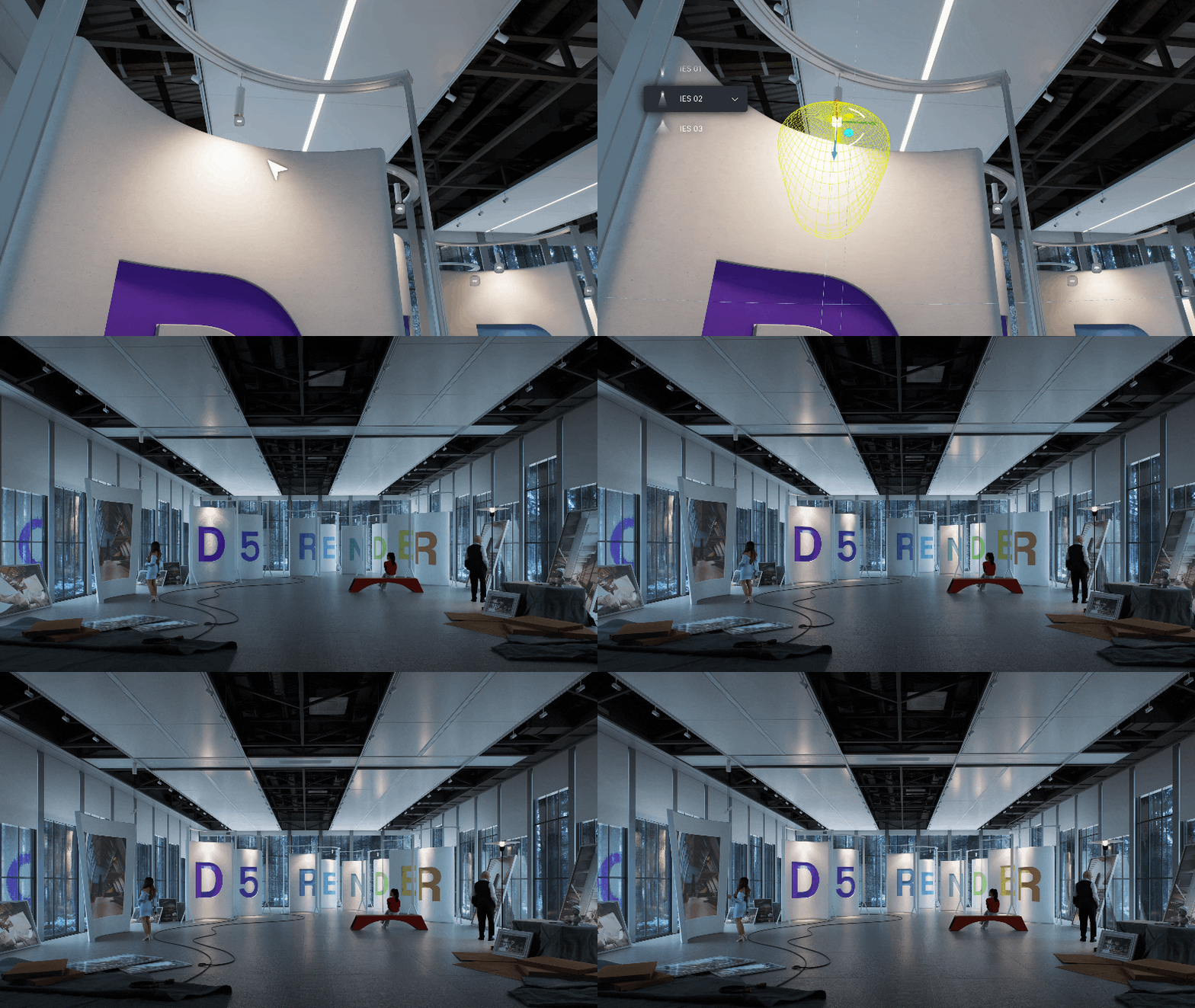
Enhanced IES control allows for automated IES application in the viewport. 

🧑‍🤝‍🧑 SHARING IS CARING

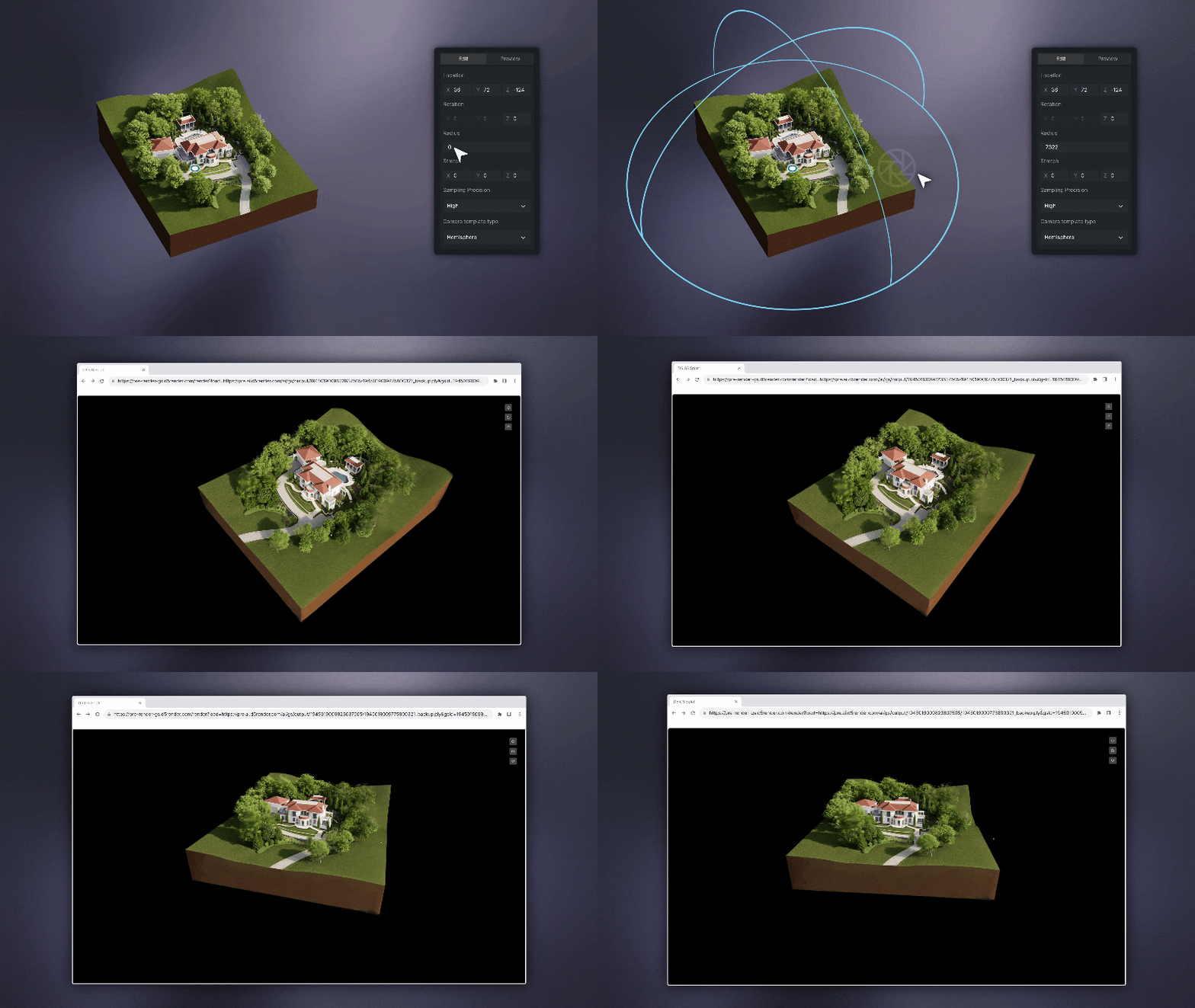
XR Tour generates an online sharable model. You may wonder how this is different to Virtual tour? We recommend XR for external and Virtual Tour for interiors.

📸 QUALITY THAT SPEAKS FOR ITSELF

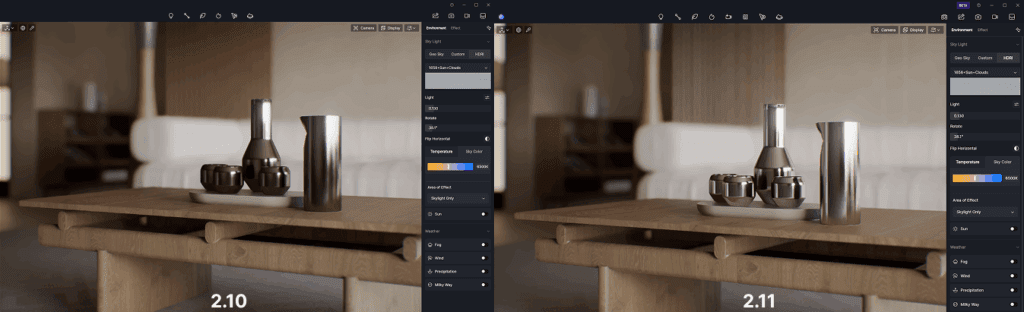
Real-time path tracing (RTPT) is now officially here – not a beta – not a demo. It gives your renders reflections, shadows, and atmosphere that rival traditional offline engines.

It’s perfect for early client previews where quality and speed both matter.

🤳 ALL THE ANGLES

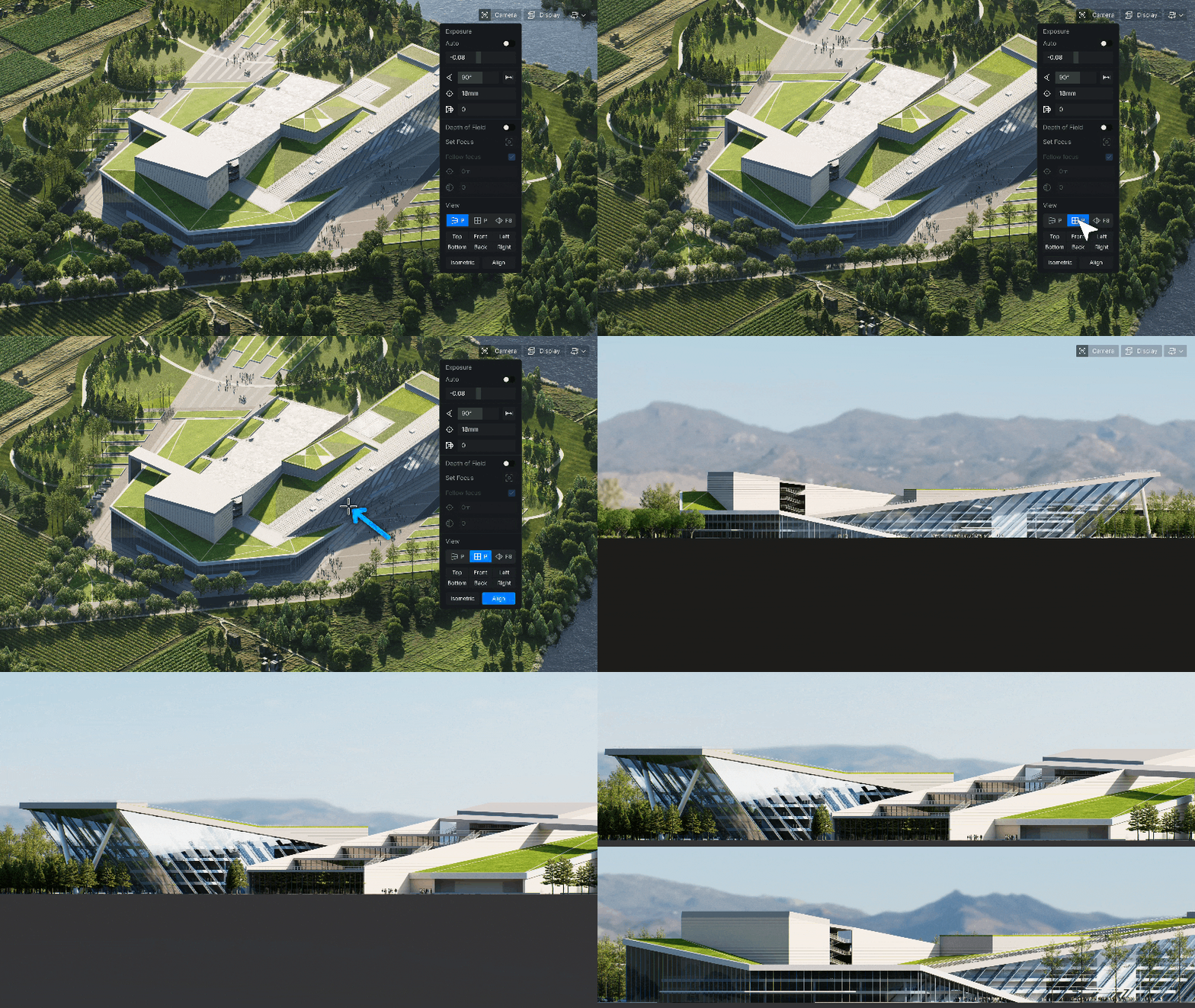
Parallel Projection: Orthographic views are now crystal-clear-ideal for technical presentations or construction visuals.

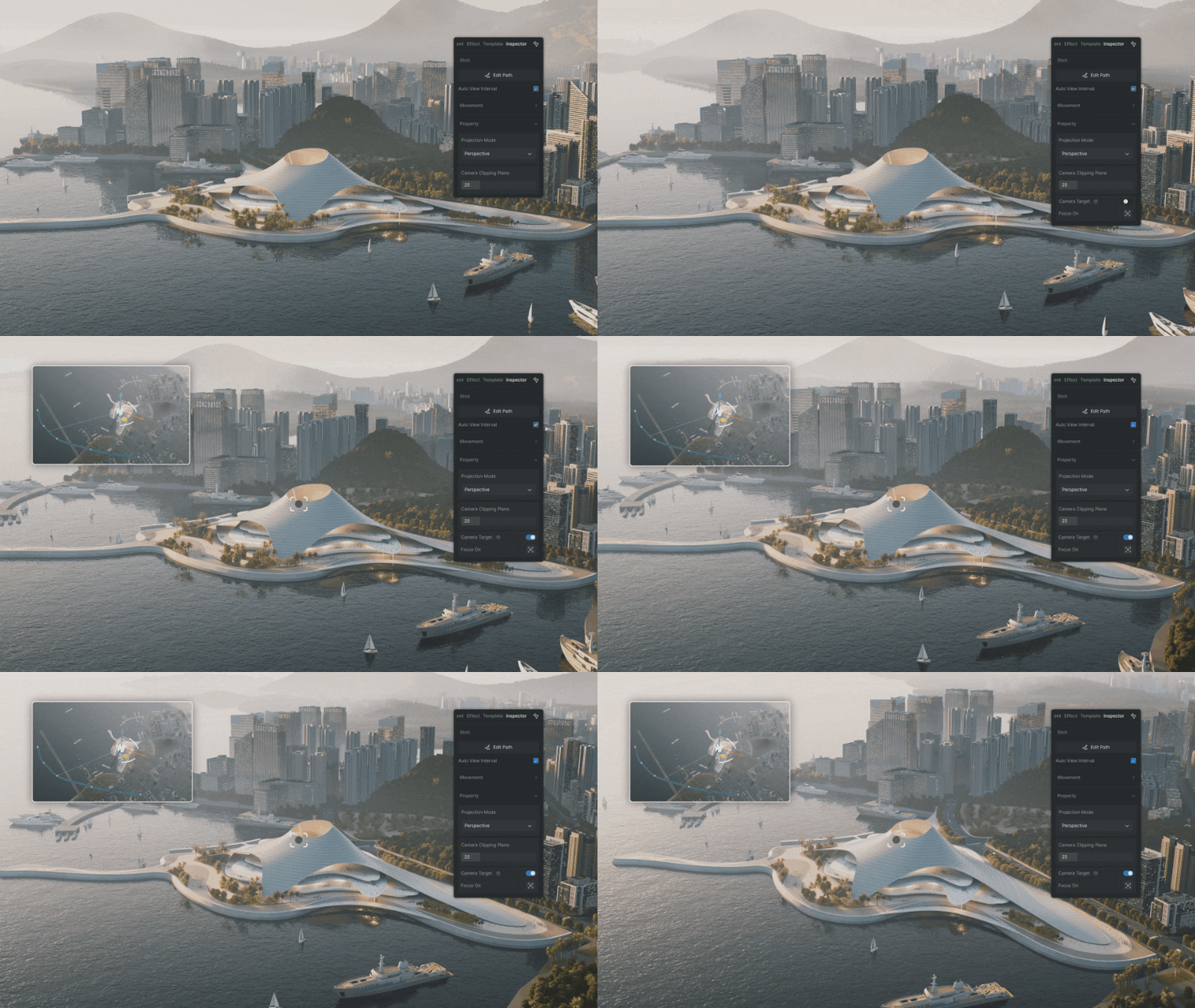
Camera Target Lock is a new, refined process for smooth animation by locking on an object.

💭 GREAT APPS THINK ALIKE

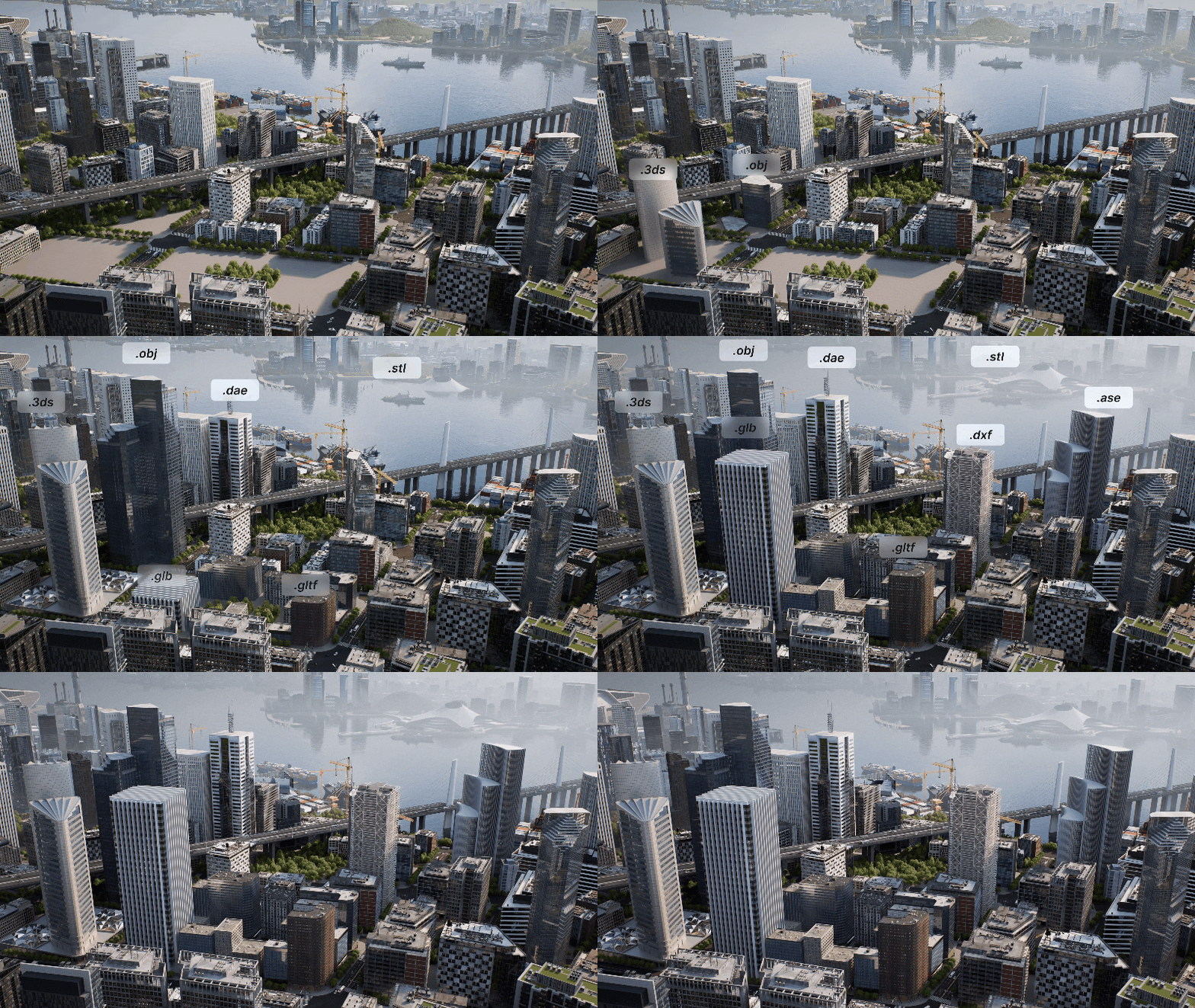
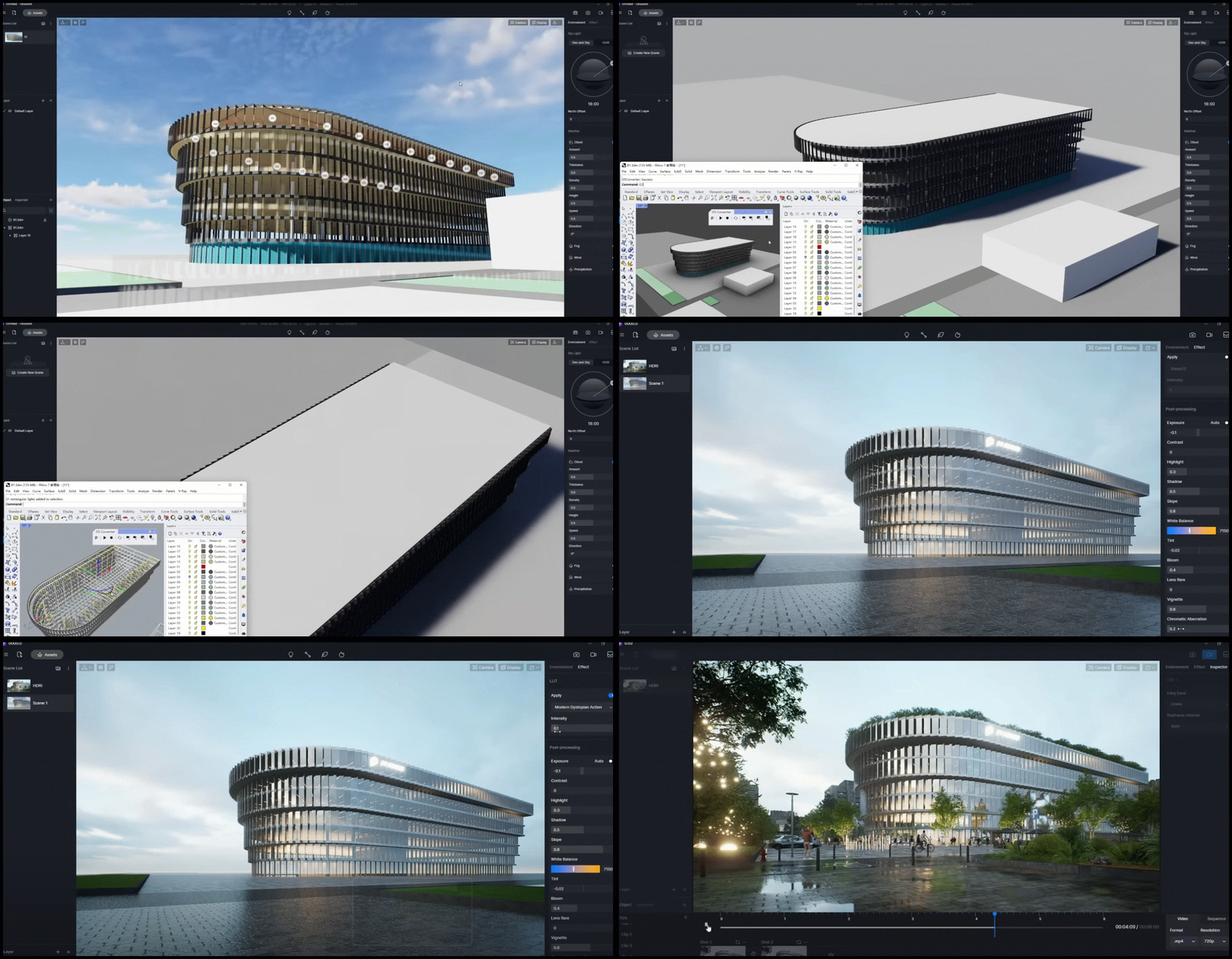
With many stakeholders at play, collaboration is a moving target for those navigating multiple software solutions. D5 is ever-evolving, allowing for greater interoperability across CAD platforms and supported file types.  

🌏 THE WORLD IN YOUR HANDS

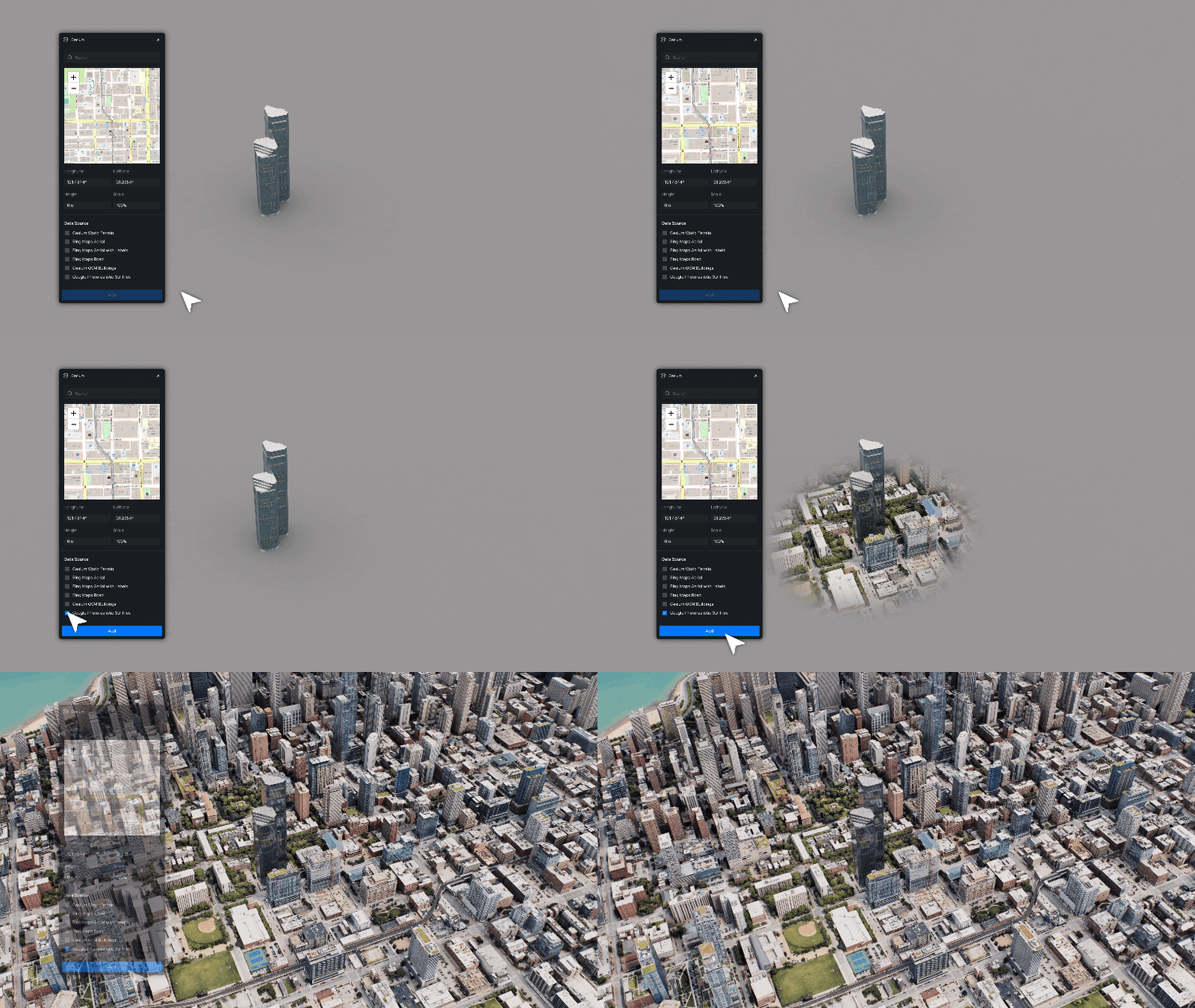
Cessium Integration is a HUGE improvement, allowing for real-world context that works anywhere (almost).

*NOTE* Only available with D5 Teams

⌛ WHY WAIT?

If you’ve been putting off trying the AI features or sticking to old workflows, now’s a good moment to explore. These tools don’t replace your skill, they amplify it.

Still not convinced? We get it, there are many great solutions.

To help make an informed decision head to D5 Render’s Youtube Channel, they have a range of informative feature videos and tutorials or see our D5 Render 2.10 release blog for additional features.

We’re also here to answer any questions or provide a live demo, please reach out to us at Support Viewlistic !

New Features in D5 Render 2.10

D5 Render 2.10 brings another leap forward, taking visualizations to the next level.

New features in D5 2.10

D5 2.10 brings a bunch of innovations that make rendering better, with smoother workflows and greater efficiency.

Real-Time Path Tracing

Path tracing is widely regarded as the gold standard for photorealistic rendering. Unlike traditional GI techniques that rely on approximations, path tracing simulates the physical behavior of light by tracing its interactions across multiple surfaces. Results are delivered without long rendering times, bringing a new level of quality to real-time visualization!

D5 for Teams

An organisational solution. Enhanced Collaboration and Cloud Integration

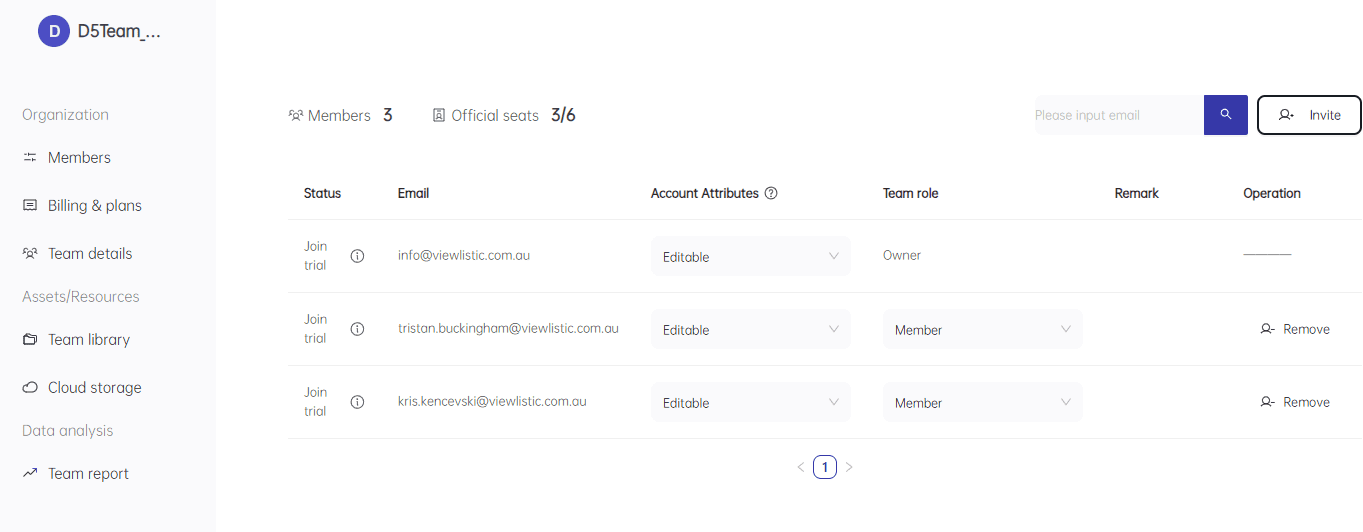
  • Management portal for onboarding and offboarding staff.
  • Team usage data analysis.
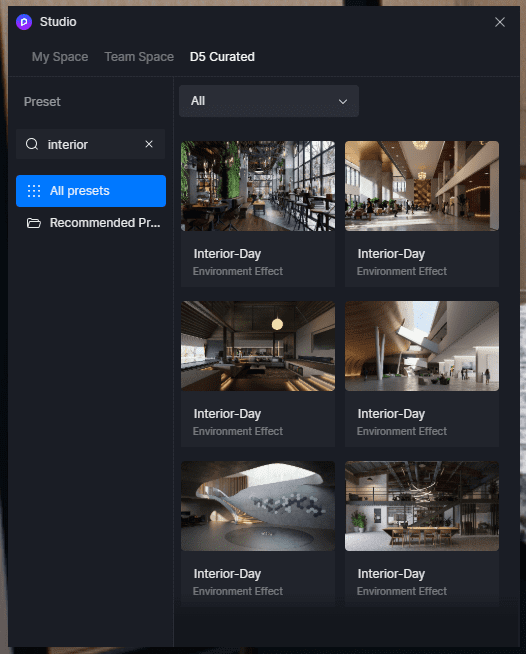
  • Use studio for sharing libraries and settings or use D5 curated presets for one-click lighting and enviro settings.
  • ‍New OneDrive & SharePoint Integration for seamless project file storage and sharing.
  • ‍Custom Brand Watermarks to add company logos to renders.
  • ‍Virtual Tour (online model hosting) improvements.
An overview of the Teams portal for D5
Studio Presets

AI Post-Processing

Rendered Image with AI Enhancement

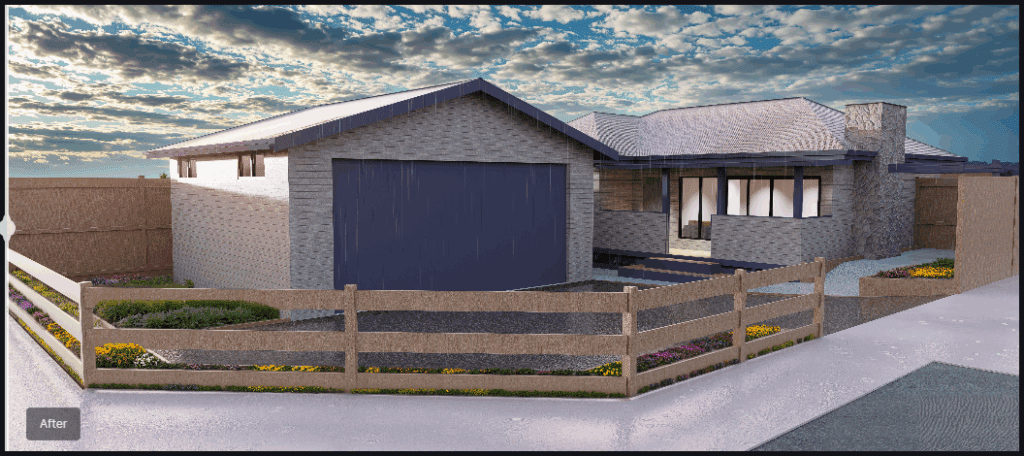
Manual post-processing can be time-consuming and repetitive. D5 Render 2.10 introduces AI-powered tools to automate and refine renders.

AI Inpainting: 

  • In one-click, fill missing elements like sky, vegetation, or water automatically, reducing the need for manual asset placement, enviro refinement and post-render touch ups.

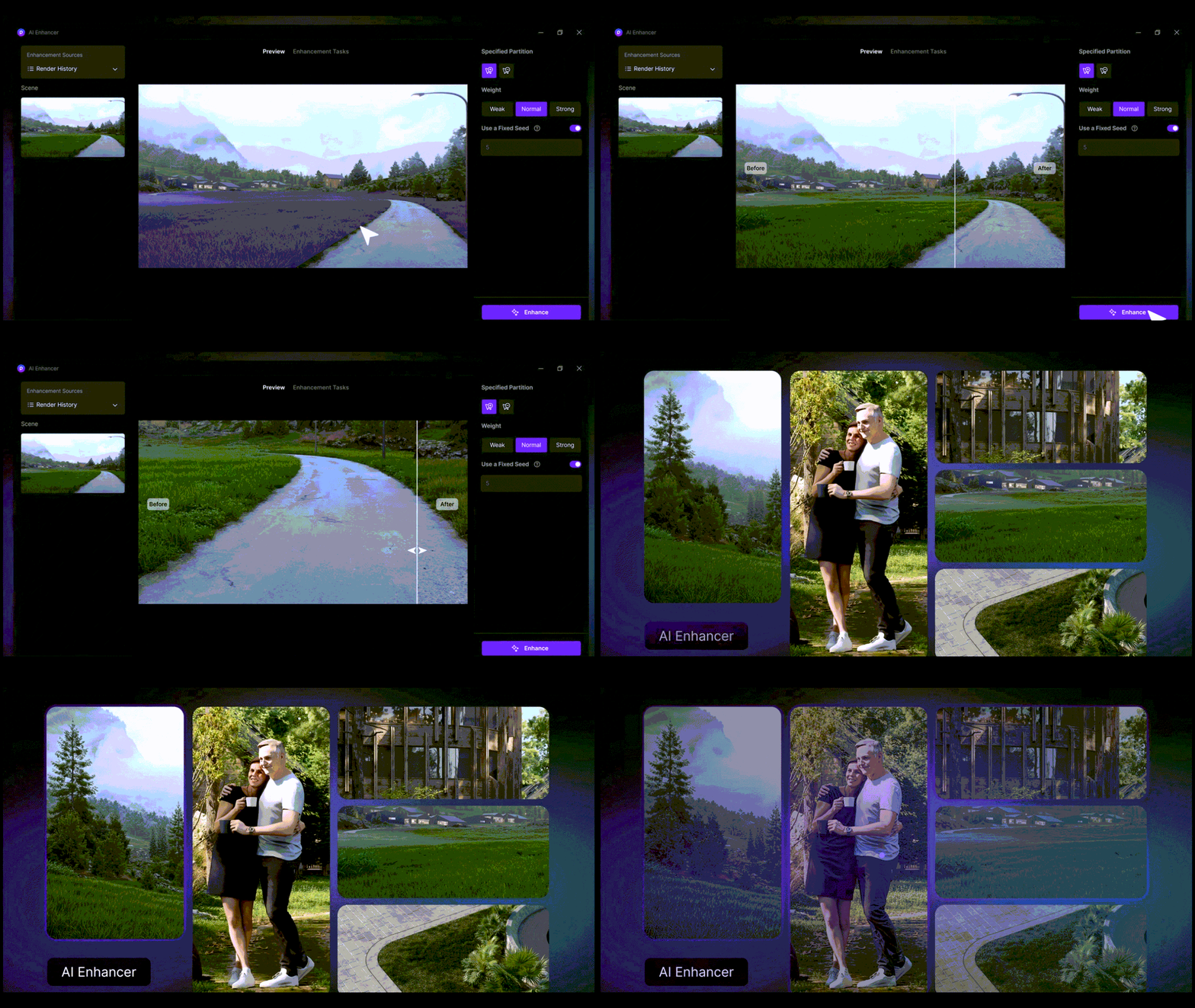
AI Enhancer:

Optimized image improvements.

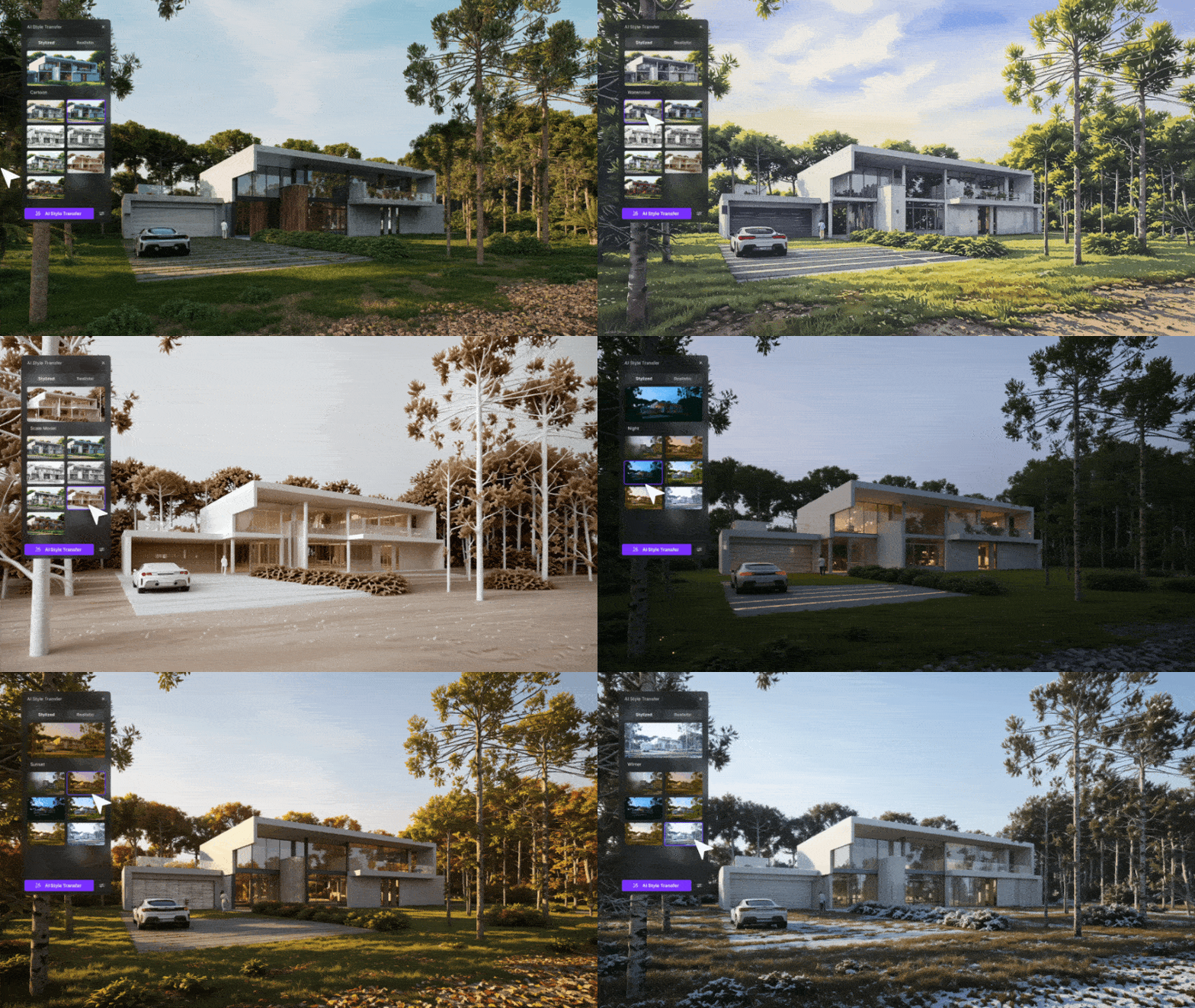
AI Style Transfer:

Add artistic styles or realistic effects to your image.

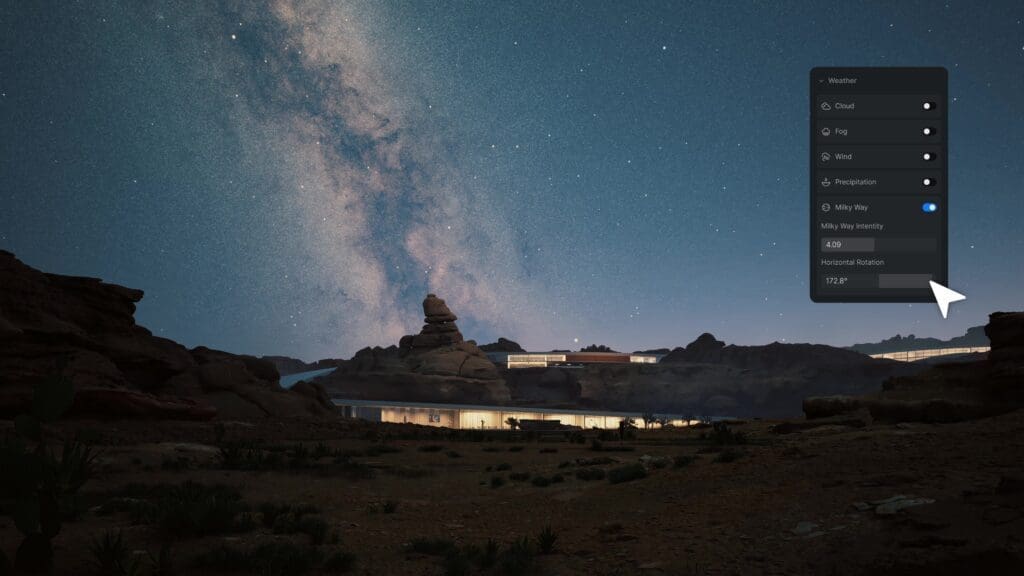
Night Sky Simulation

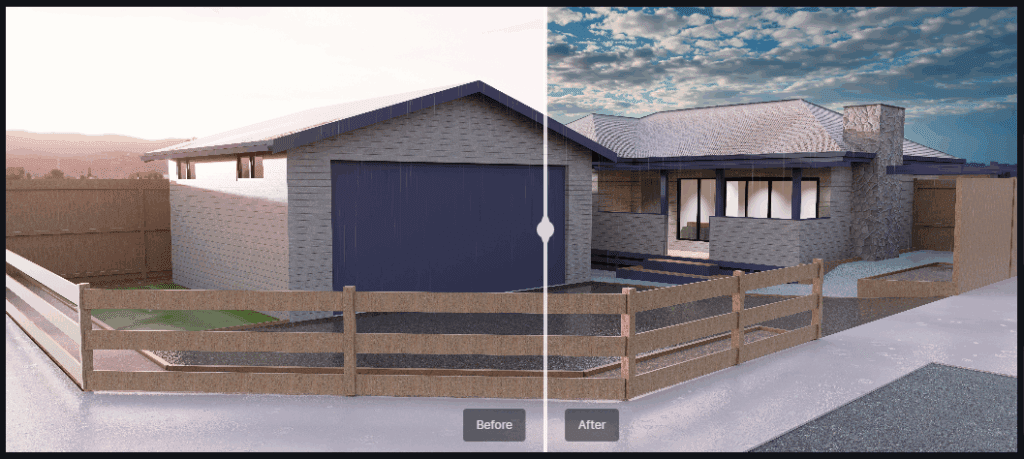
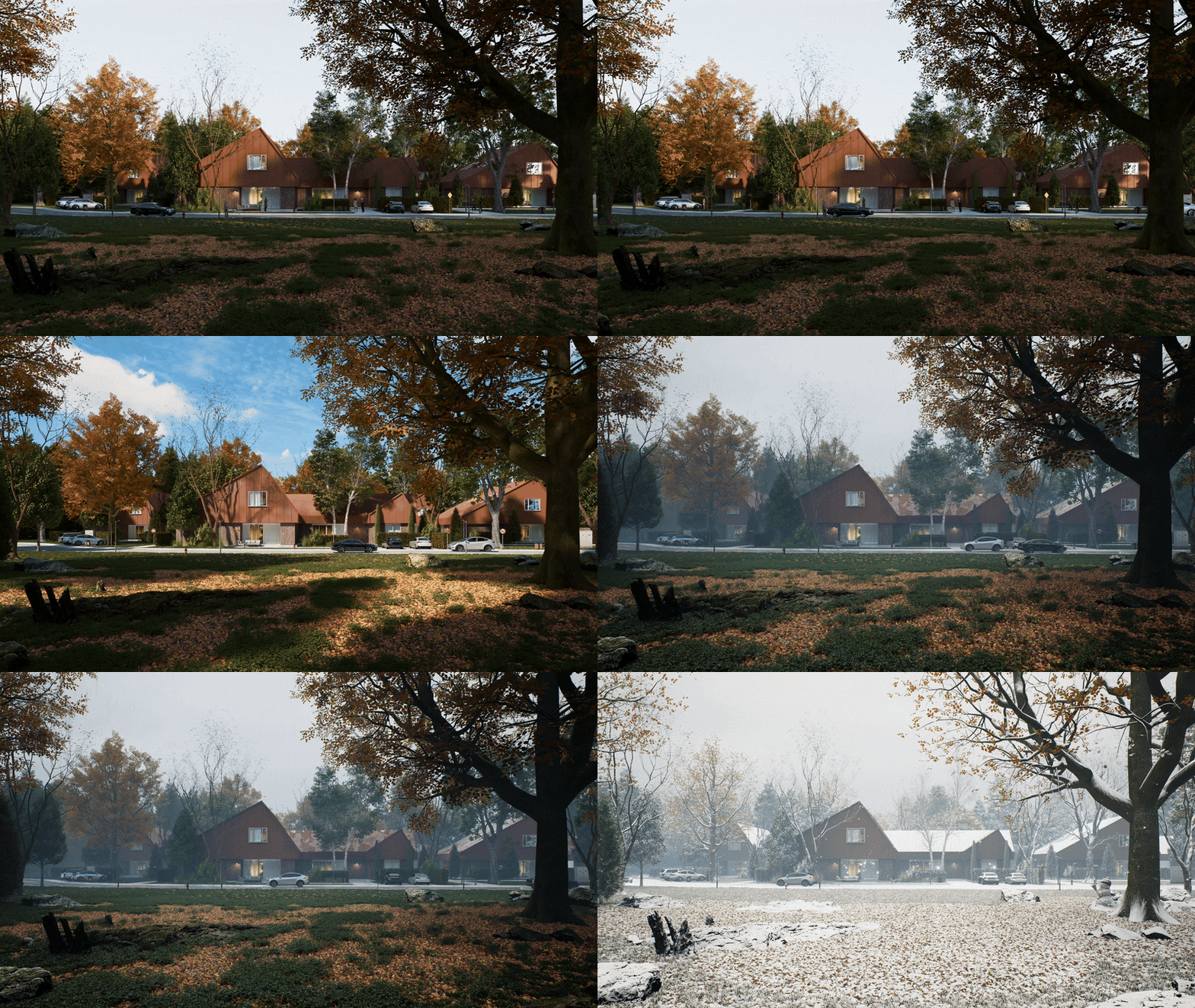
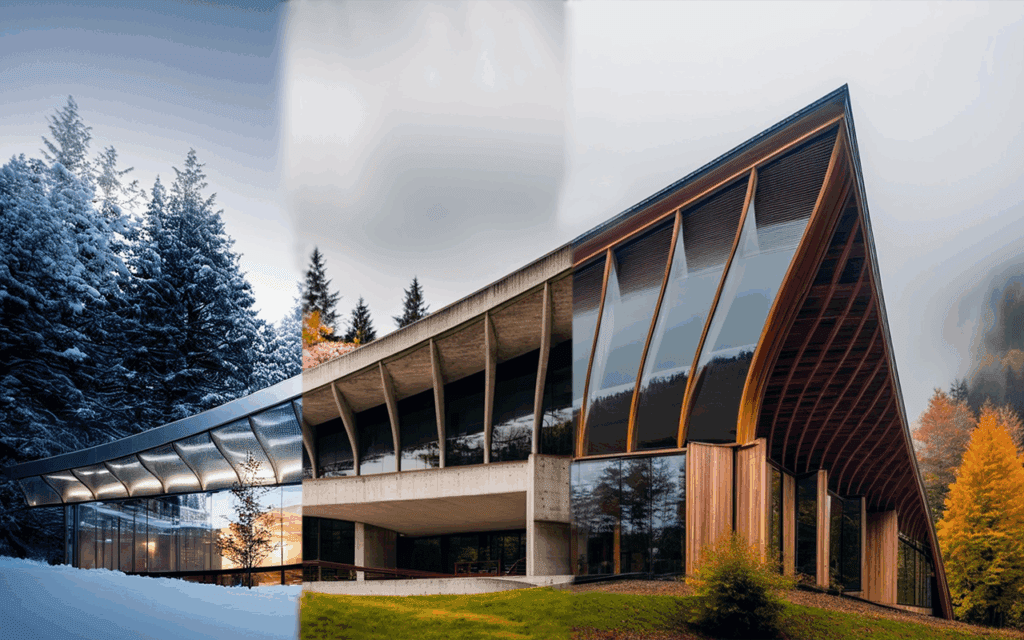
This update enhances outdoor night renders with a Day-Night Cycle in Geo Sky, allowing lighting transitions that mimic real-world conditions.

With customizable Moon & Star Intensity, users can control celestial brightness and positioning, while the Milky Way Simulation adds depth for a cinematic-quality night environment.

Optimized Rain & Snow Effects

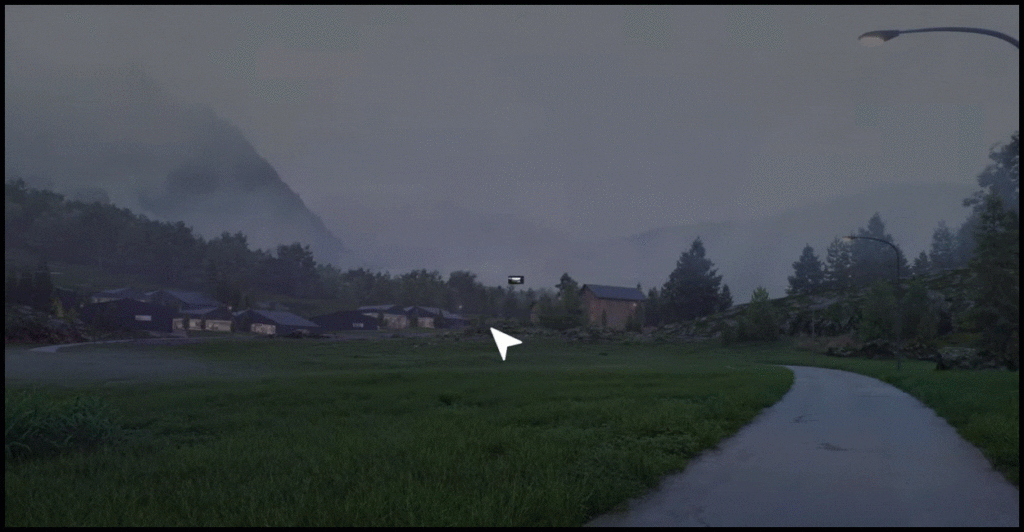
Weather effects have been refined to improve realism, making rain and snow more dynamic and natural. Enhancements include more detailed raindrop and snowflake particles, improved puddle and ripple effects, and a new Water Mist simulation that adds a humid atmosphere to rainy scenes. These updates ensure that weather-sensitive renders look more immersive and lifelike.

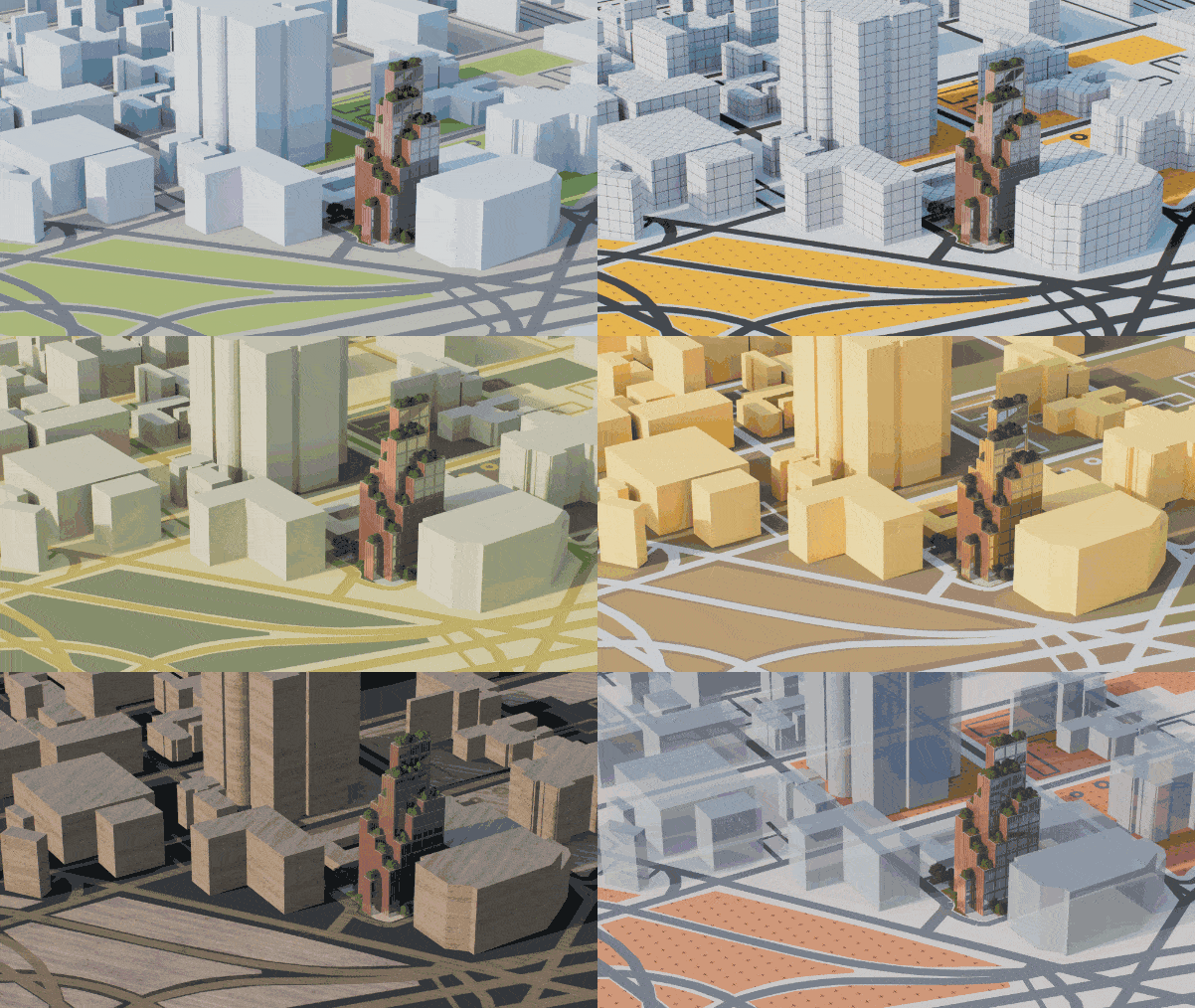
City Generator

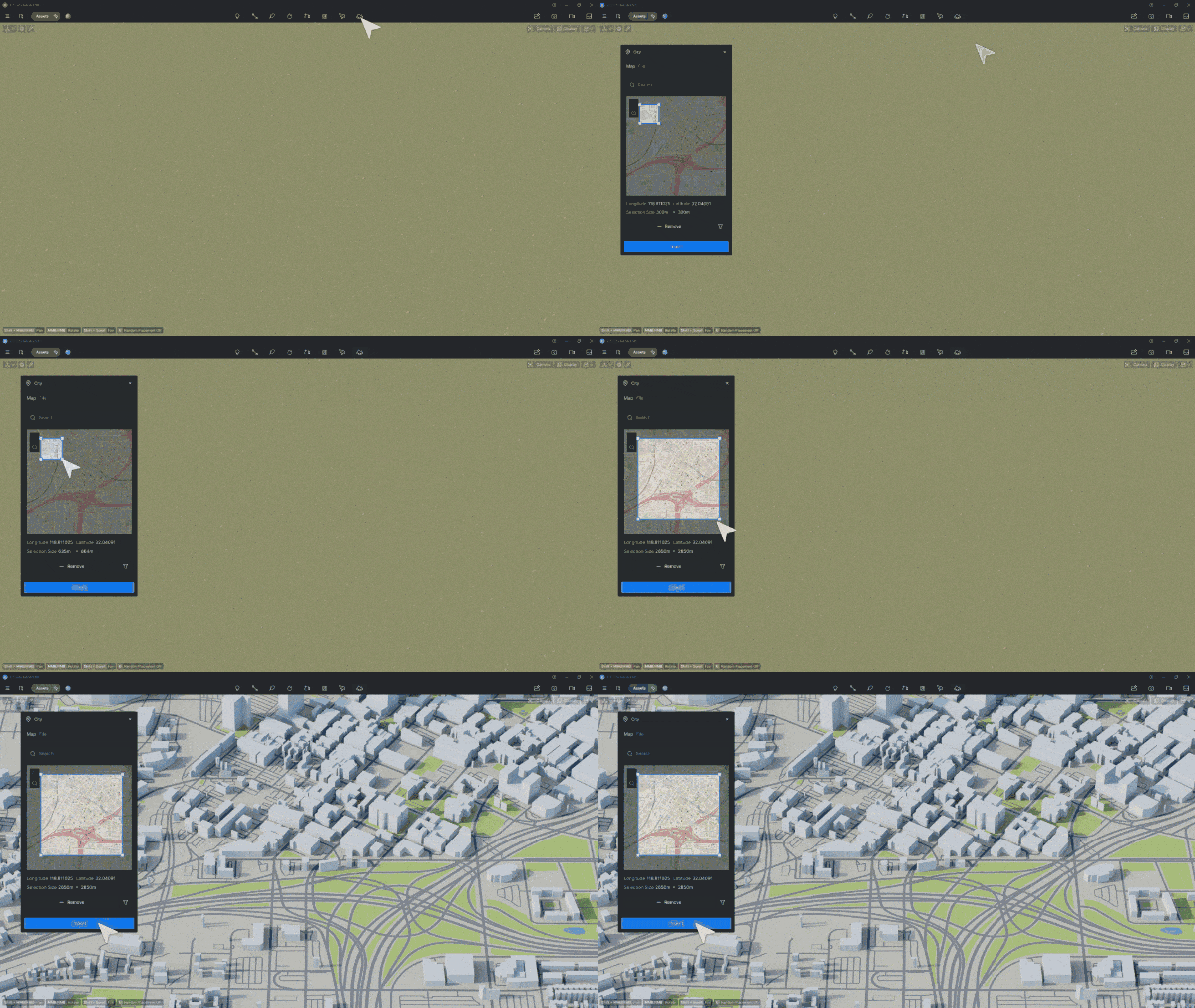
Creating city models manually can be time-consuming and prone to inaccuracies. New Openstreetmap integration automates urban environment creation using real-world data, allowing users to generate detailed city layouts quickly. With customizable building heights, materials, and transparency, users can tailor cityscapes to their design needs. Additionally, Shapefile (.shp) Import supports GIS-based urban planning, ensuring accurate geographic data integration.

City modeling has been further enhanced with City Model Management Tools, allowing users to show/hide elements, modify road widths, and adjust individual building heights with ease.

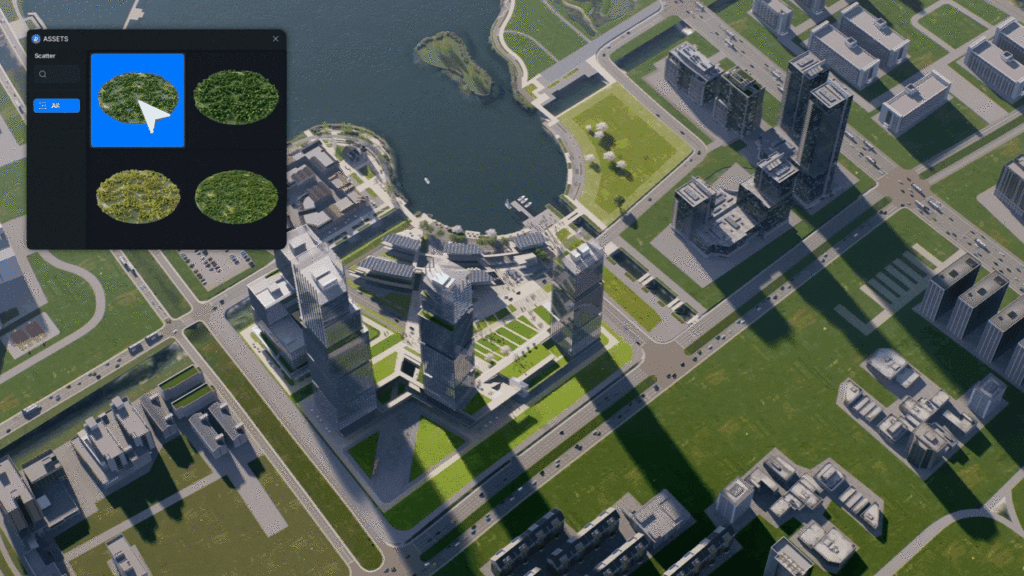
Scatter Templates

New Scatter Templates to speed up vegetation and object placement.

Animation Enhancements

2.10 enhances animation workflows with an optimized Direction Controller for Fly-in/Out Animation Templates, addressing the need for greater precision and control in motion sequences. The original XYZ direction controller has been replaced with new horizontal and vertical rotation degree settings, allowing users to fine-tune movement paths with more accuracy and ease. 

Aside from the above, D5 Render has many great tools, more and more Archviz wizards are choosing it as their preferred solution!

Like what you see?

Chaos Suites – NEW CHANGES FOR YOU

Archviz experts release a new way to bundle suites of design tools. CHAOS ensues.

One Subscription, all the tools

[Insert your favorite Chaos product here] – there are many great options, with new and emerging technology ever-evolving. Don’t you wish there is a way to neatly package them all up in the same subscription? Now there is. 

New and Shiny

Before jumping to pricing, we’d be doing a great disservice not mentioning the latest and greatest reasons to use Chaos products as your choice of visualization software. 

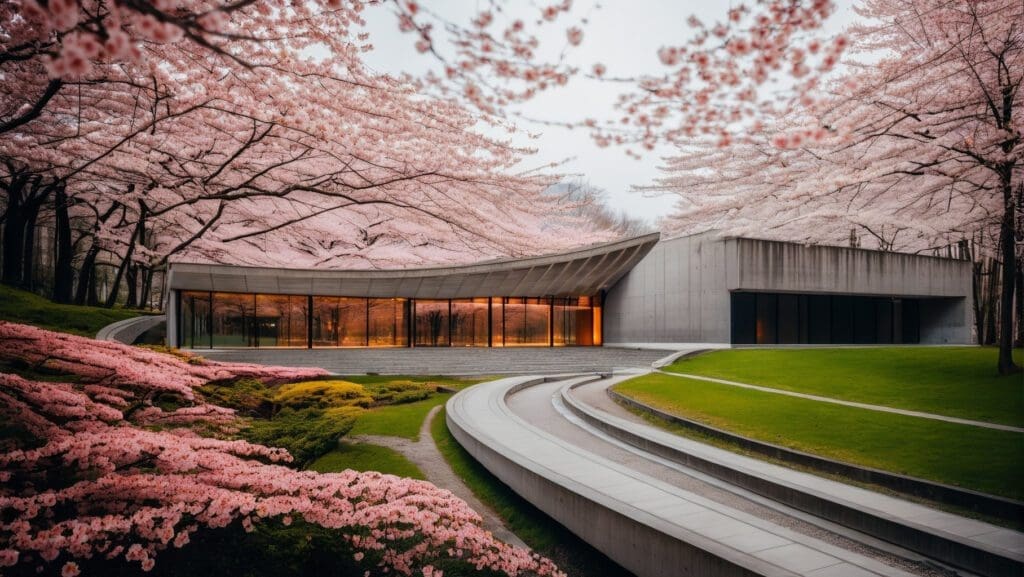
Veras is a next-gen AI visualization tool built for architects and designers who want to turn early-stage ideas into compelling visuals—fast. Developed by EvolveLAB (now part of Chaos), Veras uses your 3D model as a base to generate multiple design options with just a few prompts. Whether you’re exploring bold new forms or refining material palettes, Veras gives you creative control through intuitive sliders, selective rendering, and natural language input. It’s like having a concept artist on call, inspiring in real time.

Evolve labs have other great solutions such as Helix for converting SketchUp or AutoCAD files to native Revit families and Glyph for automated documentation.

Envision

Chaos Envision is a new real-time 3D visualization and animation tool. It’s designed specifically for visualizers and design professionals who need to create high-quality, photorealistic animations quickly, without the heavy prep work.

Chaos Envision

🔍 What Does Chaos Envision Do?


  • Real-Time Ray-Traced Rendering: Delivers cinematic-quality visuals with real-time feedback.
  • Scene Assembly & Chaos Unified Ecosystem: Import and assemble large, complex scenes. Working with Enscape, V-Ray, Corona, Chaos Cosmos, and Chaos Scatter.
  • Massive Scene Support: Handles large files and complex environments without lag.
  • Animation Tools: Create smooth camera paths, object animations, and even crowd simulations using integrated tools like Anima.
  • Design Variations: Easily explore and present multiple design options without re-exporting or re-rendering.

New Buying Guide

Aside from a host of new products, your favorite products are now available as part of a Collection.

Collections provide additional tools to add realism, generate design options, create early stage building performance reports and create animations for knock-out presentations. 

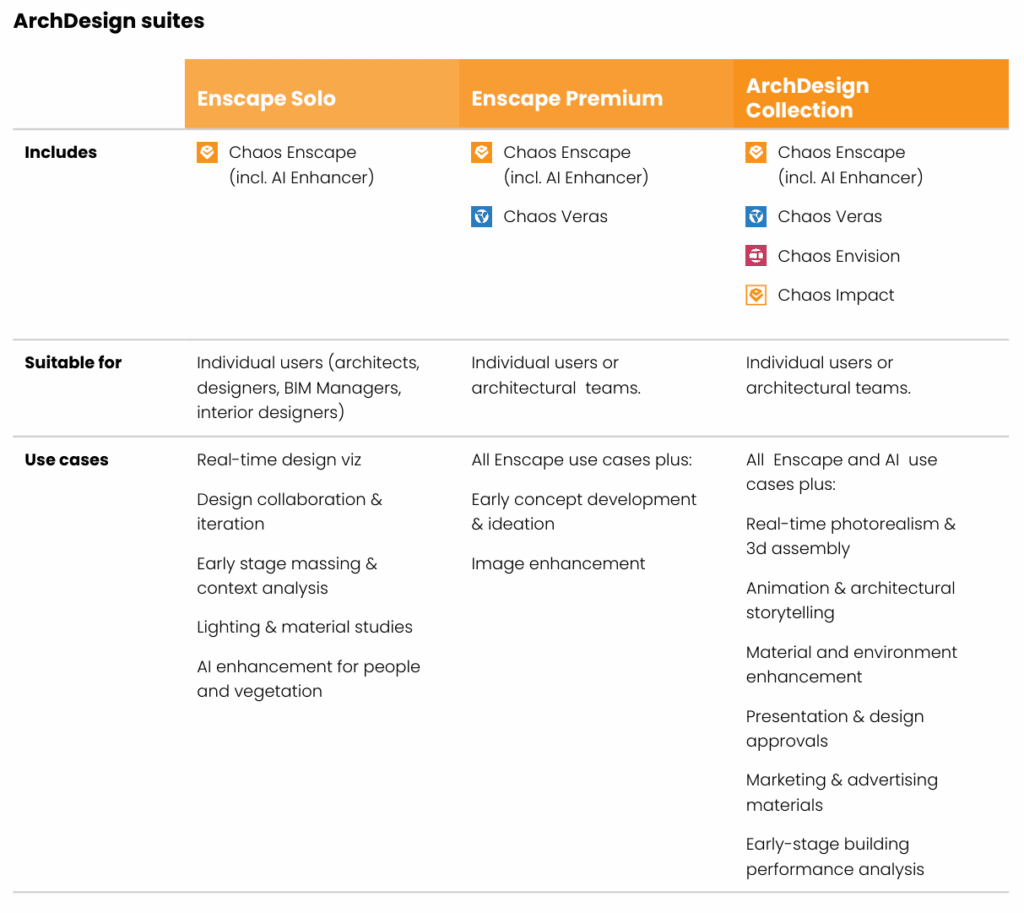
ENSCAPE

*Licenses are now suites. Fixed licenses are now Named Licenses, each of the suites shown above are available in Named or Floating.*

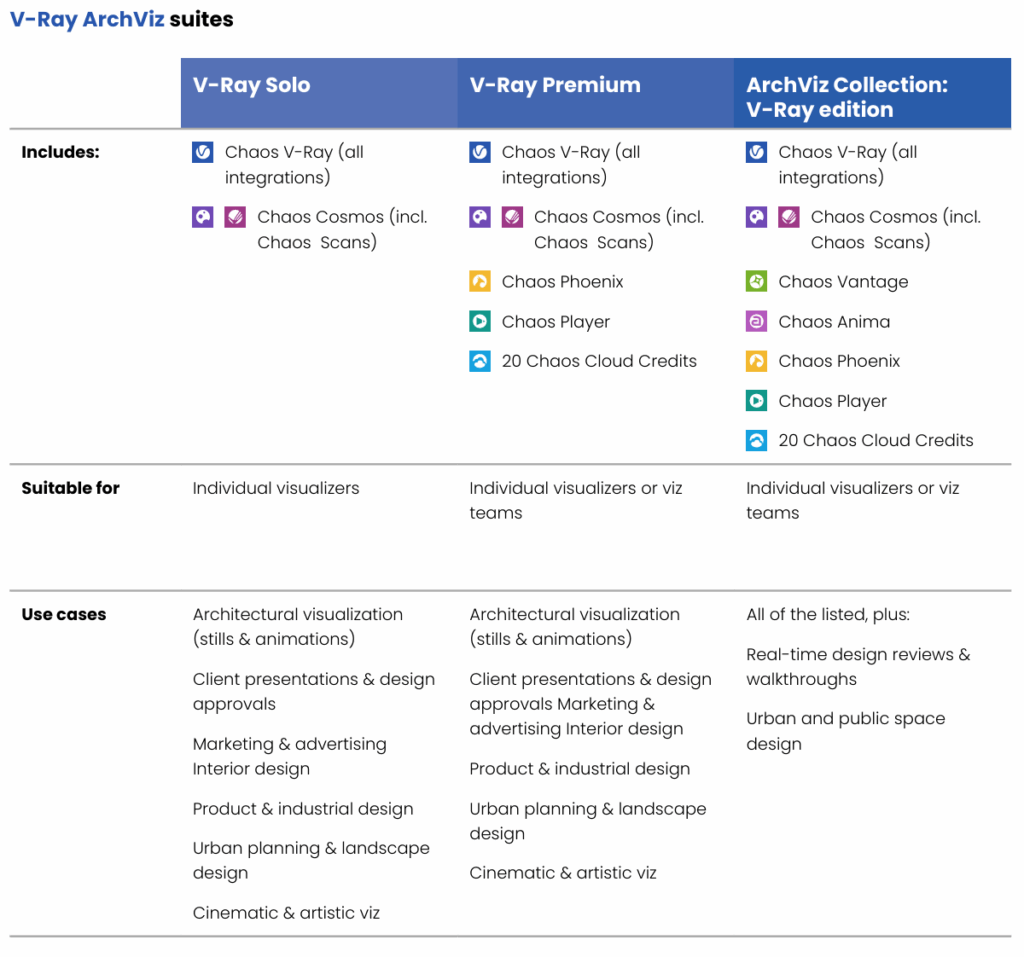
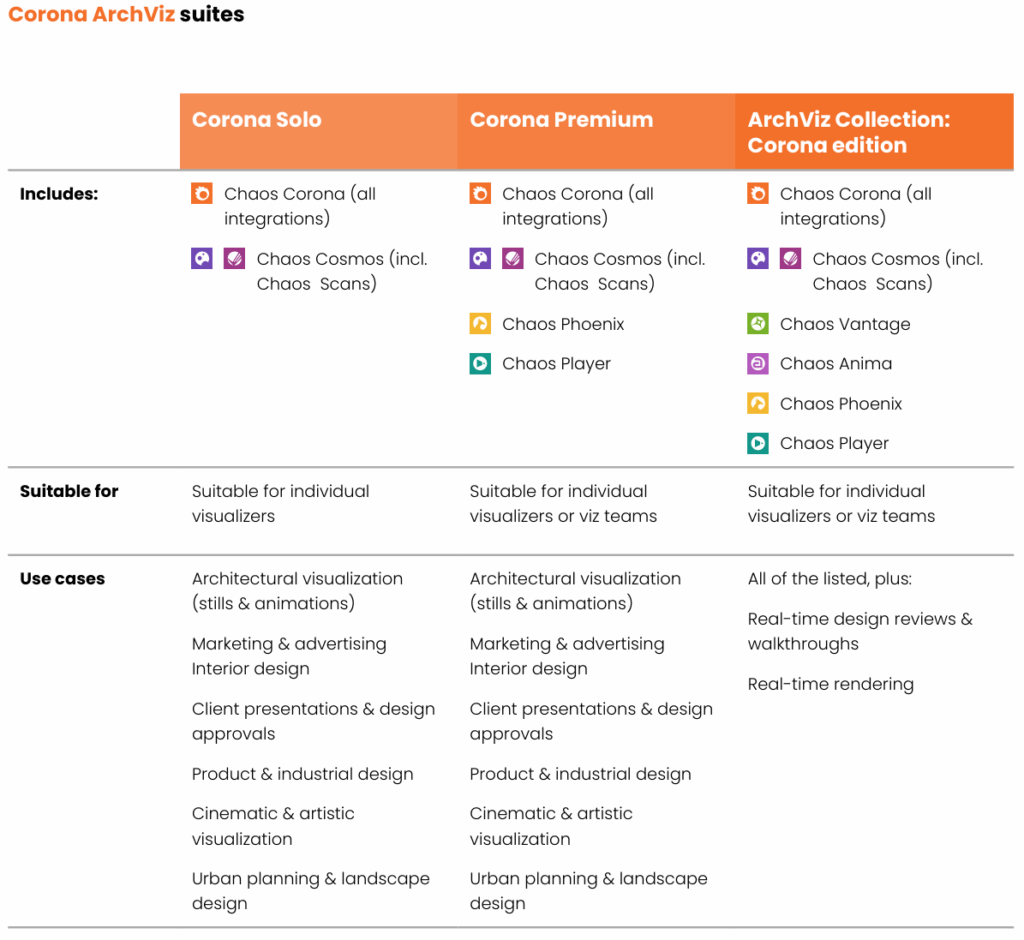
ArchViz Collection

Chaos ArchViz Suite’s are available in Vray and Corona edition.

Autodesk Revit 2026

Revit 2026 is designed to empower your team with cutting-edge tools and enhancements that drive innovation
and efficiency in your BIM projects. New features will improve your design and construction processes to meet
the demands of today’s dynamic industry.

New features in Autodesk Revit 2026

Each year Revit sets a new standard for BIM excellence, offering powerful advancements that enhance project
delivery and performance. The latest evolution has better tools to achieve greater precision, speed, and
collaborative control, ensuring you stay ahead in a competitive landscape. See below for the full list of
enhancements.

WALLS

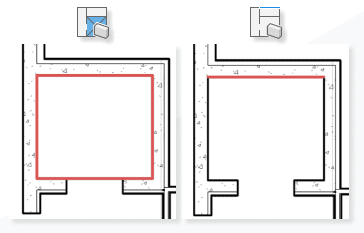
  • New Create by Room Segment allows the creation of finish layers by selecting other walls.
Two diagrams showing different methods of reinforcing a corner in construction. The left diagram highlights a square reinforcement area in red, while the right diagram shows a linear reinforcement along the corner.
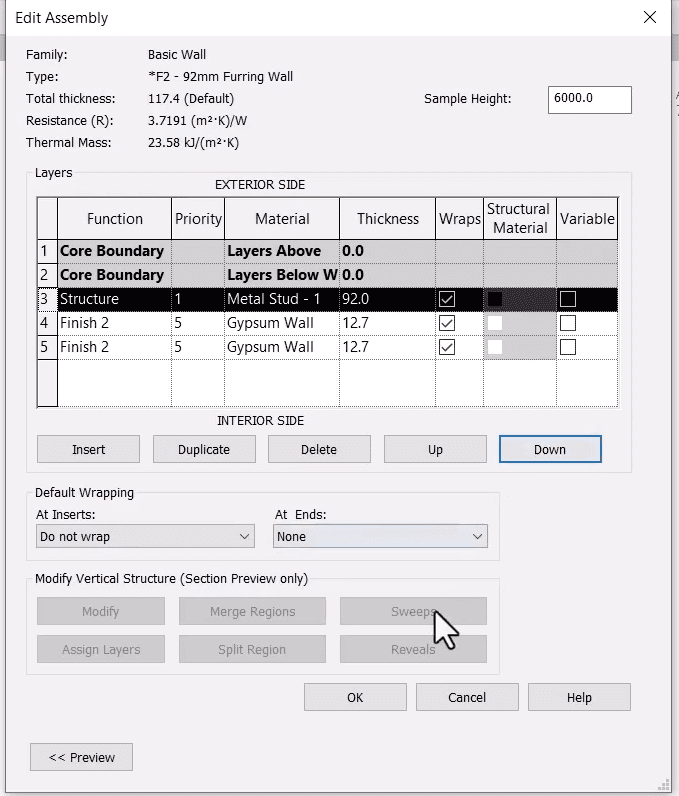
  • Core Layers are no longer required in Compound Structures and each layer has a priority function to define and improve wall joins where required.
A detailed assembly diagram of a basic wall structure, showing various layers and their properties, including thickness and thermal resistance.

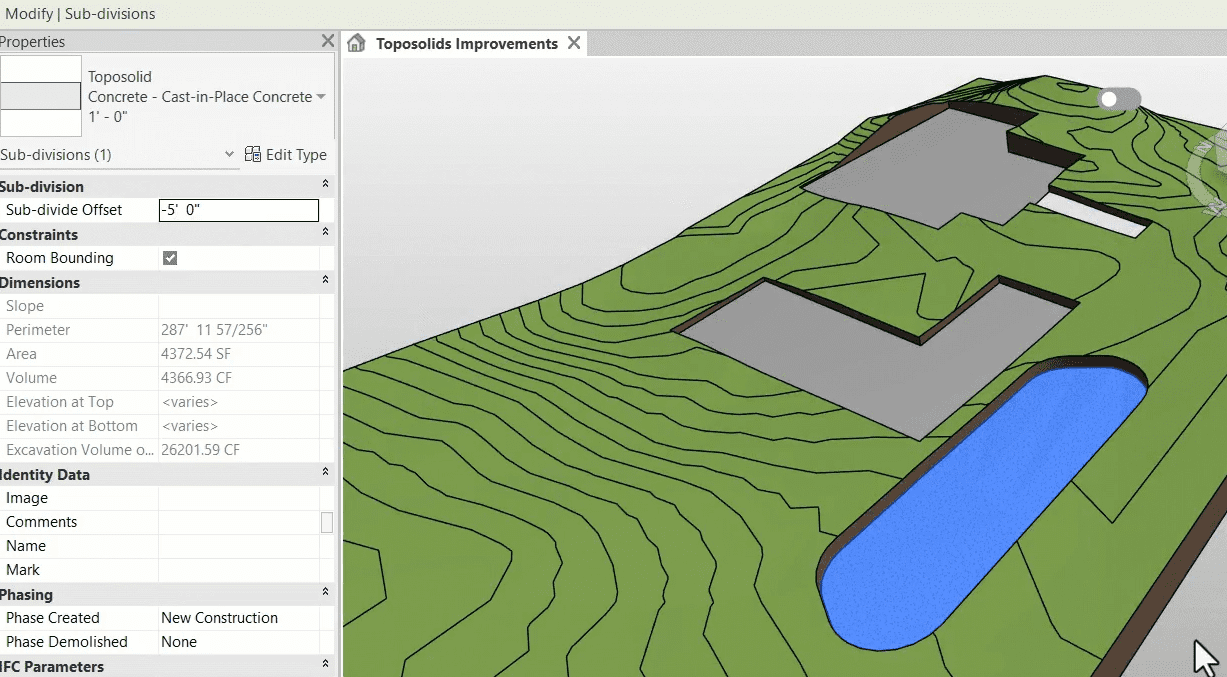
TOPOSURFACE ENHANCEMENTS:

A 3D model of a landscape with topographical lines, buildings, and a body of water, accompanied by a panel listing various properties and parameters.
  • Multiple subdivisions within the same Toposolid and set different types for each subdivision.
  • Subdivisions can now also be scheduled and edited within Visibility and Graphics.
  • Toposolid Accuracy – A large criticism of the Toposolid feature was inaccuracy when compared with the
  • previous Toposurface system. This has been vastly improved to better generate accurate cut & fill volume.
  • Void Cutting improved.
  • Copy/Paste Points has been introduced to speed up modelling.
  • Maximum Toposolid Points increased from 10,000 to 20,000.

VIEW CALLOUTS, ELEVATION/SECTION MARKS AND VIEW REFERENCES:

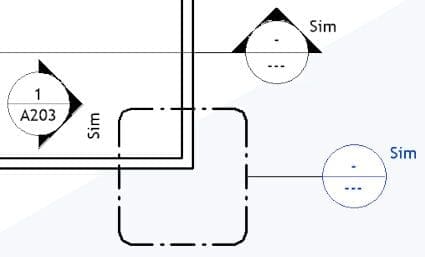
  • Instance-based Reference Labels. They still have a type-default, just use the instance parameter to define your own where necessary.
A technical drawing featuring various symbols and annotations, including circles with triangles inside, labeled "Sim" and "A203."
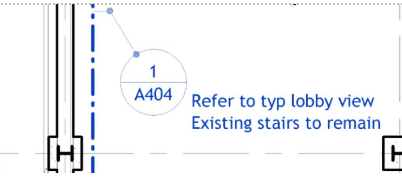
  • Introduction of Shared Parameters for View markers and references.
A technical drawing with annotations, including a label "A404" and text indicating existing stairs and a lobby view.
  • Global Setting for Structural Elements to Disable automatic shortening of Steel elements when auto-joining.

SHEETS

  • Additional parameters available in Schedule Sheet List properties including fields from Global Parameters and titleblocks.
  • Sheet Collections are now available as a category for Schedules, allowing for quick automation of parameter inputs based on Sheet Collection.
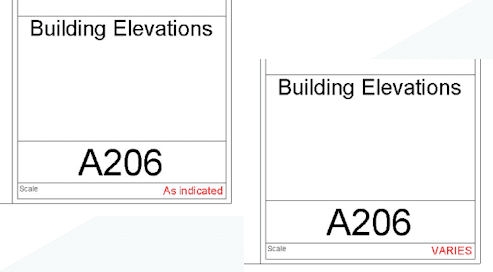
  • “As Indicated” Scale override parameter for all Titleblocks.
Two Revit sheet title blocks displaying different scale label styles – one shows "As indicated" and the other
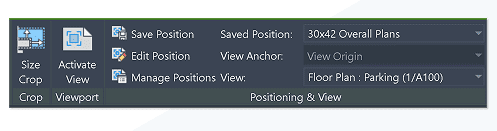
  • Savable View position to lock in place and repeat saved position throughout the Project with Automated View Placement.
Revit viewport properties panel showing crop, positioning, and saved view settings for a floor plan view.

LINK MANAGEMENT

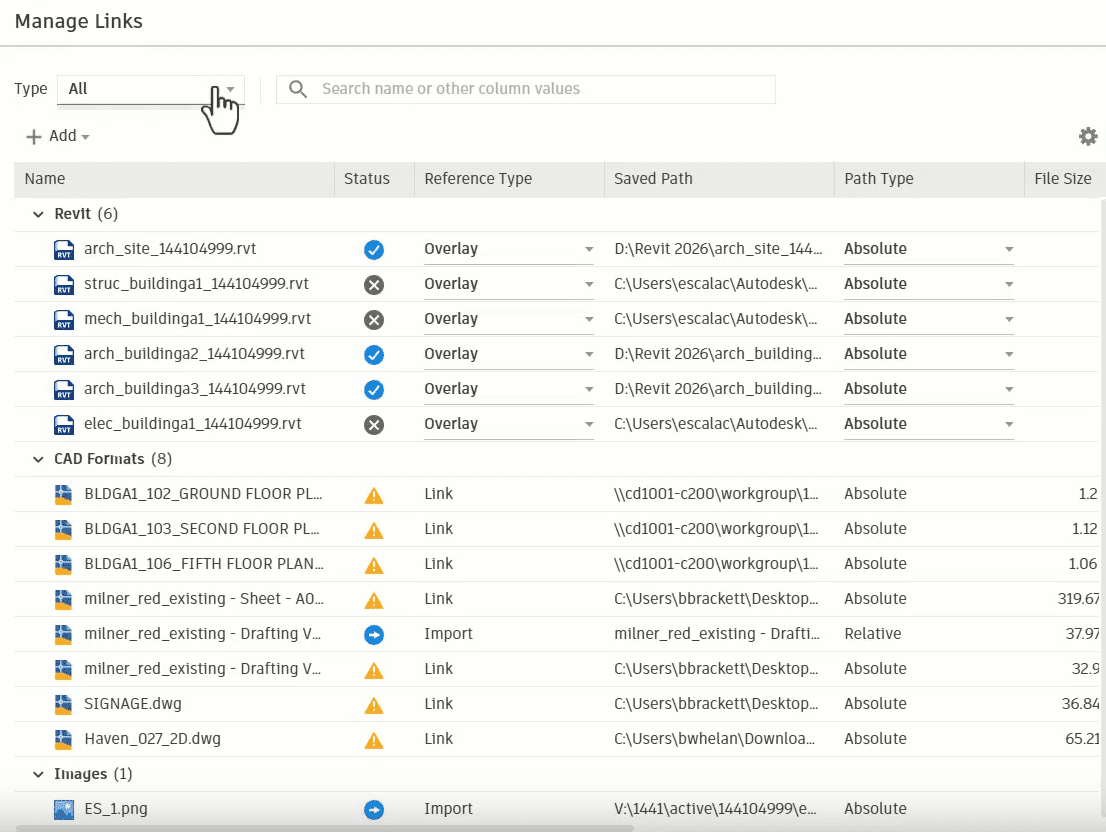
  • 2025.5 saw the overhauled Manage Links interface with Improved visibility and control of linked Models and CAD formats. You can now view imported or linked items in the same dialog.
Revit Manage Links dialog showing Revit, CAD, and image file links with status indicators and path types.
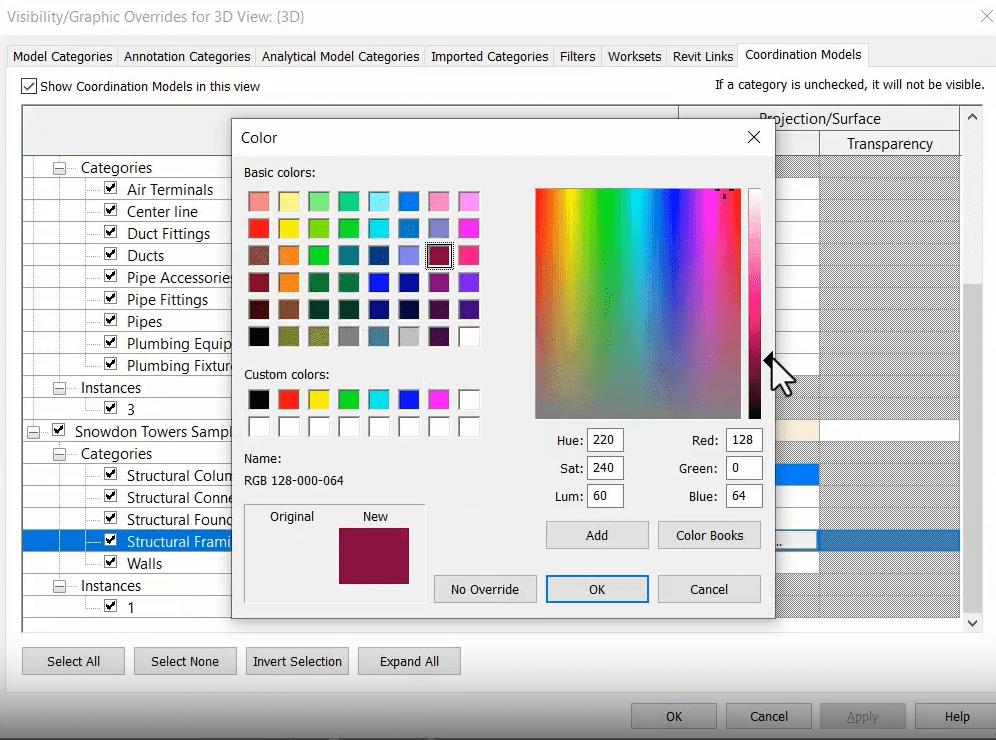
  • Coordination Model Visibility & Graphics tab, allowing for greater visual control of categories and the colour of linked elements in views.
Revit Visibility/Graphic Overrides dialog showing the color selection window for changing the appearance of structural framing elements in a 3D view.
  • More precise IFC positioning.

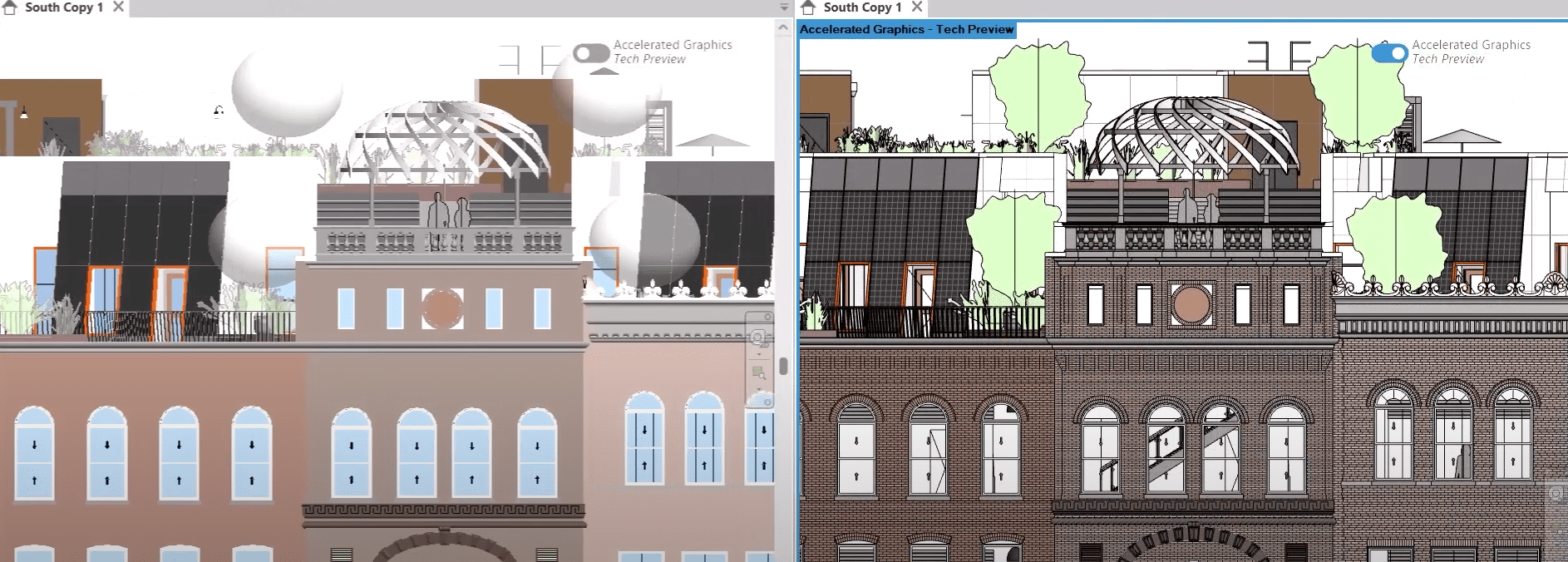
ACCELERATED REVIT GRAPHICS TECH PREVIEW

  • Enhances visual performance and responsiveness, reducing lag and improving navigation speed in 3D and 2D views.
Side-by-side comparison of Revit elevation views with and without Accelerated Graphics enabled, highlighting differences in rendering detail and clarity.

RECAP PRO MESH REVIT PLUGIN

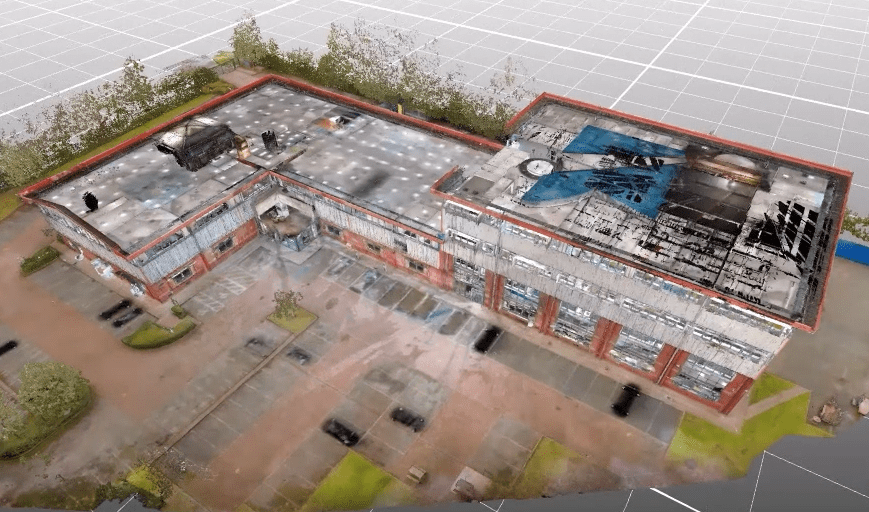
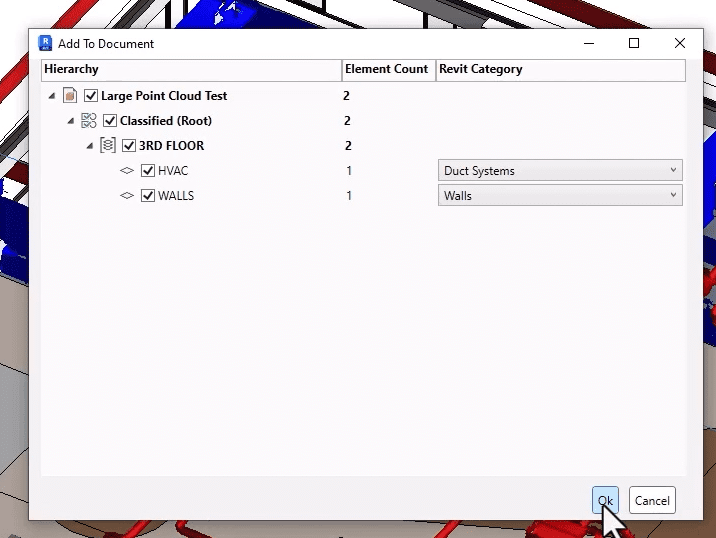
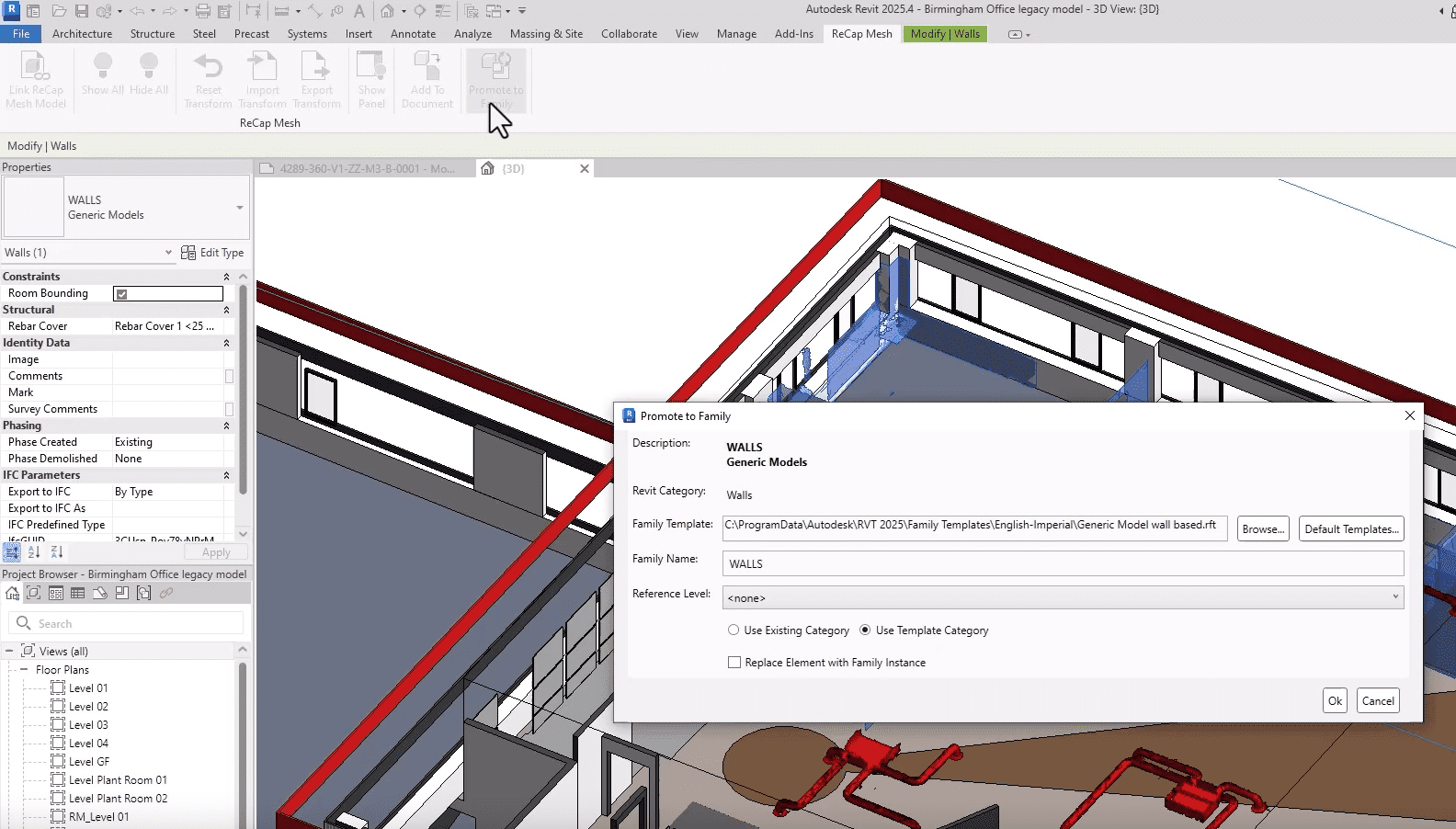
  • ReCap Pro integration allows for import and conversion of large or complex Point-Clouds into Revit. Link a mesh, define parts and convert Mesh geometry to native Revit Families.
3D point cloud model of a commercial building and its surrounding site, captured using reality capture technology.
Revit "Add to Document" dialog showing classification of point cloud data into HVAC and Wall elements with assigned Revit categories.
Revit interface showing the “Promote to Family” dialog box for a wall element converted from a ReCap mesh, with Revit category and template selection options.

INTERFACE CHANGES:

  • Many modification and placement options moved from Option Bar to Ribbon.

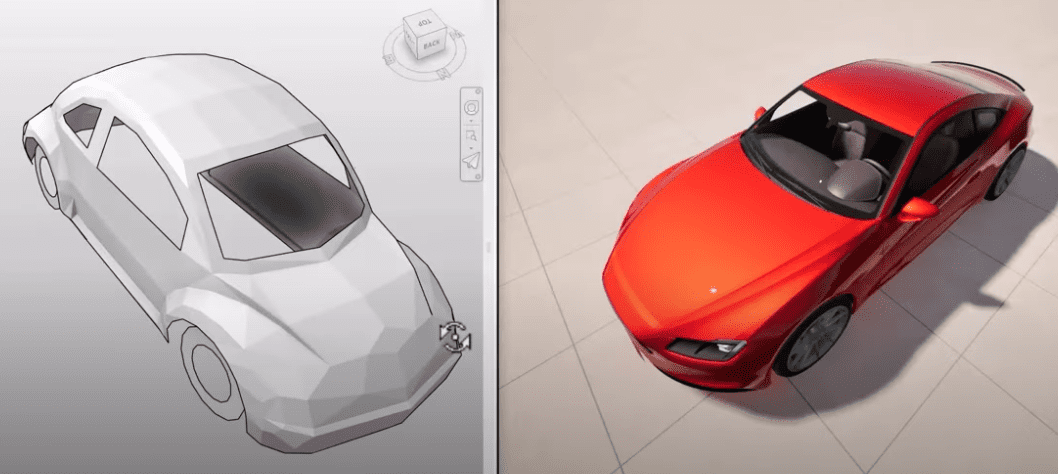
ENHANCED TWINMOTION FAMILY SUBSTITUTION

Side-by-side comparison of a low-poly car model in a modeling environment and a fully rendered, photorealistic version of the same car.

MEP IMPROVEMENTS:

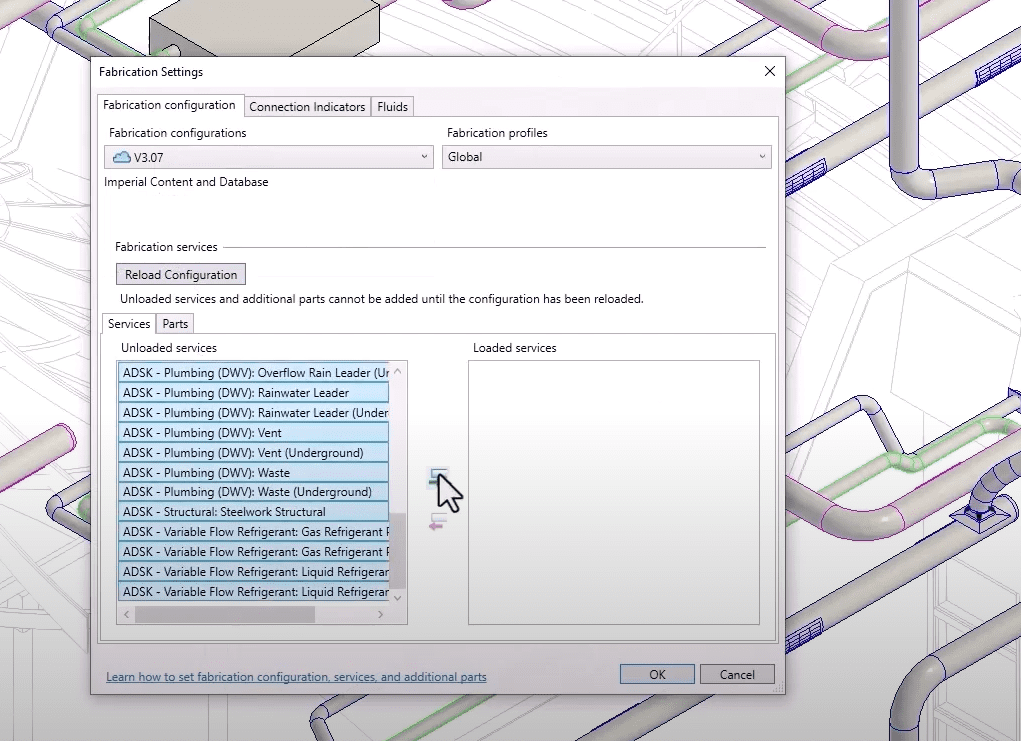
  • MEP Fabrication load times are now 70% faster and issues with step-downs have been addressed.
Revit Fabrication Settings dialog showing a list of unloaded and loaded MEP services under the "Fabrication configuration" tab.
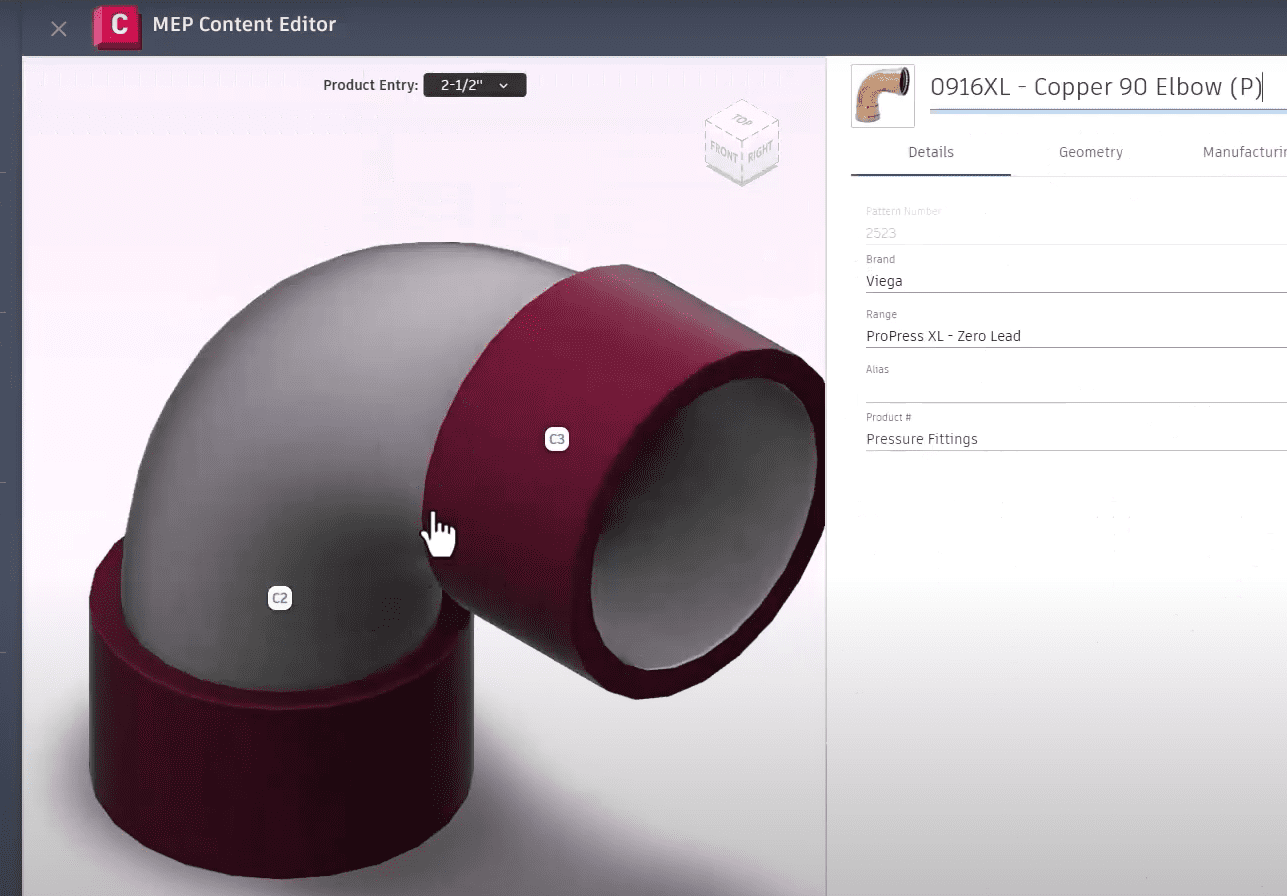
  • MEP Content Editor now permits 3D visuals of connections before loading into the project.
MEP Content Editor interface showing a 3D view of a copper 90-degree elbow fitting with editable connection points and product details. Title:
  • Globalized Electrical conductors to manage circuit wiring requirements and cable configurations.
  • Enhanced HVAC zoning and analytical model coordination.
Revit floor plan view showing assigned analytical system zones with mechanical ductwork and piping layouts overlaid.

MEP IMPROVEMENTS:

  • Easily model cranked rebar in congested areas to prevent clashes.

With every release, Revit continues to redefine what’s possible in Building Information Modeling, and this year is no exception. The latest version introduces a suite of features designed to streamline workflows, improve coordination, and deliver more accurate results faster than ever before. Whether you’re focused on design, documentation, or data-driven decision-making, these updates are built to support your evolving project needs and keep your teams aligned and productive. If you’re looking to maintain a competitive edge and elevate the quality of your project outcomes, now is the perfect time to explore what’s new. Download the latest version and experience the improvements firsthand – see the full list of enhancements here.
ENSCAPE IMPACT : Sustainable Design on Demand

Enscape Impact add-on is designed to integrate building performance analytics into design process early stages. This powerful tool empowers architects and designers to make informed decisions that enhance both the efficiency and sustainability of their projects.

Sustainability is now a key focus in architecture and design, and early energy analysis plays a vital role in creating efficient, cost-effective, and environmentally responsible buildings. By considering energy performance from the start, projects can avoid costly late-stage changes, meet regulations, and stay true to the original design vision. This approach not only streamlines the process but also delivers better outcomes for clients.

The Enscape Impact add-on brings building performance analytics into the early stages of design, giving architects and designers the insights they need to make smarter, more sustainable decisions.


Get Quote

Key Features

REAL-TIME ENERGY MODELING

Enscape Impact allows users to perform fast energy modeling simulations directly within their design environment. This feature provides immediate insights into key performance metrics, such as energy consumption and carbon emissions, enabling designers to optimize their projects from the earliest stages.

Animated Enscape Impact Design Workflow

INTEGRATED WORKFLOW

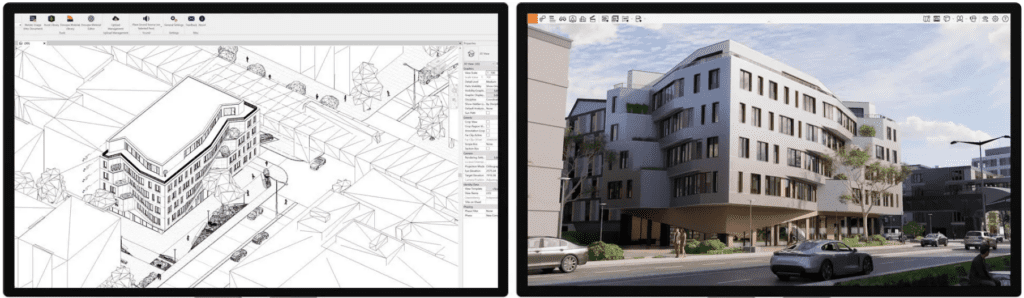
The add-on integrates with Enscape, leveraging the live workflow with popular CAD solutions like Revit, SketchUp, Archicad, Rhino, and Vectorworks. This ensures sustainability considerations are embedded into the design process without disrupting the creative workflow.

Enscape rendering of a modern building design in Enscape

MINIMAL DATA ENTRY

Users can establish a baseline analysis with just a few data points, including location and building type. This streamlined approach makes it easy to access actionable insights quickly.

VISUAL PERFORMANCE METRICS

Enscape Impact features an intuitive dashboard that displays energy performance metrics through easy-to-read charts and diagrams. This visual representation helps designers understand how their design decisions impact building performance.

ENHANCED COMMUNICATION

By providing clear and concise performance data, Enscape Impact facilitates better communication between architects, engineers, and stakeholders. This ensures that all parties are aligned on sustainability goals and design efficiency.

Communication Without Enscape Impact

BENEFITS OF USING ENSCAPE IMPACT

DATA-DRIVEN DECISION MAKING

With real-time energy analysis, designers can make informed decisions that improve building performance and reduce environmental impact. This leads to more sustainable and cost-effective projects.

INCREASED PRODUCTIVITY

The integration of performance analytics into the design workflow shortens the feedback loop, allowing for quicker adjustments and optimizations. This enhances overall productivity and project timelines.

IMPROVED DESIGN QUALITY

By embedding sustainability considerations into the design process, Enscape Impact helps create buildings that are not only aesthetically pleasing but also energy-efficient and environmentally friendly.

By providing real-time insights and seamless integration with existing workflows, Impact ensures that every design decision contributes to a more sustainable future.

Get Quote

*NEW RELEASE* D5 Render 2.9 – What’s New?

D5 Render is well-established as powerful 3D rendering software designed for architects, interior designers, and landscape planners. It offers a comprehensive suite of tools that streamline the visualization process, making it easier to create stunning, photorealistic renders.

See what's new in D5 Render 2.9

ADVANCED TERRAIN TOOL

Allows users to sculpt realistic landscapes directly within the software. Whether you’re designing smooth plains or rugged hills, the intuitive brush tool offers precise control over shaping and texturing. This feature is perfect for creating diverse natural environments with ease.
PHASING ANIMATION

Simplifies the creation of step-by-step visualizations, making it ideal for architectural presentations and product demonstrations. With pre-designed templates, users can quickly illustrate construction stages or installation processes without complex keyframes.

POST AI ENHANCEMENTS

Upgraded next stage for AI Enhancement, the new Post-AI tool combines advanced image processing with AI Style Transfer. This allows users to enhance lighting, materials, and character details up to 6K resolution, and transform renders into unique styles like watercolor or photorealistic effects.

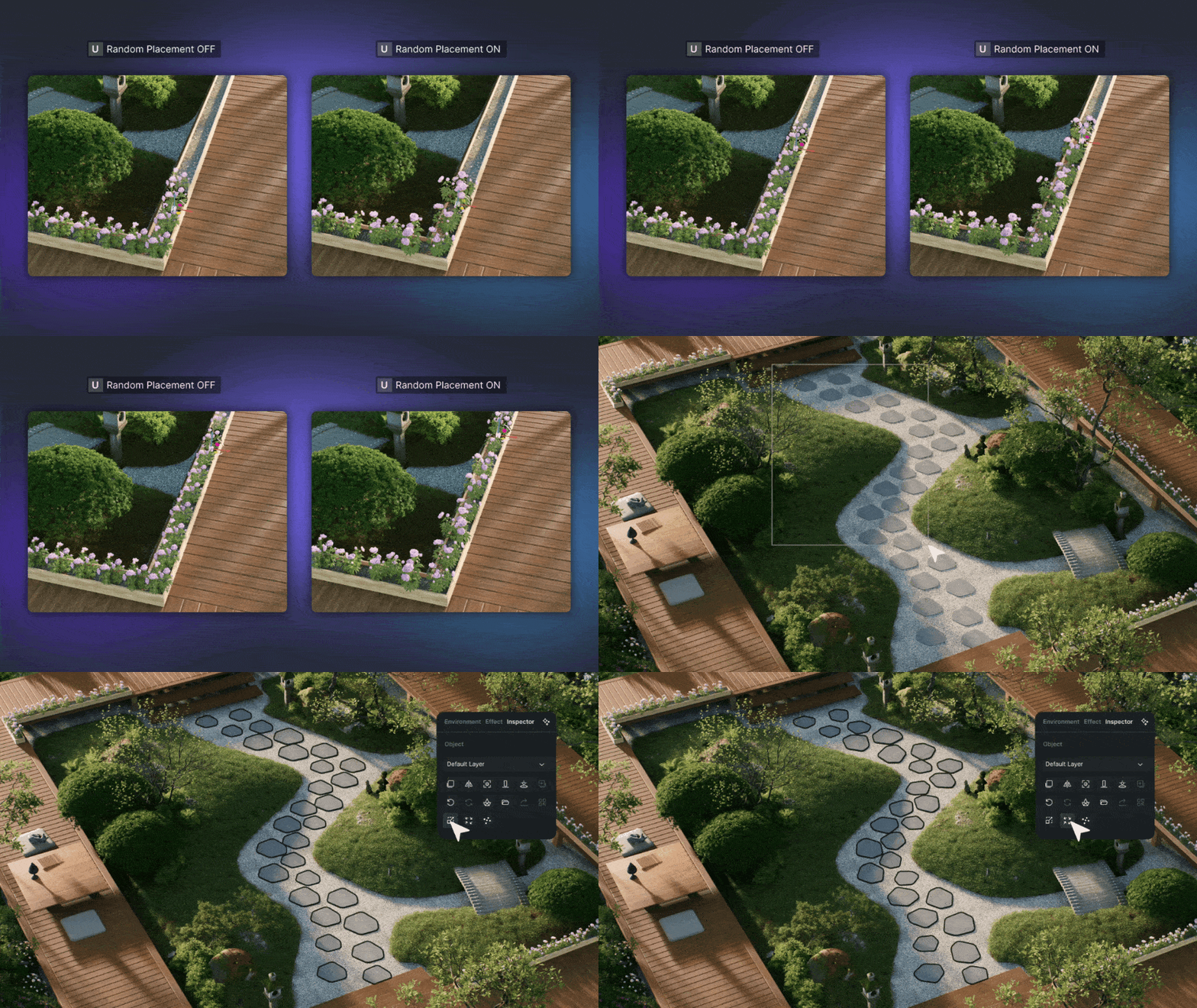
RANDOM PLACEMENT

The Random Placement feature adds a touch of realism by allowing users to adjust size, rotation, and location parameters for assets. This is particularly useful for creating natural, non-repetitive layouts in scenes.

FPS BOOSTER FOR COMPLEX GEOMETRY

Optimizes performance for intricate meshes and densely populated scenes, ensuring smooth real-time interactions and rendering, even with heavy models.

ENHANCED ASSET MANAGEMENT

The new Asset Info Page makes managing assets easier by providing quick access to thumbnails, properties, and file sizes, streamlining the selection process and enhancing workflow efficiency.

D5 Render 2.9 is a significant update that brings a wealth of new tools and improvements to the table. Whether you’re an architect, designer, or visualization artist, these features are designed to enhance your workflow and help you create stunning, lifelike visuals with ease.

MORE GREAT FEATURES OF D5 RENDER

AI ENHANCEMENT

Artificial intelligence for atmospheric matching and enhancing images improving lighting, textures, and overall realism at the click of a button.

VAST ASSET LIBRARY

With over 14,000 models, materials, and particles, the asset library offers a wide range of customizable options to suit any project.

D5 SCATTER

Allows for quickly creating natural-looking environments, scattering objects like trees, rocks, and other elements randomly across a scene

ULTRA HD TEXTURE

Automatically activate Super Resolution to quadruple the perimeter of the texture and apply it to the model surface for preview. Supports high-resolution textures, making every detail in the render crisp and clear. Run an AI generated texture map to take your renders to the next level at a single click!

SEAMLESS INTEGRATION

Smooth integration with popular design software like Revit, SketchUp, 3ds Max, Rhino, Archicad, Cinema 4D, Blender, and Vectorworks.

D5 LIVE SYNC WITH REVIT
D5 LIVE SYNC WITH RHINO
D5 LIVE SYNC WITH SKETCHUP

USER REVIEWS

Users have been quick to praise the new features in D5 Render 2.9. Here are some highlights from recent reviews:

  • “The new terrain tool is a game-changer. It makes creating realistic landscapes so much easier and more intuitive.”

  • “Phasing Animation has made my presentations so much more dynamic and engaging. It’s a fantastic addition.”

  • “Post-AI enhancements have taken my renders to the next level. The ability to add artistic styles is a huge plus.”

  • “Random Placement has saved me so much time. My scenes look more natural and less repetitive.”

  • “The FPS Booster is a lifesaver for complex projects. Real-time rendering is now smoother than ever.”

Autodesk Revit 2025.1

Time to elevate your BIM experience! Our latest update is packed with innovative features designed to boost productivity and enhance collaboration. Enjoy advanced automation tools, seamless integration, and streamlined workflows. Transform your BIM projects and achieve more in less time.

See what's new in Autodesk Revit 2025

Introducing Revit 2025! This latest release comes packed with innovative features designed to enhance your design process and boost productivity. Key highlights include the Toposolid enhancement for intuitive terrain manipulation, advanced automation tools to streamline workflows, improved collaboration capabilities, and seamless integration with other design tools. Experience the future of BIM with Revit 2025, where every feature is crafted to help you create, analyze, and visualize your projects more efficiently and accurately than ever before.
TOPOSOLID ENHANCEMENTS

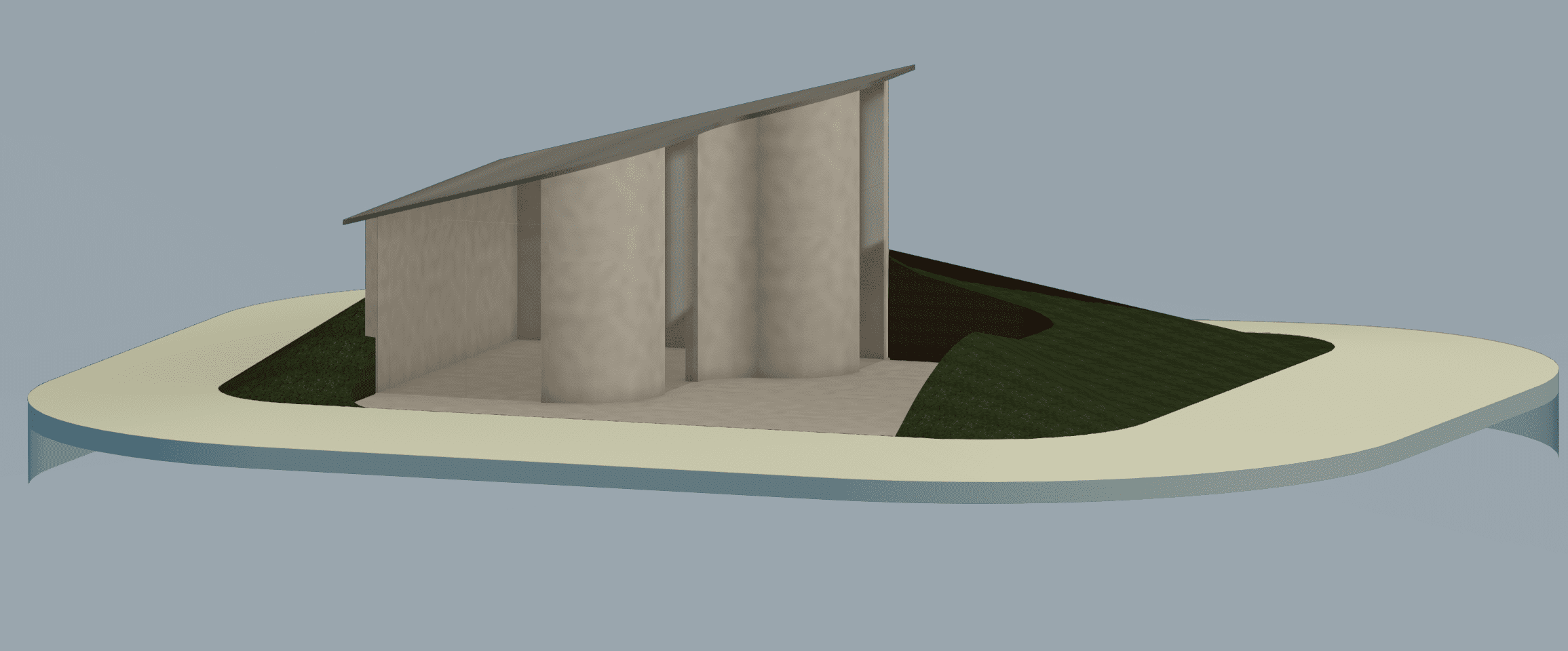
Discover the groundbreaking Toposolid enhancement in Revit 2025! This feature allows intuitive and flexible manipulation of terrain surfaces, improving accuracy and efficiency in site designs. Seamlessly integrate terrain data with other project elements for a cohesive and accurate model. Experience the future of topography in Revit 2025!
Screenshot 2024-06-17 113933
  • Excavate a Toposolid with an intersecting roof, floor, Shaft or other toposolid component.
  • Host elements to excavated Toposolid surfaces
  • Create from a Mass Face
  • XYZ Snapping – If selected and the mouse hovers over a place that is not a reference object, the elevation follows the “Along surface” behaviour
  • Smooth Shading
  • Contours Display while editing
  • Suppression of folding lines while editing
  • Linked Topography improvements

ALIGN MULTIPLE

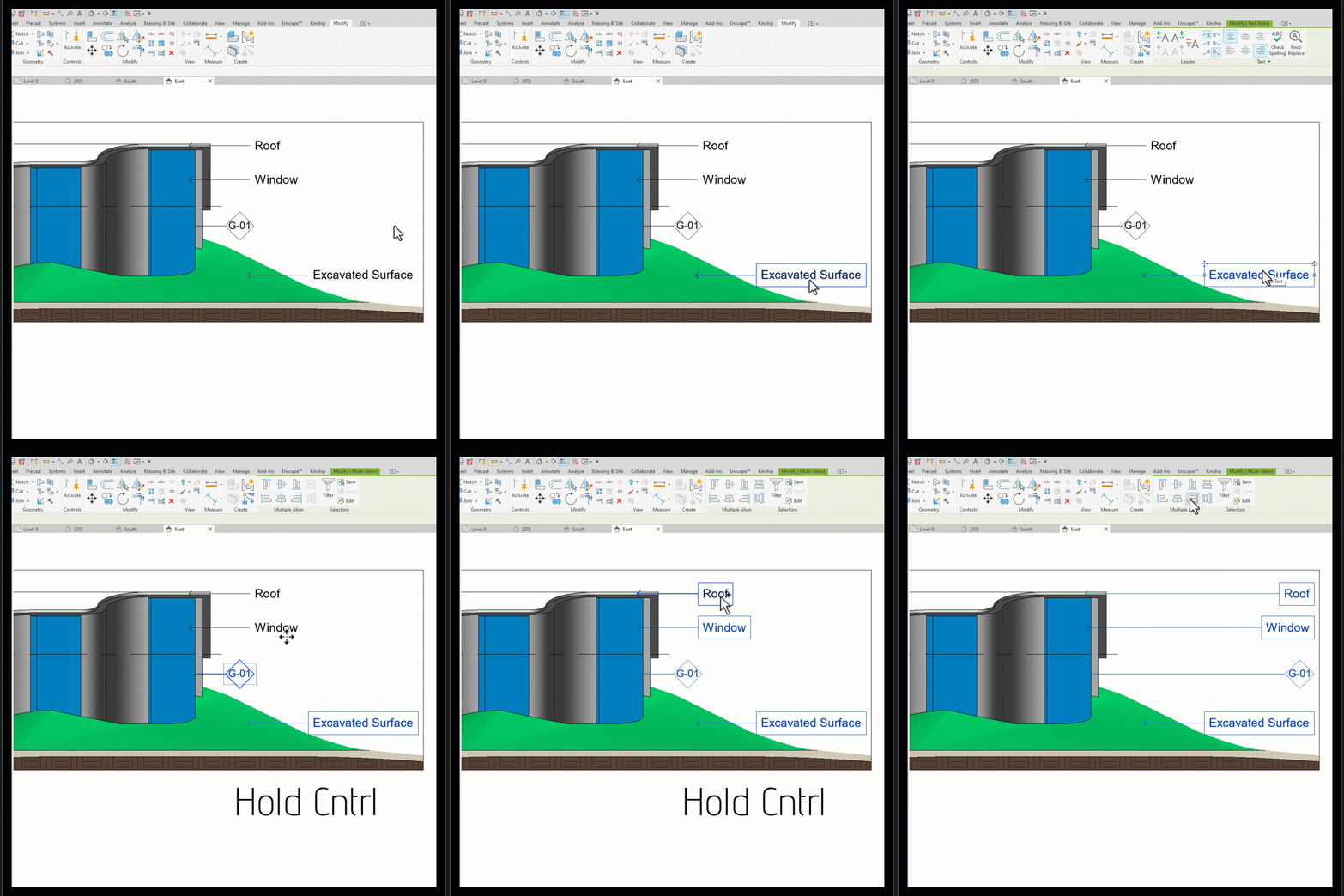
Align and distribute multiple keynotes, text notes, and tags effortlessly with the new Multiple Align Panel in Revit 2025. This powerful tool allows you to organize your annotations with precision, ensuring a clean and professional presentation of your drawings. The Multiple Align Panel simplifies the process, saving you time and reducing the risk of errors, so you can focus on creating high-quality designs.
Multiple Align
Align and distribute multiple keynotes, text notes and tags using the new Multiple Align Panel.

ARRAY UPDATE

Arrays
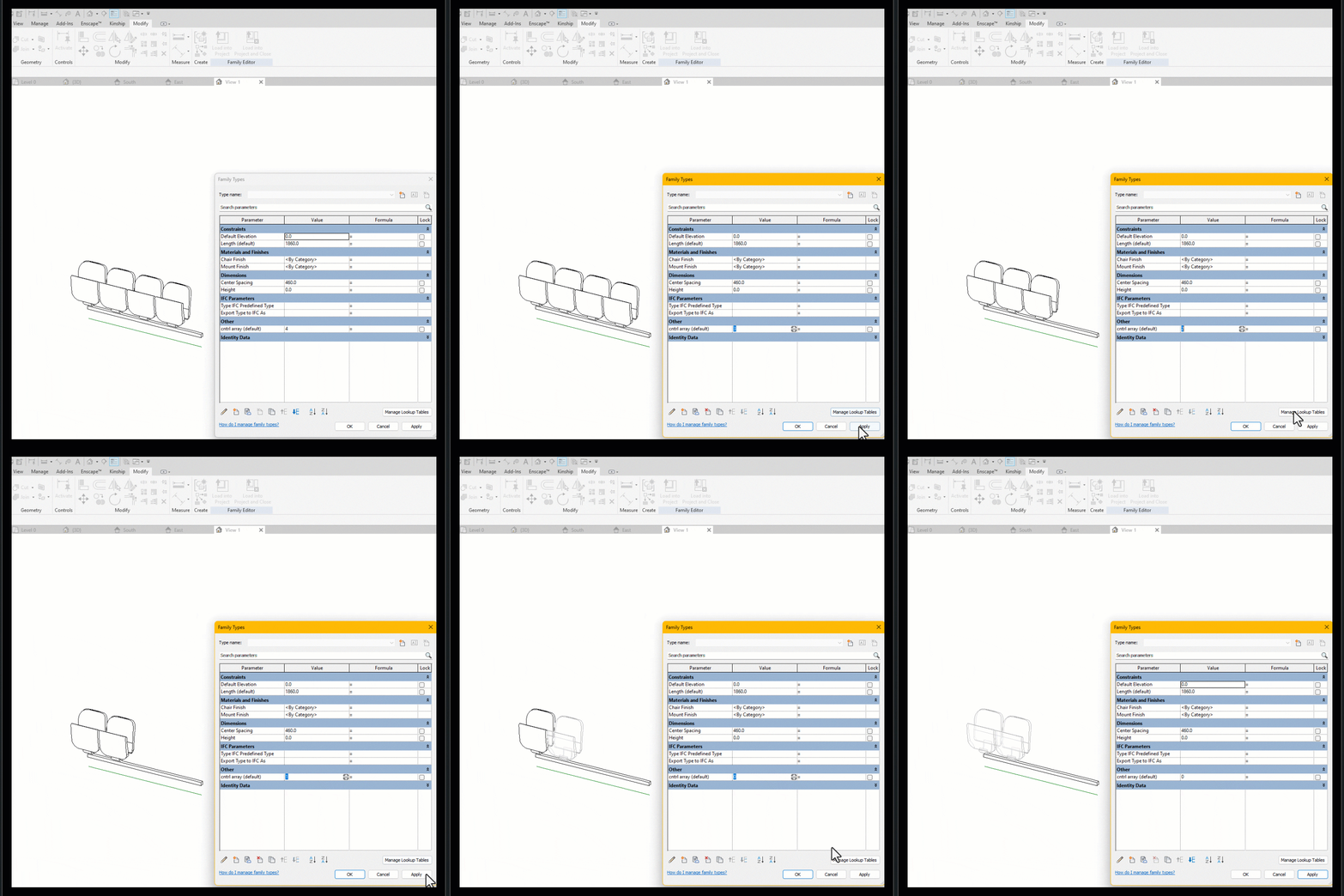
For the Modellers out there, the arrays update is a HUGE improvement. Previously, a family would break when less than two of an arrayed item are present, requiring multiple visibility options and formulas controlling them. Now Arrays are permitted to decrease to 1 or 0, streamlining family creation.

SHEET COLLECTIONS

Screenshot 2024-06-17 120741
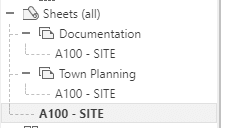
Organize your sheets into flexible groupings, allowing duplicate sheet numbers within different collections. New collection parameters added and compatible with view types for further Grouping & Scheduling.

INTERFACE ENHANCEMENTS

Screenshot 2024-06-17 121004
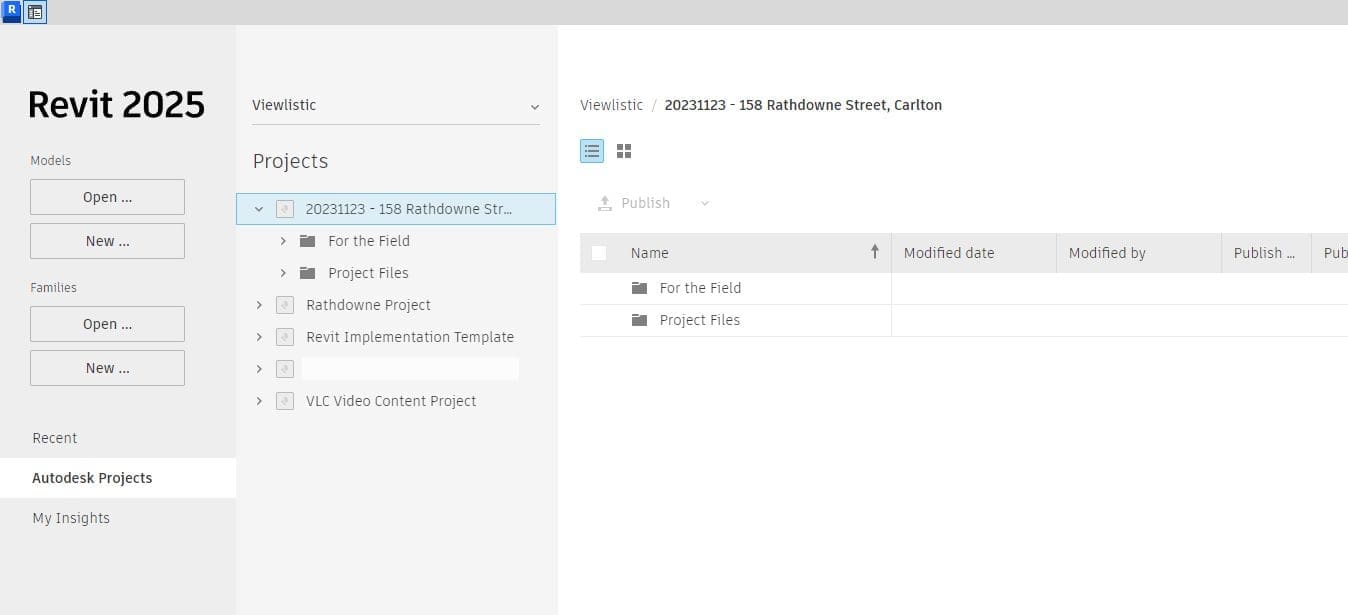
  • New Home Screen – Improved ACC Navigation, view filtering, and History Data Panel.
  • Project Browser Search – Improved the ability to view all the child nodes when the parent node does not contain keywords.
  • Options Bar Removed – Properties relocated to either Properties Palette or Ribbon for enhanced efficiency.
  • Material Browser enhanced for
  1. Batch Add/Delete Materials
  2. Faster Appearance Previews

BACKGROUND PDF EXPORT

TIME

Export PDFs in the background while continuing to work on your model.

DARK THEME UPDATE

Screenshot 2024-06-17 122318

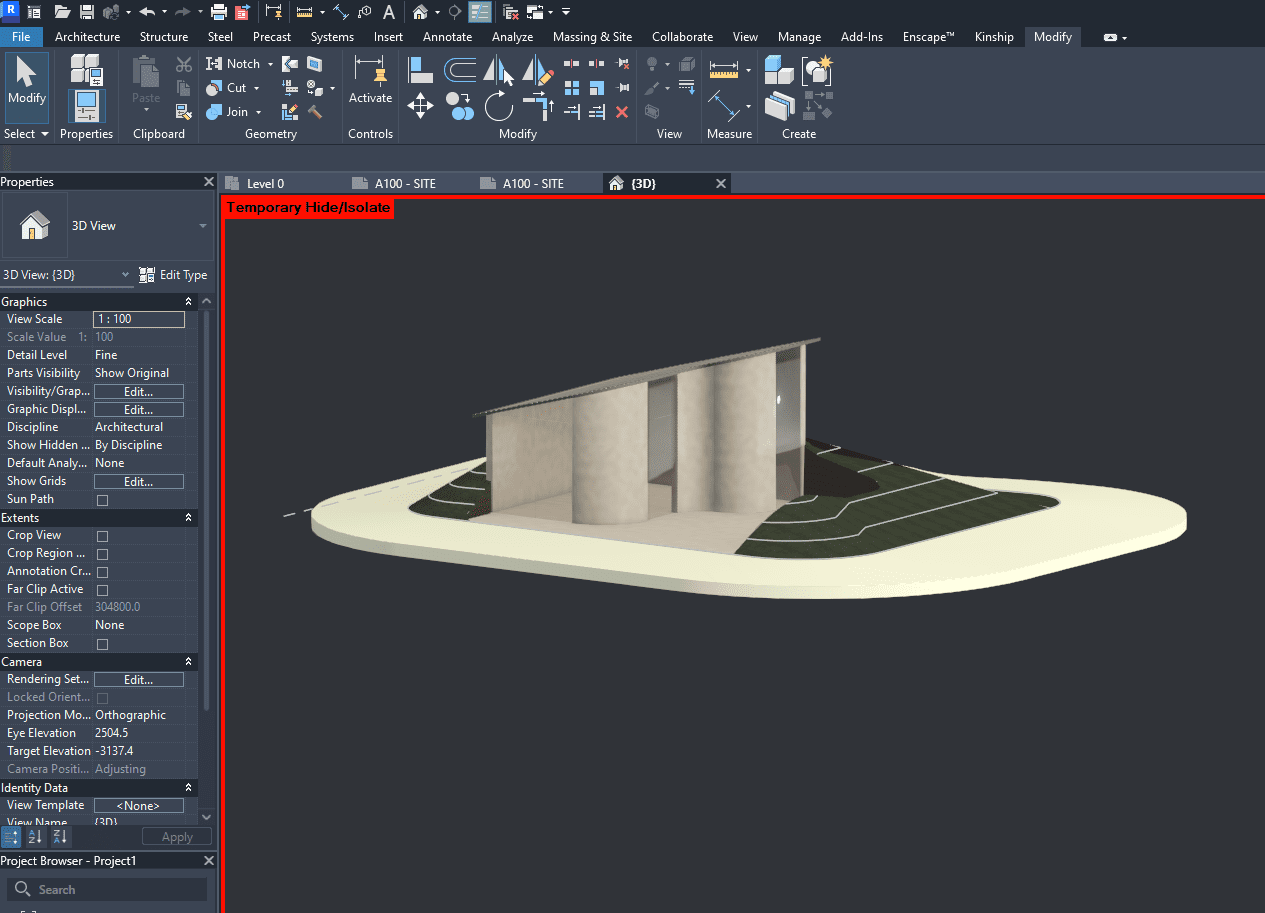
Dark theme now supports schedules and panel schedules with automatic color adjustments for better readability.

Architextures : Unleashing Creativity!

Architextures is more than just a texture library; it’s a comprehensive solution aimed at boosting creativity, improving efficiency, and fostering collaboration within the design process. A must-have in the toolkit of every architect and designer.

Unlocking Design Potential with Architextures

In the realm of architectural and design projects, the quest for photo-realism and precise material depiction is ever-present. This journey, however, often encounters a roadblock: the acquisition of high-quality textures. Whether it’s the cost, time, or effort involved, the hurdle of finding or creating the right textures can significantly impede creativity.

Enter Architextures – a cutting-edge solution designed to seamlessly integrate into the workflows of architects and designers. With its robust features, Architextures stands out as an indispensable tool for the modern design professional.
Architextures web app allows designers to create custom materials compatible with CAD/BIM software and download their design as a seamless texture, bump map or hatch.

Key Feature 1:

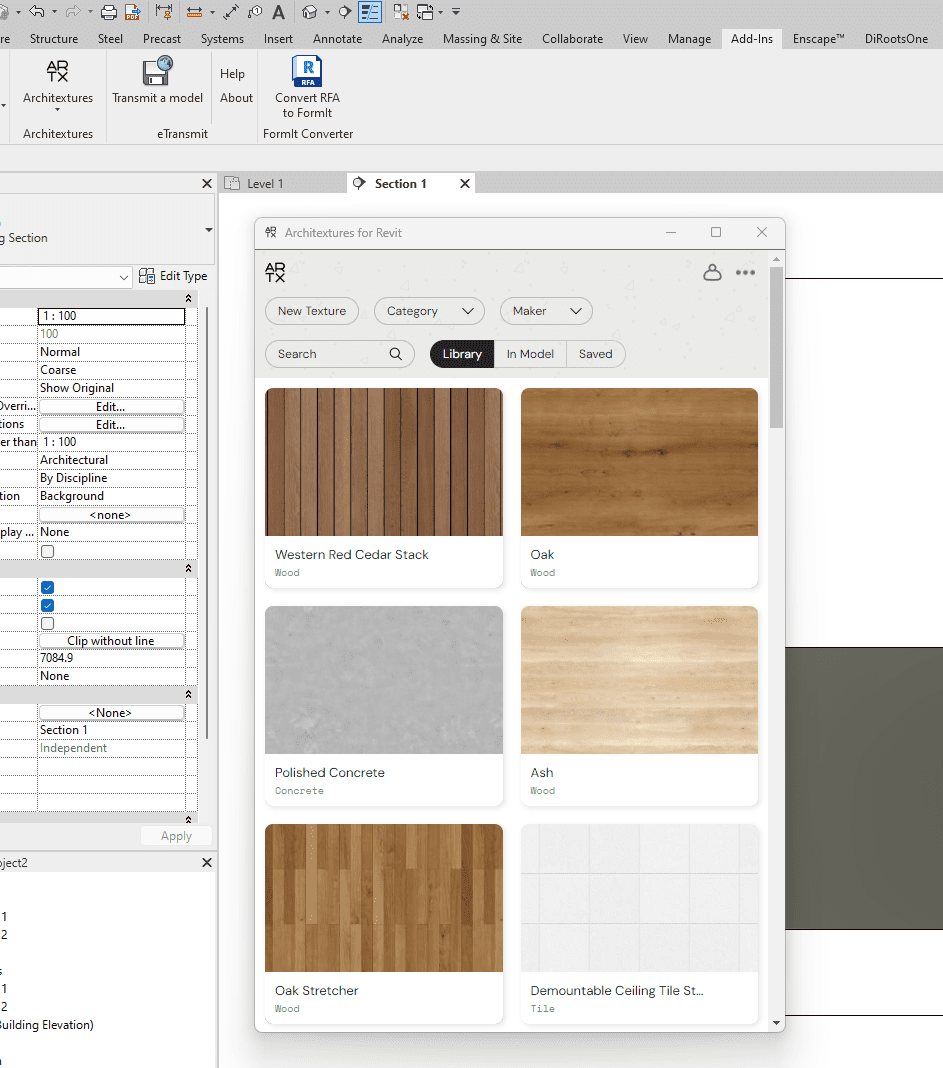
Revit and SketchUp Integration: Effortlessly apply textures and 2D hatches directly onto your models, ensuring a smooth blend with your existing workflow.
Screenshot of the Architextures interface integrated within Revit software, showing a selection of materials including wood and concrete textures.

Key Feature 2:

Extensive Texture Library: Gain instant access to a vast collection of ready-to-use, high-quality textures that will elevate your designs.
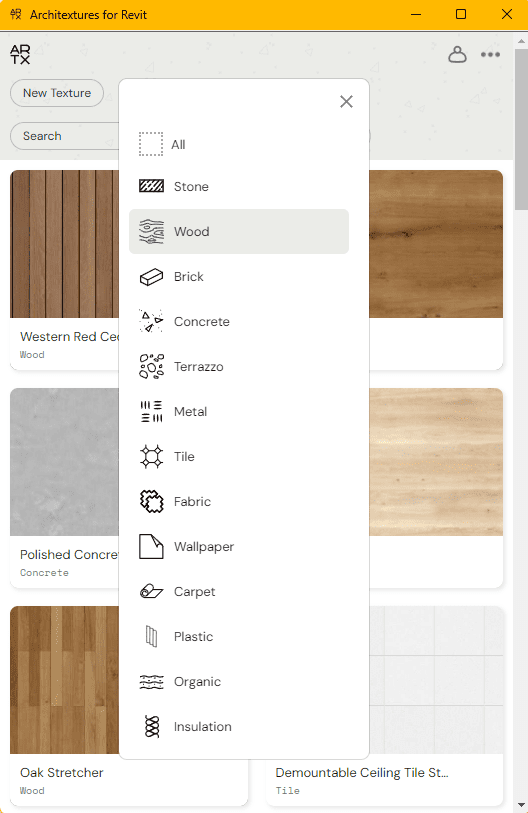
User interface of Architextures for Revit displaying a selection of materials categorized by type, such as Wood, Stone, and Concrete.
Extensive Texture Library: Gain instant access to a vast collection of ready-to-use, high-quality textures that will elevate your designs.
Key Feature 3:

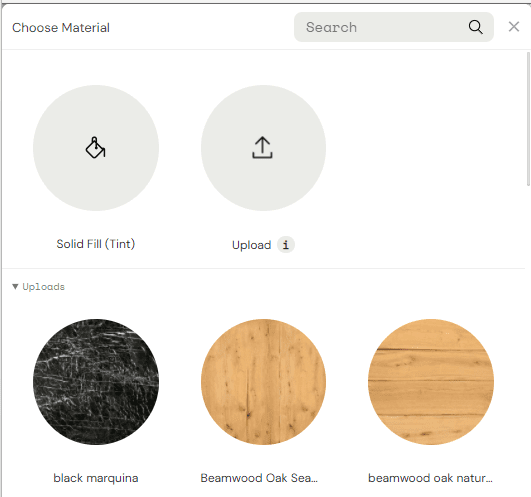
Custom Textures: Upload your own images to create unique textures, adding a personal touch to your projects.
Material selection interface showing options for Solid Fill (Tint), Upload function, and custom uploaded materials like black marquina and two shades of beamwood oak.
Custom Textures: Upload your own images to create unique textures, adding a personal touch to your projects.

Key Feature 4:

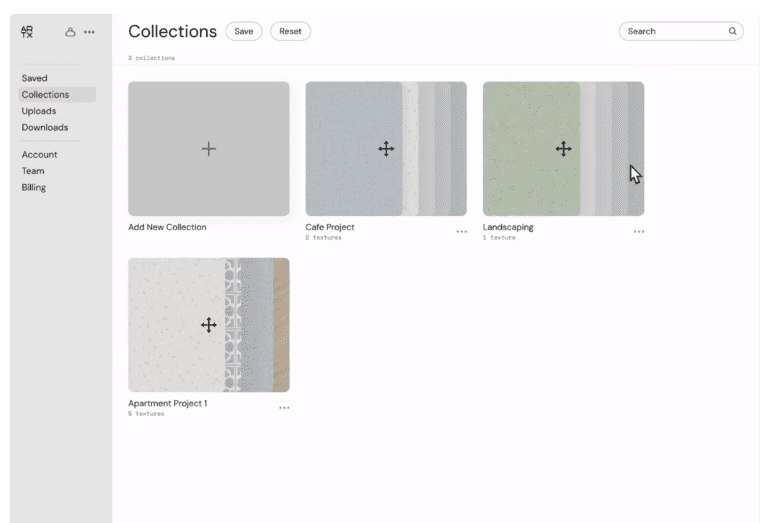
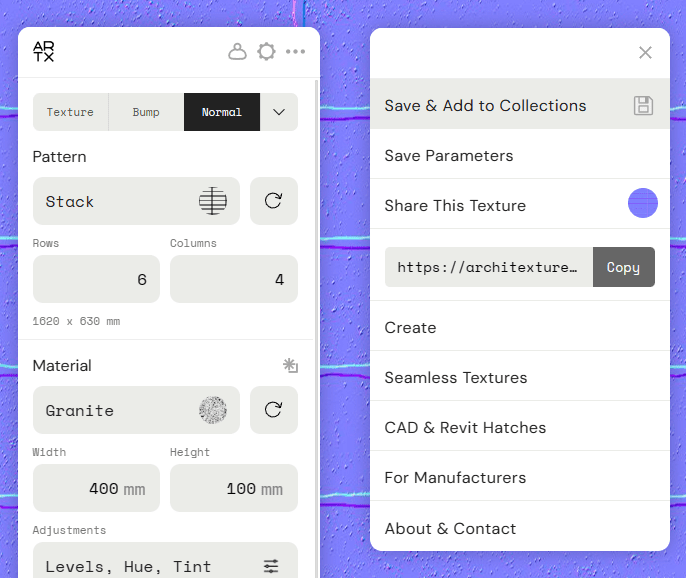
Team Collaboration: Build and share a texture library with your team, enhancing collaboration and ensuring consistency across projects.
A detailed view of the texture customization panel in Architextures with options for texture type, pattern layout, material properties, and sharing features.
Interface of Architextures showing a 'Collections' page with options to create new collections and previews of existing projects like 'Cafe Project' and 'Apartment Project 1'.
Team Collaboration: Build and share a texture library with your team, enhancing collaboration and ensuring consistency across projects.

Key Feature 5:

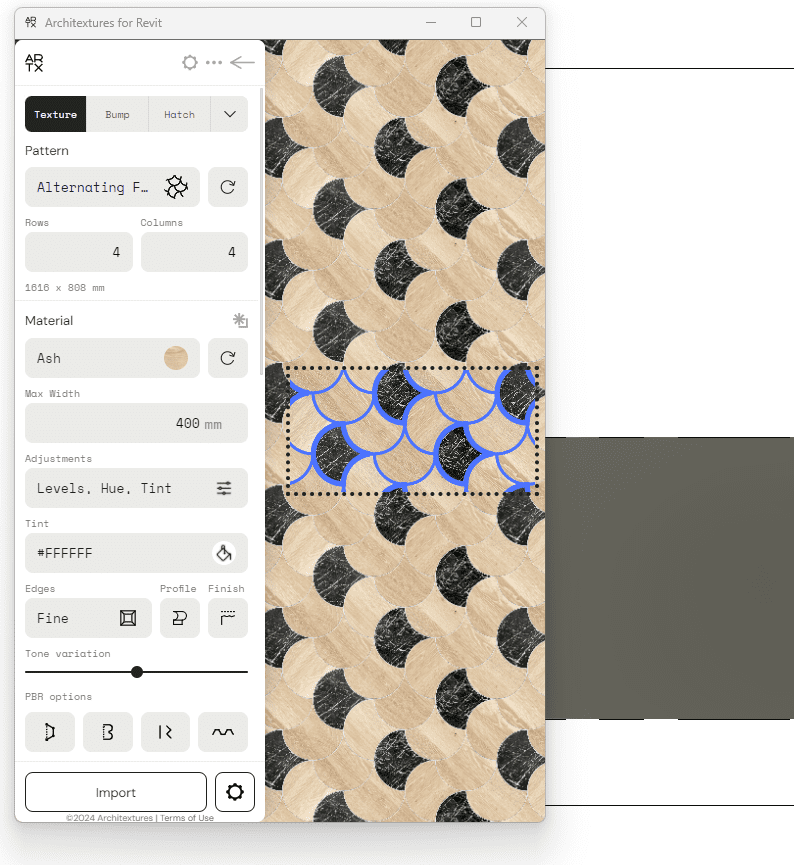
Dynamic Tools: Transform images into tiles, paving, and more with a single click. Automatically generate essential maps like hatches, bump maps, and normal maps for any uploaded texture. Additionally, adjust finishes, edges, profiles, and add multiple materials to a pattern with ease.
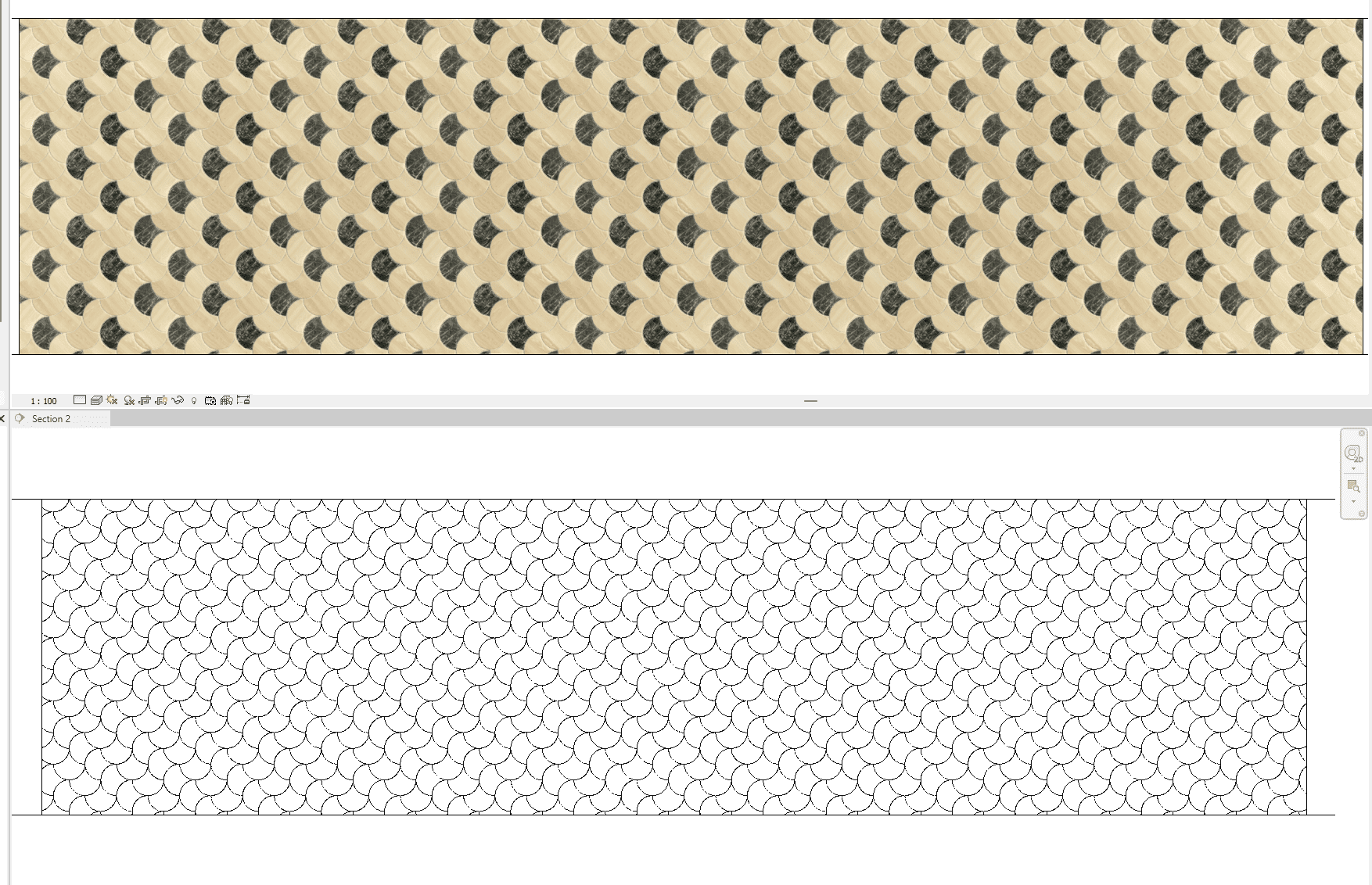
The interface of Architextures in Revit showing an alternating fish scale pattern of ash and black marble textures with editing tools for customization.
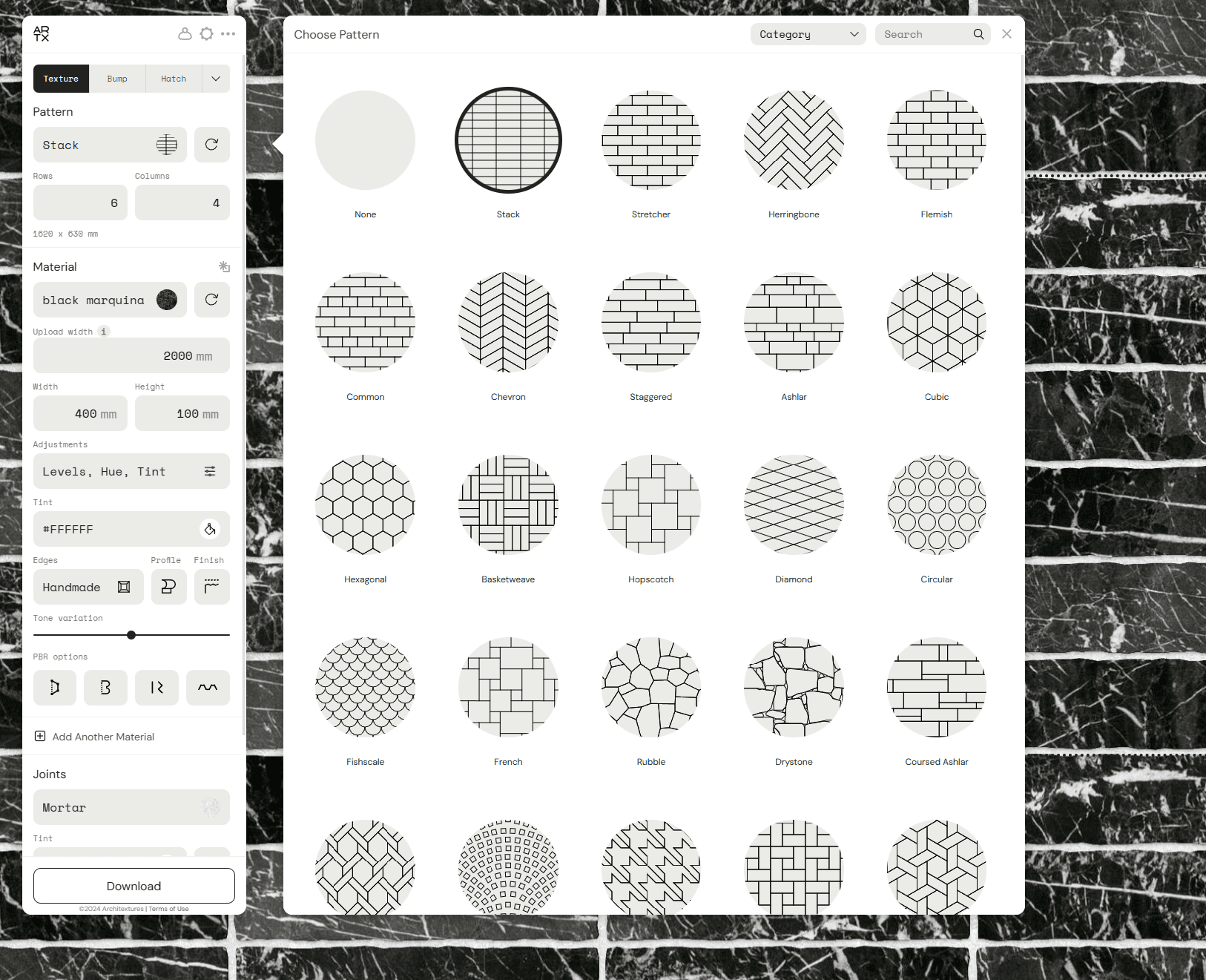
Interface showcasing a selection of masonry patterns available in Architextures against a background of black marquina marble texture.
Resize or adjust finishes, edges and profiles and Add multiple materials to a pattern
Comparison of a colorful fish scale texture pattern above and its corresponding black and white hatch pattern below in a design software interface.
Hatch automatically generates for patterned textures.

Architextures is more than just a texture library

Architextures is more than just a texture library; it’s a comprehensive solution aimed at boosting creativity, improving efficiency, and fostering collaboration within the design process. With Architextures, designers are equipped to unlock their full potential, making it a must-have in the toolkit of every architect and designer.

Twinmotion 2023.1.2 in Revit

there are a few steps to get up and running with Twinmotion in Revit, but we believe it is absolutely worth it.

Twinmotion 2023.1.2 in Revit 2023.1.1

As you have likely heard, Autodesk announced at AU 2022, that Twinmotion is now shipping with Revit 2023.1

As Epic Games partner, Australia’s leading Reseller of Twinmotion, and active member of the Beta advisory team, we are able to provide advice, training and support on using Twinmotion in Revit.

This article is simply intended to help you access Twinmotion in Revit 2023.1 

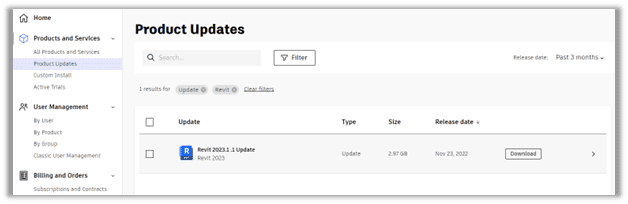
Autodesk Manage Portal, Product Updates, Revi 2023.1.1

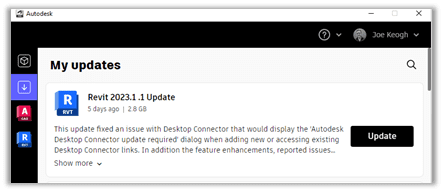
If you already have it installed you can get the Revit 2023.1.1 update, released last week, from the Autodesk Manage Portal, or the Desktop App.

Using the Filter in Product Updates page makes it easier to find. 

At this point you might want to search, download and install Twinmotion too!

First of all, you will need to have Revit 2023.1.1 installed.  If installing from the Autodesk Desktop App, you can install with updates.  


Product Updates in the Autodesk Desktop App

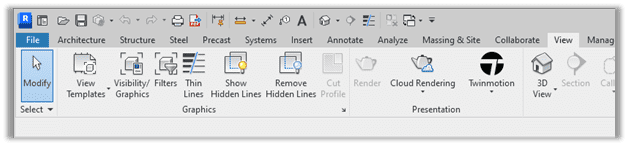
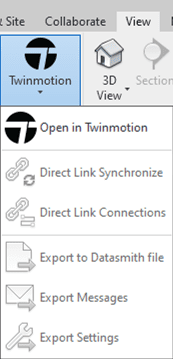
Once updated, Twinmotion in Revit is accessed from the View Tab, on the Presentation Panel.

Twinmotion menu on the Revit 2023.1 View Tab

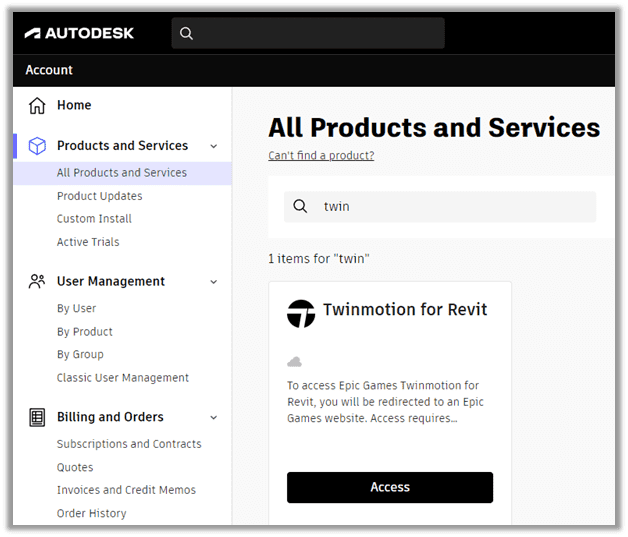
If you don’t already have a version of Twinmotion installed, by clicking on the Twinmotion Menu and selecting Open in Twinmotion, you will be prompted to download it from your Autodesk Manage Portal.  

I used the Search function in the Autodesk Manage Portal

Twinmotion Menu on the Revit View Tab
Access the Twinmotion Download from the Autodesk Manage Portal

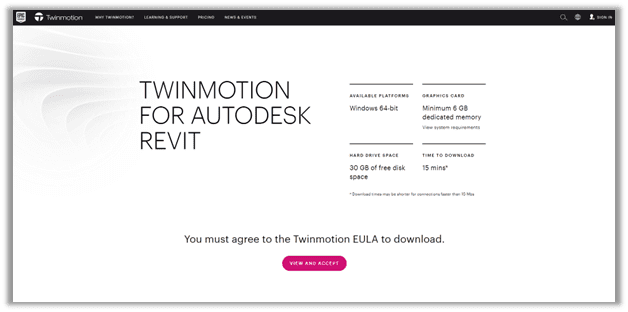
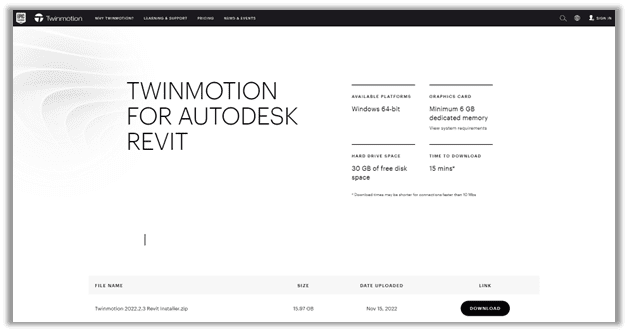
Clicking Access on Twinmotion will take you to the Epic Games Twinmotion Page, where you will need to View and Accept the End User License Agreement (EULA), before being able to Download and Run the Twinmotion installer.

You will also need a supported version of Datasmith Exporter for Revit. 

Here is a link to Download Now

A couple of things you should be aware of:


To Run Twinmotion, you’re going to need at least 30 GB of Free Disk Space.  In this case, I strongly recommend you take that as meaning you will need 100GB of free disk space before installing, because Revit needs 30-50GB free disk space to run efficiently, the TM download size is 16GB.

You are going to need a decent Graphics Card (GPU).  we recommend as minimum, the NVIDIA RTX 3070 with 8GB Dedicated memory.  We find these are a great card for Revit and have been recommending this as standard for as long as they have been available, we run RTX 3080’s on our laptops, and they run Revit and TM beautifully.

Hit us up if you want to know more about running Twinmotion in Revit.

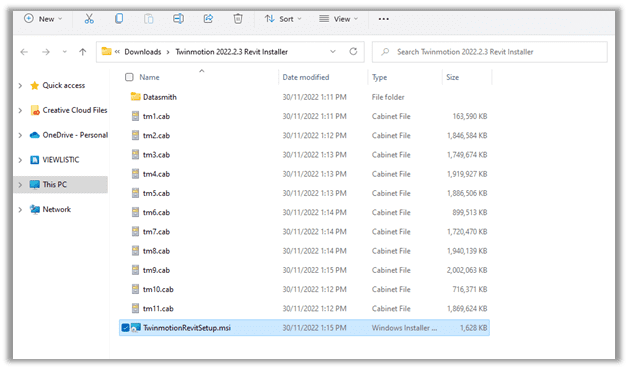
Once downloaded, extract the contents of the ZIP file to your desired folder.

Run the TwinmotionRevitSetup.msi installer.

Run the Datasmith Exporter for Revit MSI file downloaded earlier, or click  below and run it now.

Download Now

We hope you enjoy using Twinmotion in Revit as much as we do.  And don’t forget to ask us if you have any questions or need any help getting amazing results out of Twinmotion in Revit.


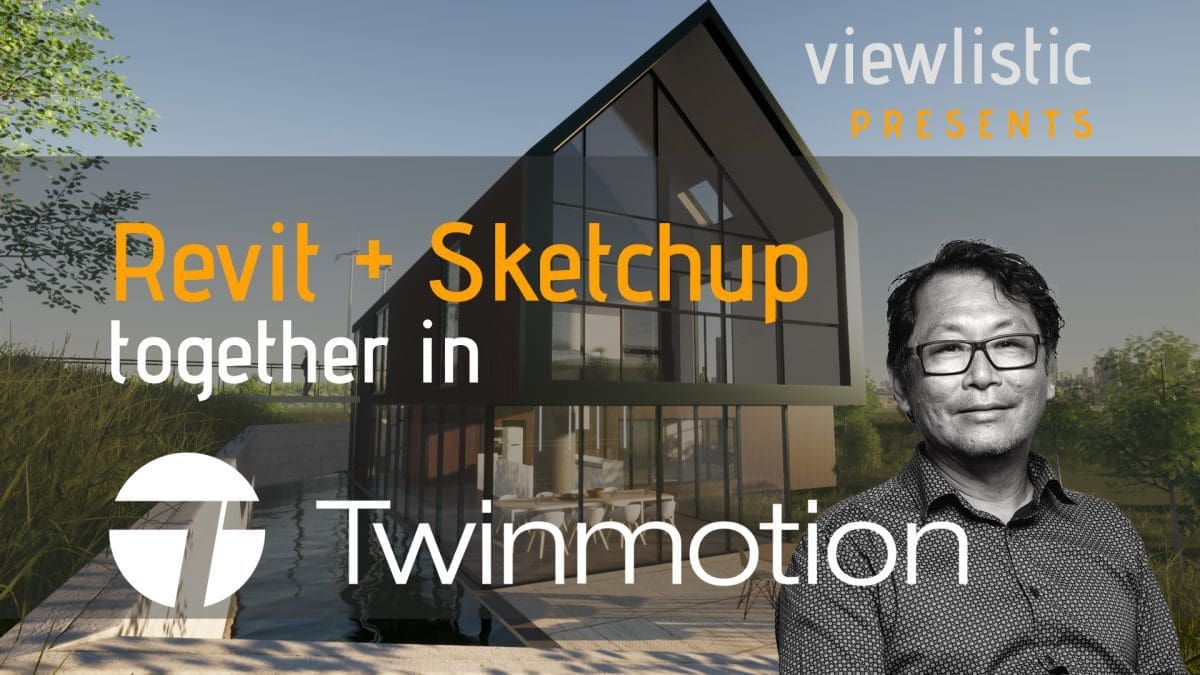
Revit and Sketchup with Twinmotion

Most design studios with a moderately large team will use multiple platforms to meet project deadlines.
SketchUp and Autodesk Revit is one such combination.

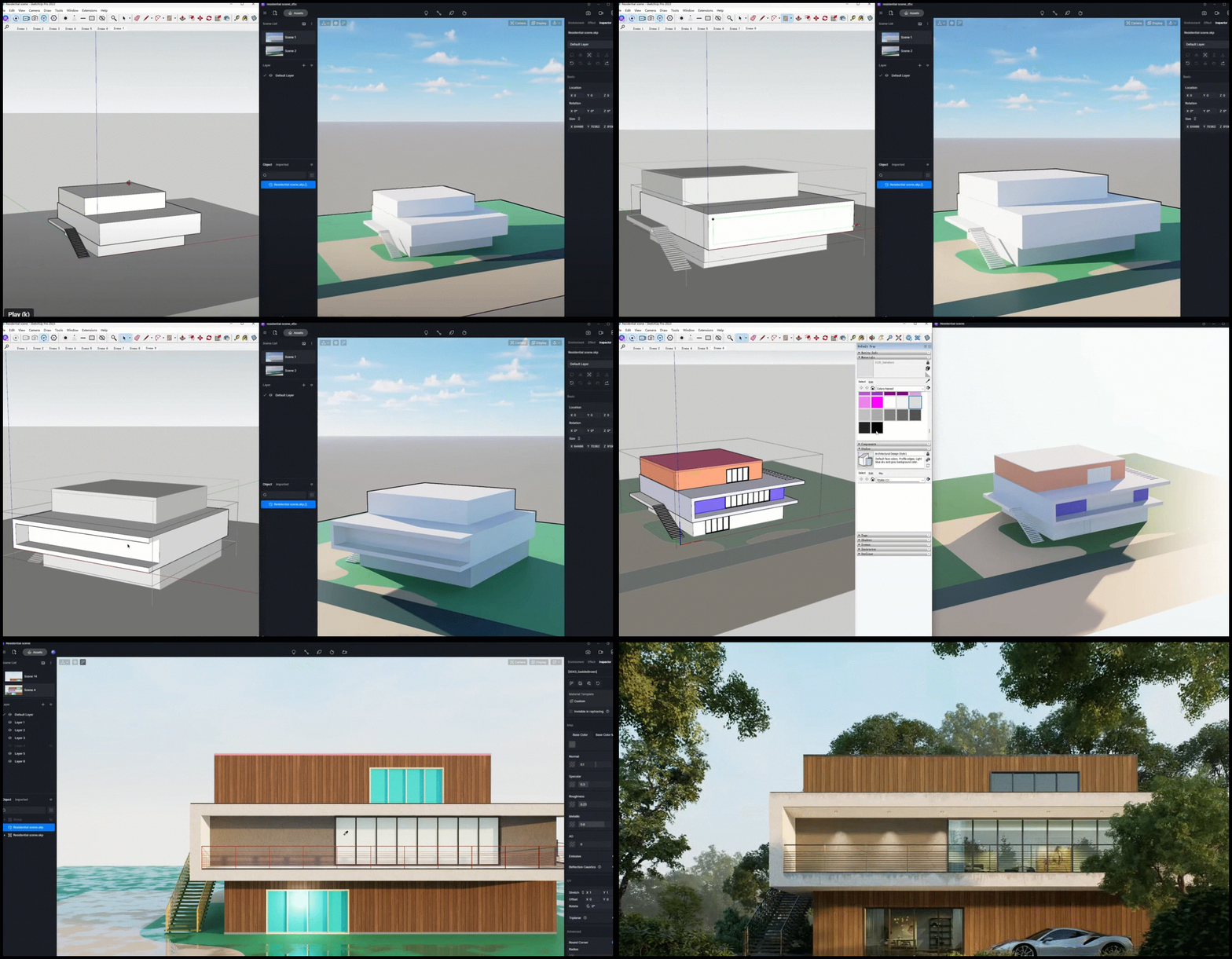
Most design studios with a moderately large team will use multiple platforms to meet project deadlines.
SketchUp and Autodesk Revit is one such combination.
Using Twinmotion as their visualization platform, multiple models are combined to create amazing renders, animations and Virtual Reality (VR) experiences.

We have prepared 3 short Tutorials showing how to work with Sketchup and Revit, in Twinmotion.
We review issues when linking multiple files into Twinmotion.
There are two ways of linking Sketchup files to Twinmotion
And two ways to link Revit Model files to Twinmotion.

Understanding how this works may save time spent on rework.

NOTE: Twinmotion can only “Directlink” from one platform (current version)

If the main “Directlink” model is Revit, Sketchup models must be imported (Twinmotion Import Sketchup Models directly)

If the main “Directlink” model is Sketchup, then the Revit Model will be exported (from the Twinmotion tool ribbon in Revit) as an FBX model and imported into Twinmotion.

In the third video we show what happens to Linked and imported Sketchup and Revit files in Revit Project file and how these models behave when linked into Twinmotion.

Understanding Internal Origin locations of each platform will help speed up reloading different design options and design location adjustments.

The other issue covered is the level of the terrain model in Twinmotion. The Sketchup and Revit internal origins are coincident. The Twinmotion terrain is slightly lower, select the terrain model and adjust.

It’s a lot of fun working in Twinmotion. Hope all this helps.

PART 1: Sketchup with Twinmotion: Linking Sketchup files to Twinmotion

The two ways of linking Sketchup files to Twinmotion. 1. Directlink Method 2. Importing Method Two tips: Origins and Adjusting Terrain Levels 

PART 2: Revit with Twinmotion: Linking Revit files to Twinmotion

The two ways of linking Revit files to Twinmotion. 1. Directlink Method 2. Export FBX and Import Method Two tips: Origins and Adjusting Terrain Levels

PART 3: Revit, Sketchup with Twinmotion: Issues to Anticipate

Issues to Anticipate 1. Linked Revit Files 2. Linked Sketchup Files in Revit 3. Imported Sketchup Files in Revit 

VR For Architecture

Presenting architectural projects in virtual reality.

Virtual reality (VR), Augmented Reality (AR) and Mixed Reality (MR) are hot topics in Architecture, Engineering and Construction today.

Many design studios around the globe are experimenting with virtual reality solutions, while the innovative and savvy companies have well and truly embraced VR into their daily workflows and are reaping the rewards of these evolving technologies.

VR, for architecture provides an entirely new perspective, one that can only be understood once experienced firsthand. As early adopters of VR technology for Architecture, we were rolling out systems to design studio’s, while most of the leading solutions today, were still only in BETA. We remain enthralled by the ever-changing capabilities and developments in VR, AR and MR, and know too well, that we are now only scratching the surface in theses and other emerging media.


Virtual Reality (VR) in Design Workflows

The greatest value of VR is realized when designers and design teams embrace VR to frequently test and review their designs.

When done in a 1:1 immersive environment. The rewards for all involved in the process are astronomical. We see, as you might expect, graduates and younger designers, pick up VR and run with it every day. Let’s face it no matter how many Dimensions you are Building into your Information Model, until you engage with it in VR, you are still experiencing 2 Dimensions, either on a flat screen or on paper.

Viewlistic customize training courses, workshops and demonstrations to educate, inspire and guide you through the many options and complexities of working with virtual reality in the architectural, engineering and construction space.

Although many design organisations appreciate the benefits of VR, the justification to invest in it can sometimes be difficult due to many contributing factors. Our Virtual Reality on Demand service provides you with the tools and knowledge to guide you through the experience of VR in your own business.


“With the right VR Hardware and Software, you actually experience the true proportion and scale.”
 

VR Software


With VR now available to all, 3D game engines offer a powerful, low-cost (and sometimes free) alternative for architectural VR. Innovative and forward-thinking VR developers, like IrisVR and Enscape however, take even this specialized workflow out of the equation for architects, freeing valuable time and resources for more important tasks, while still giving you the ability to interact in immersive design reviews, and client presentations. IrisVR goes one giant leap further, delivering Multi-user Meetings for Prospect. Prospect allows up to up to 12 individuals to meet in VR from any location, communicate and collaborate on design review and coordination within the design model.


Iris Prospect

IrisVR Prospect for Architects

IrisVR’s Prospect offers an impressive and ever-expanding set of tools for interrogating Design Models in VR. In addition to the Multi-user meeting capabilities, Prospect allows you to mark-up, place dimensions and take screen shots to refer to later. There is also the ability to automatically remove co-planar errors in the model, removing the annoying shimmer effect. 

However, one of my favourite features of Prospect is the scale Model. Upon exporting the model directly from Revit, you are presented with a fully interactive scale model. You can cut sections, change the scale and orientation, then when you’re ready teleport into any area of the building.


Enscape and VR

Enscape VR, real time visualisation

Enscape is a real-time visualization tool designed to work specifically with Revit. The software can be used on a standard display or in VR for high quality rendered environments. Enscape’s still and animated render outputs are simply brilliant, and their VR capabilities are improving with every update.


Autodesk

Autodesk Stingray offers a live link to Autodesk 3ds Max, which is great for design viz specialists familiar with the 3D modelling, rendering and animation software. However, Autodesk makes VR technology accessible to architects and other users of Revit with a push button Revit to VR application called Revit LIVE.


VR Hardware

Choosing the right Hardware can be tricky. Viewlistic supply a range of up to the minute solutions, whether you are getting started or looking to enhance your VR capabilities.

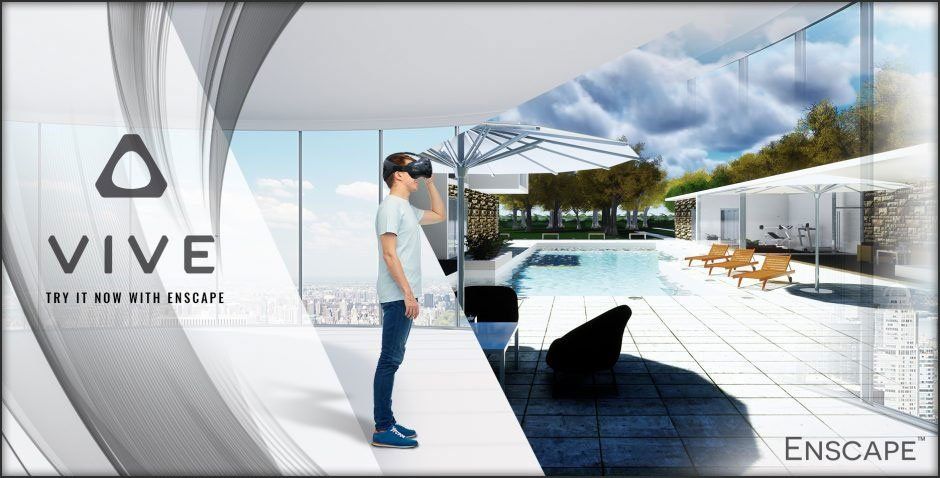
Viewlistic recommends the HTC Vive as the best in class VR headset for architecture. There are alternatives, and we are happy to work with all of them, however from bitter and sometimes nauseating experience, HTC Vive stands out as the most immersive, reliable and highest quality headset available today.

The HTC Vive does demand a relatively high Frame Rate (fps) delivered to each eye. Actually a minimum of 90fps per eye. Coupling the Vive with HP Omen and powered by Nvidia GPU delivers everything you need. If you need further details on a complete set-up, get in touch.